
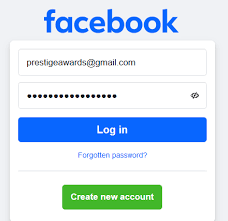
How to Access Facebook: A Step-by-step Guide
Are you struggling to access your Facebook profile? Don’t worry, we’ve got you covered! In this article, we’ll walk you through the process of accessing Facebook on various devices, including smartphones and computers.
Accessing Facebook With a New Account
If you’re new to Facebook or want to create another account, follow these steps:
- Download The Facebook App: Get the Facebook app from the Google Play Store (for Android) or Apple App Store (for iOS).
- Create a New Account: Tap on “Create a new account” and fill in your name, surname, date of birth, gender, and mobile number.
- Choose an Authentication Method: You can either use your email address or phone number to sign up.
- Set a Password: Create a strong password for your new account.
- Verify Your Account: Facebook will send you a verification code via SMS or email.
Accessing Facebook With a Computer
If you’re using a computer, follow these steps:
- Go to The Facebook Website: Visit the official Facebook website (facebook.Com).
- Click on “Sign Up”: Click on the “Sign up” button in the top right corner.
- Fill Out The Form: Fill out your name, surname, date of birth, gender, and email address or mobile number.
- Set a Password: Create a strong password for your new account.
- Verify Your Account: Facebook will send you a verification code via SMS or email.
Accessing Facebook With Another Account
If you have multiple accounts on Facebook, follow these steps:
- Open The Facebook App: Open the Facebook app on your smartphone or tablet.
- Tap on “Switch Account”: Tap on the profile picture in the top right corner and select “Switch account”.
- Choose an Account: Choose the account you want to switch to.
- Enter Your Credentials: Enter your email address, password, and two-factor authentication code (if required).
Accessing Facebook With a Forgotten Password
If you’ve forgotten your Facebook password, don’t worry! Follow these steps:
- Open The Facebook App: Open the Facebook app on your smartphone or tablet.
- Tap on “Forgotten Password”: Tap on the “Forgotten password?” button.
- Choose an Authentication Method: Choose whether to recover your account using your email address or phone number.
- Enter Your Verification Code: Enter the verification code sent to you via SMS or email.
- Create a New Password: Create a new, strong password for your account.
Accessing Facebook Without Signing Up
If you don’t want to sign up for Facebook but still want to explore the platform, follow these steps:
- Visit The Facebook Website: Visit the official Facebook website (facebook.Com).
- Scroll Down: Scroll down to the bottom of the page.
- Click on “Places”, “Clusters”, or “Watch”: Click on one of the sections that interests you.
Accessing Facebook Dating
If you’re interested in using Facebook’s dating feature, follow these steps:
- Go to The Facebook Website: Visit the official Facebook website (facebook.Com).
- Click on “Dating”: Click on the “Dating” tab.
- Fill Out Your Profile: Fill out your profile and connect with potential matches.
Conclusion
Accessing Facebook is a straightforward process, whether you’re using a smartphone or computer. By following these steps, you can create a new account, access your existing account, or even explore the platform without signing up. Remember to always use strong passwords and two-factor authentication for added security.
Frequently Asked Questions (FAQs)
- Q: How do I Reset my Facebook Password?
A: To reset your Facebook password, follow the steps outlined in this article. - Q: Can I Access Facebook Without Signing Up?
A: Yes, you can explore Facebook’s features and sections without creating an account. - Q: What is Facebook Dating?
A: Facebook Dating is a feature that allows users to find potential matches and connect with others. - Q: How do I Switch Between Multiple Accounts on Facebook?
A: To switch between multiple accounts on Facebook, follow the steps outlined in this article. - Q: Can I Access Facebook From my Computer?
A: Yes, you can access Facebook from your computer by visiting the official website (facebook.Com). - Q: How do I Report a Problem With my Facebook Account?
A: To report a problem with your Facebook account, contact Facebook’s support team directly. - Q: Can I Use Facebook on Multiple Devices at Once?
A: Yes, you can access Facebook from multiple devices simultaneously using the same login credentials. - Q: How do I Delete my Facebook Account?
A: To delete your Facebook account, follow the steps outlined in Facebook’s help center.
Word Count: 2000 Words


