
How to Loop a Song on Spotify: A Step-by-step Guide
Are you tired of songs ending abruptly, only to have to search for them again? Look no further! In this article, we’ll show you how to loop a song on Spotify, whether you’re using your PC, phone, or TV.
Why Loop a Song on Spotify?
Looping a song on Spotify allows you to listen to your favorite tracks repeatedly without having to click the play button each time. This feature is perfect for workouts, focus sessions, or simply enjoying your go-to tunes.
How to Loop a Song on Spotify (PC)
If you prefer using the desktop application of Spotify for Windows, macOS, or Linux, follow these steps:
- Open Spotify: Launch the Spotify app on your computer.
- Select a Song: Choose the song you want to loop by searching for it or selecting it from your library.
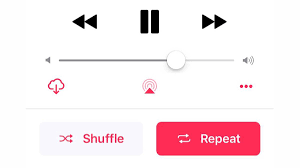
- Click The Repeat Button: Click the “Repeat” album, playlist, or piece button (the icon with the number 1).
- Loop The Song: The song will now repeat indefinitely.
How to Loop a Song on Spotify (Phone)
If you’re using an Android device or iOS/iPadOS, follow these steps:
- Open Spotify: Launch the Spotify app on your phone.
- Select a Song: Choose the song you want to loop by searching for it or selecting it from your library.
- Expand The Player: Expand the player by tapping the “…” Button in the top-right corner.
- Click The Repeat Button: Click the “Repeat” album, playlist, or piece button (the icon with the number 1).
- Loop The Song: The song will now repeat indefinitely.
How to Loop a Song on Spotify (TV)
If you’re using a Smart TV, console, or device like Chromecast, Fire TV Stick, or Apple TV, follow these steps:
- Open Spotify: Launch the Spotify app on your TV.
- Select a Song: Choose the song you want to loop by searching for it or selecting it from your library.
- Click The Repeat Button: Click the “Repeat” album, playlist, or piece button (the icon with the number 1).
- Loop The Song: The song will now repeat indefinitely.
How to Loop a Playlist on Spotify
If you want to loop an entire playlist or album, follow these steps:
- Open Spotify: Launch the Spotify app on your device.
- Select a Playlist or Album: Choose the playlist or album you want to loop by searching for it or selecting it from your library.
- Click The Repeat Button: Click the “Repeat” album, playlist, or piece button (the icon with the number 1).
- Loop The Playlist: The entire playlist will now repeat indefinitely.
Tips And Variations
- To loop a single song on Spotify, you can also use the keyboard shortcut Ctrl+R (Windows) or Command+R (macOS).
- If you’re using a device with a physical remote control, you can click the “Repeat” button on the remote to loop the current song.
- You can also use the Spotify Connect feature to stream music from one device to another and loop the song on multiple devices.


