
How to Make a Heart on a Cell Phone Keyboard
As a beginner in the world of technology, you’ve just purchased your first smartphone and are starting to get familiar with its features. You’re able to write texts, browse the internet, and perform other basic operations without any issues. However, you’ve encountered a small problem – you want to know how to make a heart on your cell phone keyboard.
Don’t Worry, I’m Here to Help!
In this guide, we’ll walk you through the steps of making a heart using the keyboard on both Android and iOS devices. We’ll also provide additional solutions for creating hearts using emoticons, ASCII characters, and stickers.
Making a Heart on an Android Device
If you have an Android device, follow these steps to make a heart:
- Gboard: Open your messaging app or any other application that requires typing. Tap on the text field to bring up the keyboard. Look for the smiley face icon (located next to the space bar) and tap on it. This will take you to the emoji menu, where you can select the heart symbol.
- Microsoft Swiftkey: Open your messaging app or any other application that requires typing. Tap on the text field to bring up the keyboard. Look for the smiley face icon (located at the bottom left corner of the screen) and tap on it. This will take you to the emoji menu, where you can select the heart symbol.
- Tastiera Celia: Open your messaging app or any other application that requires typing. Tap on the text field to bring up the keyboard. Look for the smiley face icon (located at the top left corner of the screen) and tap on it. This will take you to the emoji menu, where you can select the heart symbol.
Making a Heart on an Ios Device
If you have an iOS device, follow these steps to make a heart:
- Default Keyboard: Open your messaging app or any other application that requires typing. Tap on the text field to bring up the keyboard. Look for the smiley face icon (located at the bottom left corner of the screen) and tap on it. This will take you to the emoji menu, where you can select the heart symbol.
- Gboard: Open your messaging app or any other application that requires typing. Tap on the text field to bring up the keyboard. Look for the smiley face icon (located at the bottom left corner of the screen) and tap on it. This will take you to the emoji menu, where you can select the heart symbol.
Alternative Solutions
If you’re unable to find the heart symbol using the methods above, don’t worry! Here are some alternative solutions:
- Emoticon: Use the emoticon <3 to make a heart. Simply copy and paste this character into your text field.
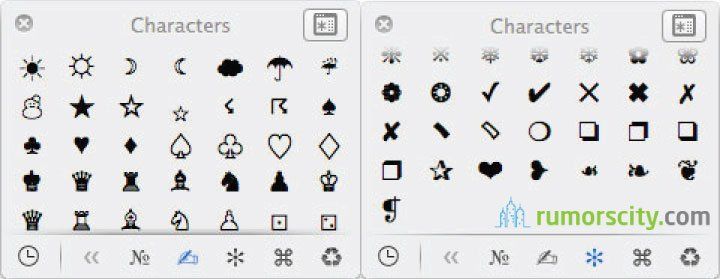
- Ascii Characters: Use ASCII characters to create a heart. You can use the character ❥ or ♥ to represent a heart.
- Stickers: Use stickers to add a personal touch to your messages. Many messaging apps come with pre-installed sticker packs that include hearts.
Conclusion
Making a heart on your cell phone keyboard is easier than you think! With these simple steps, you can add a touch of personality to your messages and make them more expressive. Whether you’re using an Android or iOS device, follow the steps above to get started.


