
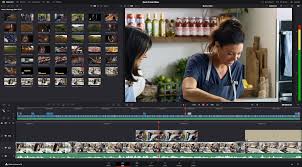
How to Create a Beautiful Mounting Video: A Step-by-step Guide
Are you looking to create a stunning mounting video that showcases your favorite memories? Look no further! In this article, we will guide you through the process of creating a beautiful mounting video, from choosing the right software to adding filters and effects.
Choosing The Right Software
The first step in creating a beautiful mounting video is to choose the right software. There are many options available, each with its own unique features and functionalities. Here are some of the most popular options:
- Davinci Resolve: A free software that is widely used by professionals, DaVinci Resolve offers advanced functionalities and 8K support.
- Adobe Premiere Pro: A commercial software that is designed for professionals, Adobe Premiere Pro includes many helpful tools for video editing.
- Vegas Pro: A professional software available for Windows, VEGAS Pro offers advanced functions for creating and modifying videos.
- Final Cut Pro: A professional software exclusive to Mac, Final Cut Pro is designed for professionals who require advanced mounting and editing capabilities.
- Imovie: A free software exclusive to Mac, iMovie is a great option for those who are new to video editing or do not have advanced requirements.
Defining The Aim of Your Video
Before starting to mount your video, it’s essential to define its aim. What message do you want to convey through your video? Who is your target audience? Answering these questions will help you understand which transitions to use, when to cut scenes, and how to give a dynamic touch to your video.
Selecting The Right Clips
Not all clips are created equal. It’s essential to select the right clips that fit your video’s aim and target audience. Take the time to review your footage and choose the best clips that will help you achieve your desired outcome.
Color Correction
Color correction is a crucial aspect of video editing. Your goal should be to make the colors in your video look as natural as possible, especially if you’re not trying to create an artistic effect. Use a calibrated monitor with good RGB coverage to ensure accurate color representation.
Audio Synchronization And Cleaning
A well-synchronized and clean audio is essential for a great mounting experience. Make sure to sync the audio with the film frame that will be played back, and use software like Audacity to clean up any unwanted sounds.
Creating a Beautiful Mounting Video in Mobility
If you want to create a beautiful mounting video while on-the-go, there are many mobile apps available that can help you achieve this. Some popular options include:
- Adobe Premiere Rush: A mobile version of Adobe Premiere Pro that offers a range of advanced features and functionalities.
- Quik: A user-friendly app developed by GoPro that allows for easy video editing with pre-made templates and filters.
- Kinemaster: A professional-level app available for Android and iOS that offers full control over your video project.
- Imovie: A mobile version of the popular Mac software, iMovie is a great option for those who want to edit videos on-the-go.
Conclusion
Creating a beautiful mounting video takes time and effort, but with these steps and tips, you’ll be well on your way to creating stunning video content. Remember to choose the right software, define the aim of your video, select the best clips, pay attention to color correction and audio synchronization, and don’t forget to have fun while editing!
Frequently Asked Questions
- What is The Best Software For Video Editing?
The best software for video editing depends on your specific needs and requirements. Some popular options include DaVinci Resolve, Adobe Premiere Pro, VEGAS Pro, Final Cut Pro, and iMovie. - How do I Choose The Right Clips For my Video?
To choose the right clips for your video, review your footage and select the best clips that fit your video’s aim and target audience. - What is Color Correction, And Why is it Important?
Color correction is the process of adjusting the colors in a video to make them look as natural as possible. It’s essential for creating a high-quality mounting experience. - How do I Synchronize Audio With my Video?
To sync audio with your video, use software like Audacity or Adobe Premiere Pro to ensure accurate synchronization and cleaning of unwanted sounds. - What Are Some Popular Mobile Apps For Video Editing?
Some popular mobile apps for video editing include Adobe Premiere Rush, Quik, KineMaster, and iMovie. - How do I Add Filters And Effects to my Video?
To add filters and effects to your video, use software like Adobe Premiere Pro or VEGAS Pro, or explore the various options available in mobile apps like Quik and KineMaster. - Can I Create a Beautiful Mounting Video While On-the-go?
Yes, you can create a beautiful mounting video while on-the-go using mobile apps like Adobe Premiere Rush, Quik, KineMaster, and iMovie. - What is The Most Important Aspect of Creating a Beautiful Mounting Video?
The most important aspect of creating a beautiful mounting video is to define its aim and target audience, select the best clips, pay attention to color correction and audio synchronization, and have fun while editing!


