
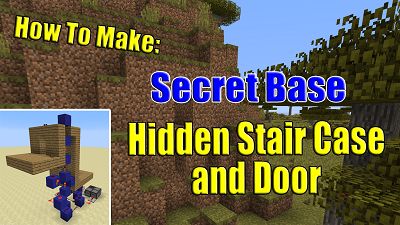
How to Create a Secret Passage on Minecraft
Are you tired of having your secret refuge exposed to unwanted visitors? Do you want to conceal the existence of your treasured chamber from prying eyes? Look no further! In this guide, we’ll show you how to create a secret passage on Minecraft that will leave even the most skilled players baffled.
The Basics of Secret Passages
Before we dive into the nitty-gritty details, let’s cover the basics. A secret passage is essentially a hidden doorway or corridor that leads to your secret refuge or chamber. It’s a clever way to conceal the entrance to your prized possessions from unwanted visitors. And with Minecraft’s vast and creative world, it’s easier than ever to create your own secret passage.
Creating a Secret Passage on Java Edition
First, let’s tackle the Java edition of Minecraft. This is where most players start their adventure, and we’ll show you how to create a secret passage using this version.
To begin, find yourself a suitable location for your secret refuge. You can use a mountain cave or even an underground chamber. Once you’ve chosen the perfect spot, it’s time to create the entrance.
Method 1: Using Pistons
The first method involves using pistons to create a hidden door. Here’s how:
- Build a Frame: Start by building a frame of stone blocks around your secret refuge. This will be the base for your secret passage.
- Create The Hidden Door: Use pistons to create a hidden door that leads into your secret refuge. Place two rows of stone blocks, with two pistons facing inward and two facing outward. Then, place three blocks of stone on top of these pistons to form an “U” shape.
- Add Redstone Components: Add redstone components to the piston-based mechanism to create a hidden door that can be opened and closed using a lever.
- Conceal The Entrance: Conceal the entrance to your secret passage by filling in the gaps with stone blocks.
Method 2: Using Images
But wait, there’s more! You can also use images to create a secret passage on Minecraft. This method is particularly useful for players who prefer a more artistic approach.
- Create an Image Frame: Create a blank 3×3 square on the wall, which will serve as your image frame.
- Place Images: Place six oak panels around the image frame to conceal it from view.
- Add Redstone Components: Add redstone components to create a hidden door that can be opened and closed using an image-based mechanism.
Creating a Secret Passage on Bedrock Edition
Now, let’s talk about creating secret passages on the Bedrock edition of Minecraft. This version is available for PC with Windows 10 and later, mobile devices, and console platforms.
- Use The Same Method: You can use the same method as above to create a secret passage on Bedrock edition.
- Replace Piston-based Components: Replace piston-based components with Pebbles, which are similar to pistons but available in the Bedrock edition.
- Use Painted Images: Use painted images instead of oak panels to conceal your image frame.
Tips And Tricks
As you continue your Minecraft journey, keep in mind that secret passages can be a great way to add an extra layer of excitement to your gameplay. Here are some tips and tricks to help you along the way:
- Experiment With Different Methods: Don’t be afraid to try different methods for creating secret passages.
- Conceal Your Entrance: Remember to conceal your entrance to avoid unwanted visitors.
- Use Redstone Components: Use redstone components to create a hidden door that can be opened and closed using a lever or other mechanism.
Conclusion
And there you have it – a comprehensive guide on how to create a secret passage on Minecraft. With these methods, you’ll be well on your way to creating a hidden refuge that will leave even the most skilled players baffled.
Frequently Asked Questions (FAQs)
Here are some frequently asked questions and answers to help you along the way:
Q: What is a Secret Passage on Minecraft?
A: A secret passage on Minecraft is a hidden doorway or corridor that leads to your secret refuge or chamber.
Q: How do I Create a Secret Passage on Java Edition?
A: You can use either piston-based components or images to create a secret passage on Java edition.
Q: What Are The Differences Between Java And Bedrock Editions For Creating Secret Passages?
A: The main difference is that Bedrock edition uses Pebbles instead of pistons, and painted images instead of oak panels.
Q: How do I Conceal my Entrance to Avoid Unwanted Visitors?
A: Fill in the gaps with stone blocks or use redstone components to create a hidden door that can be opened and closed using a lever or other mechanism.
Q: What Are Some Tips For Creating Secret Passages on Minecraft?
A: Experiment with different methods, conceal your entrance, and use redstone components to create a hidden door.
Q: Can I Use This Method to Create a Secret Passage on my Console or Mobile Device?
A: Yes, you can use the same method as above to create a secret passage on Bedrock edition, which is available for PC with Windows 10 and later, mobile devices, and console platforms.


