
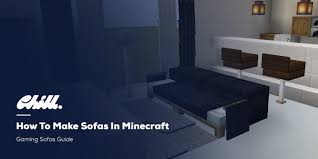
Why Create a Divano on Minecraft?
Adding a divano to your Minecraft construction not only enhances its aesthetic appeal but also makes it look more realistic and inviting. Whether you’re building a modern house or a luxury villa, a divano is the perfect addition.
Using Mods to Create a Divano
If you don’t have the time or patience to create a divano from scratch, there’s good news! You can use mods on Minecraft to add pre-made divani to your constructions. On Minecraft Bedrock Edition, you can find several content packs in the marketplace that include modern furniture, including armchairs and divani.
Installing Mrcrayfish’s Furniture Mod on Minecraft Java Edition
If you’re using Minecraft Java Edition, things are a bit different. You’ll need to install an external mod called MrCrayfish’s Furniture from CurseForge.Com. Make sure to download the compatible version of Minecraft Forge and then grab the version of MrCrayfish’s Furniture that matches your game version.
Installing The Mod
To install the mod, follow these easy steps:
- Download the compatible version of Minecraft Forge.
- Download the version of MrCrayfish’s Furniture that matches your game version.
- Follow the instructions to install the mod on your Minecraft Java Edition.
Finding Your Divano in Creative Mode
Once you’ve installed the mod, you can find your divano in creative mode. Simply search for it in your inventory and select it. You’ll be able to place it anywhere you like in your construction.
Tips And Tricks
Here are a few tips and tricks to keep in mind when adding a divano to your Minecraft constructions:
- Choose a location that complements the rest of your construction.
- Consider adding other furniture pieces to create a cohesive look.
- Experiment with different colors and textures to match your game’s aesthetic.
Conclusion
With these easy steps, you can create a divano on Minecraft and add a touch of elegance to your constructions. Remember to experiment with different mods and furniture pieces to find the perfect combination for your unique style.
Frequently Asked Questions (FAQs)
- What is The Difference Between Minecraft Bedrock Edition And Minecraft Java Edition?
Minecraft Bedrock Edition is the official version of the game, while Minecraft Java Edition is a separate version that allows for more customization options. - How do I Get a Divano Mod on Minecraft Bedrock Edition?
You can find several content packs in the marketplace that include modern furniture, including armchairs and divani. - What is The Best Way to Install Mrcrayfish’s Furniture Mod on Minecraft Java Edition?
Follow the instructions provided by CurseForge.Com to download and install the compatible version of the mod. - Can I Use Any Version of Minecraft Forge With Mrcrayfish’s Furniture Mod?
No, make sure to download the compatible version of Minecraft Forge that matches your game version. - How do I Find my Divano in Creative Mode?
Search for it in your inventory and select it to place it anywhere you like in your construction. - What Are Some Tips For Adding a Divano to my Minecraft Constructions?
Choose a location that complements the rest of your construction, consider adding other furniture pieces to create a cohesive look, and experiment with different colors and textures to match your game’s aesthetic. - Can I Use Any Mod With Mrcrayfish’s Furniture Mod?
No, make sure to only use mods that are compatible with each other. - How do I Uninstall The Divano Mod on Minecraft Java Edition?
Follow the instructions provided by CurseForge.Com to remove the mod and any associated files.
I hope this article has been helpful in showing you how to create a divano on Minecraft. Happy building!


