
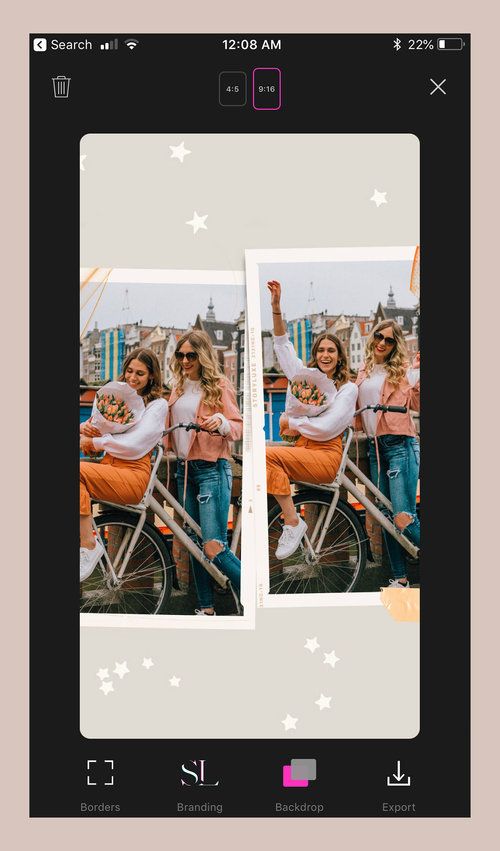
How to Do a Beautiful History on Instagram
Are you tired of scrolling through your friends’ updates without knowing how they did it? Well, wonder no more! In this article, we’ll show you exactly how to create a stunning history on Instagram.
The Benefits of Creating a History on Instagram
Before we dive into the nitty-gritty of creating a history on Instagram, let’s talk about why it’s so important. By creating a history on Instagram, you can:
- Share your favorite memories with friends and family
- Show off your creativity and style
- Get more engagement and likes on your posts
- Stand out from the crowd and be noticed by potential followers
How to Create a History on Instagram
Now that we’ve covered the benefits of creating a history on Instagram, let’s get started! Here are the steps you need to follow:
Step 1: Open The Instagram App
The first step is to open the Instagram app on your smartphone. If you don’t have the app installed, now is the perfect time to do so!
Step 2: Access Your Account
Once you’ve opened the app, access your account by tapping on your profile picture.
Step 3: Open The Editor
To create a history, you need to open the editor. Tap on the “+” icon at the top right corner of the screen to do so.
Step 4: Choose Your Media
Now it’s time to choose the media for your history! You can either take a photo or video using the camera, or select one from your gallery.
Step 5: Add Filters And Effects
Once you’ve chosen your media, you can add filters and effects to make it look even more stunning. Tap on the icon with the sparkles to access these features!
Step 6: Personalize Your History
Now that you’ve added filters and effects, it’s time to personalize your history! You can add text, hashtags, and even stickers to make it more engaging.
Finally, it’s time to share your history with the world! Tap on the “Share” button at the bottom right corner of the screen to do so.
Tips For Creating a Beautiful History on Instagram
Now that we’ve covered the basic steps for creating a history on Instagram, here are some tips to keep in mind:
- Use high-quality images and videos
- Experiment with different filters and effects
- Add text and hashtags to make it more engaging
- Share your history regularly to keep your followers engaged
How to Create a History on Instagram With Video
Want to know how to create a stunning video history on Instagram? Here’s what you need to do:
Step 1: Open The Editor
Open the editor by tapping on the “+” icon at the top right corner of the screen.
Step 2: Record or Upload Your Video
Tap on the camera icon to record a new video, or select one from your gallery.
Step 3: Add Filters And Effects
Once you’ve recorded or uploaded your video, tap on the icon with the sparkles to add filters and effects.
Step 4: Personalize Your History
Add text, hashtags, and even stickers to make it more engaging.
Tap on the “Share” button at the bottom right corner of the screen to share your history!
How to Create a History on Instagram With Multiple Photos
Want to know how to create a stunning photo history on Instagram? Here’s what you need to do:
Step 1: Open The Editor
Open the editor by tapping on the “+” icon at the top right corner of the screen.
Step 2: Add Your Photos
Tap on the “Layout” option to add multiple photos to your history.
Step 3: Add Filters And Effects
Once you’ve added your photos, tap on the icon with the sparkles to add filters and effects.
Step 4: Personalize Your History
Add text, hashtags, and even stickers to make it more engaging.
Tap on the “Share” button at the bottom right corner of the screen to share your history!
How to Create a History on Instagram With Music
Want to know how to create a stunning music history on Instagram? Here’s what you need to do:
Step 1: Open The Editor
Open the editor by tapping on the “+” icon at the top right corner of the screen.
Step 2: Add Your Music
Tap on the “Music” option to add music to your history.
Step 3: Choose Your Song
Select a song from Instagram’s pre-set music library or search for one using the app’s search bar.
Step 4: Add Filters And Effects
Once you’ve added your music, tap on the icon with the sparkles to add filters and effects.
Step 5: Personalize Your History
Add text, hashtags, and even stickers to make it more engaging.
Tap on the “Share” button at the bottom right corner of the screen to share your history!
How to Create a Shared History on Instagram
Want to know how to create a shared history on Instagram? Here’s what you need to do:
Step 1: Open The Editor
Open the editor by tapping on the “+” icon at the top right corner of the screen.
Step 2: Choose Your Media
Tap on the camera or gallery icon to add media to your shared history.
Step 3: Tag a Friend
Tap on the “Mention” option to tag a friend in your shared history.
Step 4: Personalize Your History
Add text, hashtags, and even stickers to make it more engaging.
Tap on the “Share” button at the bottom right corner of the screen to share your history!
How to Create a History on Instagram From PC
Want to know how to create a stunning history on Instagram from PC? Unfortunately, you can’t create histories directly on PC. However, you can use Meta Business Suite to create and edit stories on both Instagram and Facebook.
Step 1: Access Your Account
Access your account by logging in with your Facebook credentials.
Step 2: Create a History
Tap on the “Create History” button to start creating your history.
Step 3: Add Media
Add media such as photos or videos to your history.
Step 4: Edit Your History
Edit your history by adding filters, effects, and even stickers!
Tap on the “Share” button at the bottom right corner of the screen to share your history!
Conclusion
Creating a stunning history on Instagram is easier than you think! By following these steps and tips, you can create engaging and interactive histories that will make your friends and followers go wild.
So what are you waiting for? Start creating today and show off your creativity and style!


