
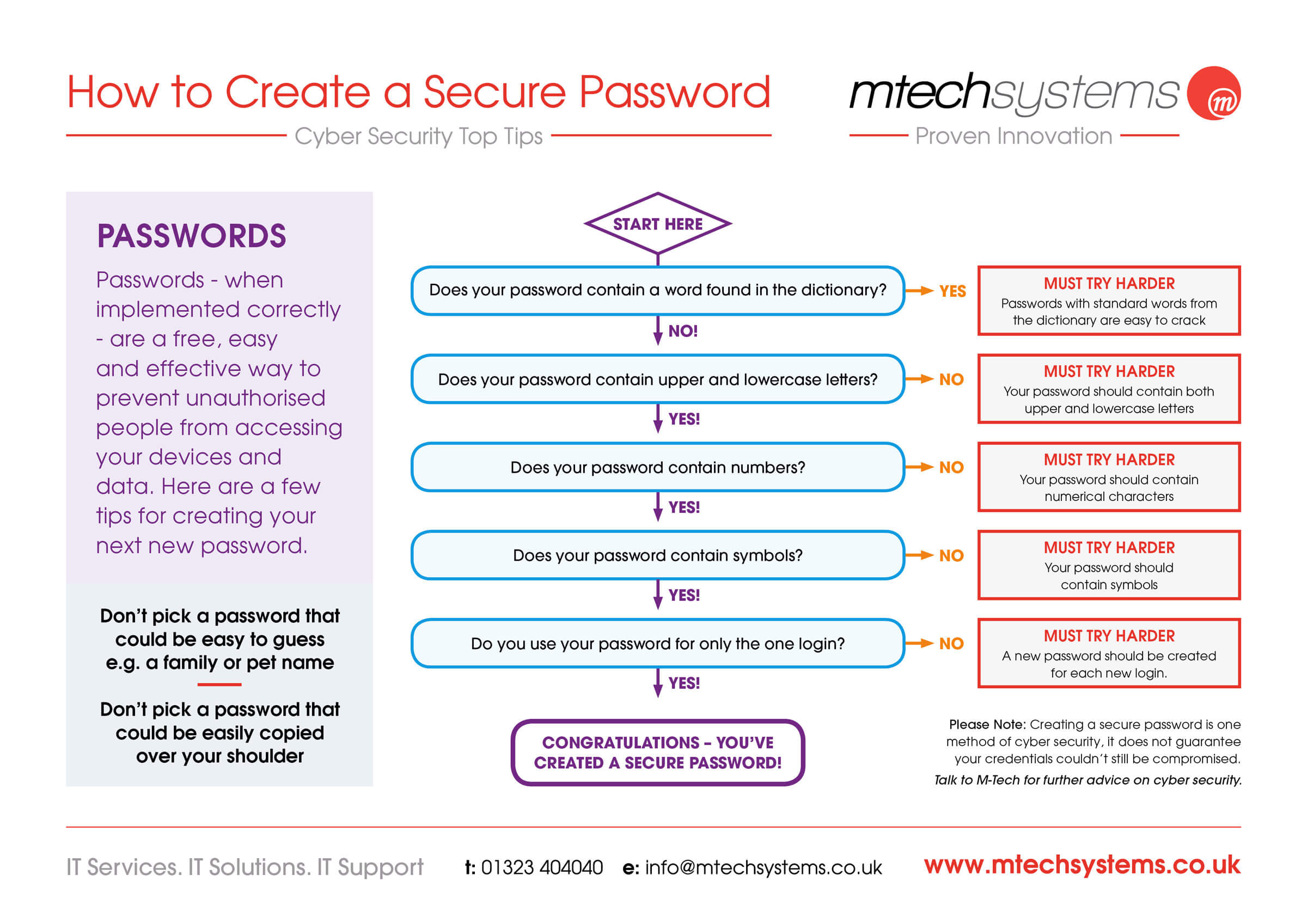
How to Create a Safe Password: A Comprehensive Guide
As we navigate the digital world, creating a safe password is crucial to protect our online identity and sensitive information. In this article, we will explore the importance of passwords, provide tips on how to create a strong one, and introduce you to three effective password managers: NordPass, Bitwarden, and 1Password.
The Risks of Weak Passwords
Using weak or easily guessable passwords can lead to serious consequences, including identity theft, financial loss, and unauthorized access to sensitive information. A strong password should be a combination of letters, numbers, and symbols that are difficult to crack.
Creating a Strong Password: Tips And Tricks
To create an effective password, follow these simple rules:
- Use a Mix of Characters: Combine uppercase and lowercase letters, numbers, and special characters.
- Make it Long: Aim for at least 8-10 characters in length.
- Avoid Common Words: Steer clear of easily guessable words like names, birthdays, or common phrases.
- Don’t Reuse Passwords: Use a unique password for each account to prevent unauthorized access.
Password Managers: The Solution
Password managers are designed to generate and store complex passwords for you. They can also help you organize and remember multiple passwords across various accounts.
Nordpass
- NordPass is a user-friendly password manager that offers advanced security features.
- It provides a secure vault to store your sensitive information, including credit card numbers and Wi-Fi passwords.
- The premium version includes extra features like password sharing, automatic password generator, and support for 2-factor authentication.
Bitwarden
- Bitwarden is an open-source password manager that offers a free base plan with advanced security features.
- It allows you to create encrypted vaults on your local device or sync them across multiple devices.
- The premium version includes extra features like protected cloud storage, automatic password generator, and support for 2-factor authentication.
1Password
- 1Password is a comprehensive password manager that offers advanced security features.
- It provides a secure vault to store your sensitive information, including credit card numbers and Wi-Fi passwords.
- The premium version includes extra features like protected cloud storage, automatic password generator, and support for 2-factor authentication.
Conclusion
Creating a safe password is essential in today’s digital age. By following the tips and tricks outlined above, you can create strong passwords that protect your online identity and sensitive information. Password managers like NordPass, Bitwarden, and 1Password provide an additional layer of security to help you manage multiple complex passwords.
Frequently Asked Questions
- Q: How often should I change my password?
A: It’s recommended to change your password every 60-90 days. - Q: Can I use the same password for multiple accounts?
A: No, it’s essential to use unique passwords for each account to prevent unauthorized access. - Q: Are password managers safe?
A: Yes, reputable password managers like NordPass, Bitwarden, and 1Password offer advanced security features to protect your sensitive information.
Additional Resources
For more information on password management and online security, check out the following resources:
- National Cyber Security Alliance (NCSA)
- Federal Trade Commission (FTC)
- Password Manager Comparison Guide


