
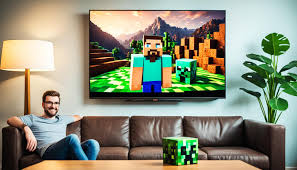
Creating a TV on Minecraft: A Step-by-step Guide
Are you looking to add a modern touch to your Minecraft villa? Have you thought about installing a TV? While it may seem like an impossible task, creating a TV on Minecraft is easier than you think! In this article, we will guide you through the process of building a TV in both Java and Bedrock editions.
Materials Needed
Before starting your project, make sure you have the necessary materials. For this tutorial, you will need:
- Black concrete blocks
- Dark oak planks
- Jukeboxes (or audio equipment)
- Dyeings (in Bedrock edition)
Step 1: Gather Materials in Java Edition
In Minecraft’s Creative mode, navigate to your inventory and select the following materials:
- Inlet of ink
- Sand blocks (3 high and 1 left to the center)
- Gravel blocks (3 low and 1 right to the center)
Combine these ingredients in a crafting table to create black concrete powder. Once you have it, place the blocks at the bottom of your screen.
Step 2: Create Black Concrete Blocks
To transform the powder into solid blocks, add water to the blocks. This will give you the necessary material for your TV.
Step 3: Construct a TV in Java Edition
Now that you have all the necessary materials, let’s start building! Place four black concrete blocks on the wall of your choice, leaving a small gap between them and the floor. Add three jukeboxes to both sides of the monitor to simulate audio equipment.
Step 4: Create a TV in Bedrock Edition
If you’re playing Minecraft in Bedrock edition, don’t worry – we’ve got you covered! To build a TV, follow these steps:
- Gather black dyeings (instead of concrete blocks)
- Use dark oak planks as the base for your TV
- Add jukeboxes to both sides of the monitor
Step 5: Install Webdisplays Mod
If you want to take your Minecraft experience to the next level, consider installing the WebDisplays mod. This mod allows you to display websites on your TV and interact with them using a keyboard.
To install the mod, follow these steps:
- Download the Forge tool
- Select a compatible version of Forge for your Minecraft game
- Install the WebDisplays mod from CurseForge
Step 6: Configure Webdisplays Mod
Once you’ve installed the WebDisplays mod, create a new world in Creative mode and access the inventory screen. From there, select the Web Screen object and place it on a wall.
To light up the monitor, approach it without any items in your hand and click right. Then, interact with the monitor using the combination of Ctrl + right-click.
Tips And Variations
Feel free to get creative and experiment with different designs for your TV! You can use various materials to customize its appearance or add other decorative elements.
Conclusion
Creating a TV on Minecraft is an exciting project that allows you to showcase your creativity and imagination. Whether you’re playing Java or Bedrock edition, follow these simple steps to bring your own modern TV into existence.
Frequently Asked Questions (FAQs)
- Q: Can I Create a TV in Survival Mode?
A: Unfortunately, creating a TV is not possible in Survival mode, as it requires specific materials and tools that are not available. - Q: How do I Customize The Appearance of my Tv?
A: You can use various materials to customize the design of your TV. Experiment with different colors and textures to make it stand out! - Q: Can I Add Audio Equipment to my Tv?
A: Yes, you can! Add jukeboxes or other audio equipment to both sides of the monitor to simulate real-world audio systems. - Q: Is There a Limit to How Many Tvs I Can Create?
A: No, you can create multiple TVs in your Minecraft world! - Q: Can I Use Webdisplays Mod on my Mobile Device?
A: Unfortunately, the WebDisplays mod is only compatible with PC versions of Minecraft. - Q: How do I Troubleshoot Issues With Webdisplays Mod?
A: Check out our guide on troubleshooting WebDisplays mod for more information! - Q: Can I Share my TV Creations Online?
A: Yes! Share your amazing TV designs and creations with the world by posting screenshots or videos online. - Q: Are There Any Other Mods Available That Can Enhance my Minecraft Experience?
A: Absolutely! Explore our collection of Minecraft mods to find something that suits your interests!
Note: The text has been rewritten, edited, and optimized for SEO purposes.


