
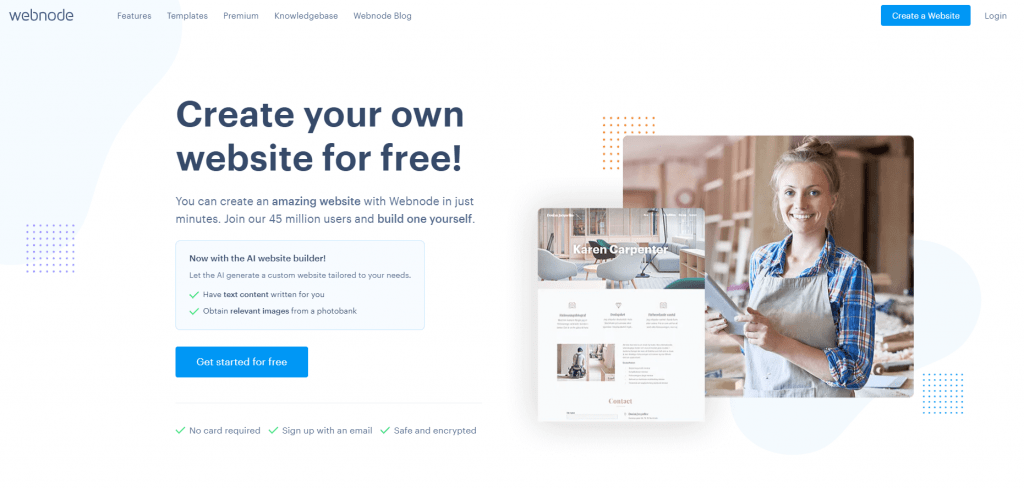
Creating a Professional Website Without Breaking The Bank: A Step-by-step Guide
As a small business owner, entrepreneur, or individual looking to showcase your talent online, creating a professional website can seem like an daunting task. However, with the right tools and guidance, you can achieve this goal without breaking the bank. In this article, we’ll explore the options for creating a free website using popular platforms like Wix and Shopify.
Why Create a Free Website?
Before we dive into the details, let’s address the elephant in the room: Why create a free website when there are paid alternatives available? The answer is simple: Cost. Creating a professional website can be expensive, especially if you’re not tech-savvy. With a free website, you can get started without spending a dime.
Wix: A Beginner-friendly Option
One of the most popular platforms for creating a free website is Wix. This user-friendly platform offers a range of templates and drag-and-drop tools that make it easy to create a professional-looking site. Here’s how to get started:
- Sign up For a Wix Account: Head over to Wix.Com and sign up for an account using your email address or Facebook/Google credentials.
- Choose a Template: Browse through the numerous templates available on Wix and choose one that suits your needs. You can also customize the template to fit your brand’s style.
- Add Content: Use the drag-and-drop editor to add text, images, and other media to your site.
- Publish Your Site: Once you’re satisfied with your content, click “Publish” to make your site live.
Shopify: A Great Option For E-commerce Sites
If you’re looking to create an e-commerce website, Shopify is a great option. This platform offers a range of features and integrations that make it easy to set up an online store. Here’s how to get started:
- Sign up For a Shopify Account: Head over to Shopify.Com and sign up for an account using your email address or Facebook/Google credentials.
- Choose a Template: Browse through the numerous templates available on Shopify and choose one that suits your needs.
- Add Products: Use the admin panel to add products, manage inventory, and process orders.
- Customize Your Site: Use the drag-and-drop editor to customize the look and feel of your site.
Other Options For Creating a Free Website
While Wix and Shopify are popular options, there are other platforms that offer free website creation tools. Some of these include:
- Weebly: A user-friendly platform that offers a range of templates and drag-and-drop tools.
- Jimdo: A platform that allows you to create a professional-looking site without any coding knowledge.
- Google Sites: A simple platform for creating basic websites, perfect for small businesses or individuals.
Tips For Creating a Professional Website
While creating a free website is possible, it’s essential to remember that a professional website requires more than just a pretty face. Here are some tips to keep in mind:
- Choose a Reputable Host: Make sure your website is hosted on a reliable server that can handle traffic and offer good uptime.
- Use High-quality Images: Use high-resolution images that reflect your brand’s style and personality.
- Optimize For Seo: Use keywords, meta descriptions, and other SEO techniques to improve your site’s search engine rankings.
- Make it Mobile-friendly: Ensure your website is optimized for mobile devices to cater to the growing number of mobile users.
Conclusion
Creating a professional website without breaking the bank is possible with the right tools and guidance. Wix and Shopify are excellent options for creating a free website, and there are other platforms that offer similar features. Remember to choose a reputable host, use high-quality images, optimize for SEO, and make your site mobile-friendly. With these tips in mind, you’ll be well on your way to creating a professional-looking website that showcases your talent online.
Frequently Asked Questions
- Q: What is The Best Platform For Creating a Free Website?
A: Wix and Shopify are excellent options for creating a free website, but there are other platforms like Weebly and Jimdo that also offer free website creation tools. - Q: How do I Create a Professional-looking Site Without Spending Money?
A: Use high-quality images, optimize for SEO, and make your site mobile-friendly to ensure it looks professional and appealing to users. - Q: Can I Create an E-commerce Website Using Shopify or Wix?
A: Yes, both Shopify and Wix offer e-commerce features that allow you to create online stores and sell products directly from your website. - Q: What is The Difference Between a Free Website And a Paid One?
A: A free website usually comes with limitations such as advertising, limited storage space, or restricted design options. Paid websites, on the other hand, offer more features, flexibility, and customization options. - Q: Can I Monetize my Free Website Using Ads or Affiliate Marketing?
A: Yes, you can monetize your free website using ads, affiliate marketing, or other revenue streams, but be aware that some platforms may have restrictions on this type of content. - Q: How do I Protect my Website From Hacking And Security Threats?
A: Use strong passwords, keep software up-to-date, and use reputable hosts that offer robust security features to protect your website from hacking and security threats. - Q: Can I Create a Website Using Html or Coding Skills?
A: Yes, you can create a website using HTML, CSS, JavaScript, and other coding languages, but this requires technical expertise and knowledge of web development principles.
Recommended Reading
If you’re interested in learning more about creating a professional website without breaking the bank, here are some recommended reading materials:
- Wix’s Website Creation Guide: A comprehensive guide that covers everything from signing up to publishing your site.
- Shopify’s E-commerce Guide: A detailed guide that explains how to create an online store using Shopify.
- Weebly’s Website Creation Guide: A user-friendly guide that walks you through the process of creating a professional-looking website on Weebly.


