
The Art of Video Aesthetic: A Guide to Creating Visually Stunning Videos
Introduction
In recent times, video aesthetic has become a popular trend in the world of visual art. This style of video-making is characterized by its unique blend of filters, effects, and music that creates a surreal and alternative setting. If you’re interested in learning how to create videos with this aesthetic, then you’ve come to the right place.
What is Video Aesthetic?
Video aesthetic is a style of video-making that originated from the experimental electronic music genre known as Vaporwave. This genre emerged in the 1980s and was characterized by its cross-video and image-heavy content. In recent years, video aesthetic has evolved and become more mainstream, with many influencers and artists incorporating this style into their work.
Why Create Videos With a Video Aesthetic?
Creating videos with a video aesthetic can be a great way to express yourself creatively and showcase your unique perspective on the world. This style of video-making allows you to experiment with different filters, effects, and music that can help bring your vision to life.
How to Create Videos With a Video Aesthetic
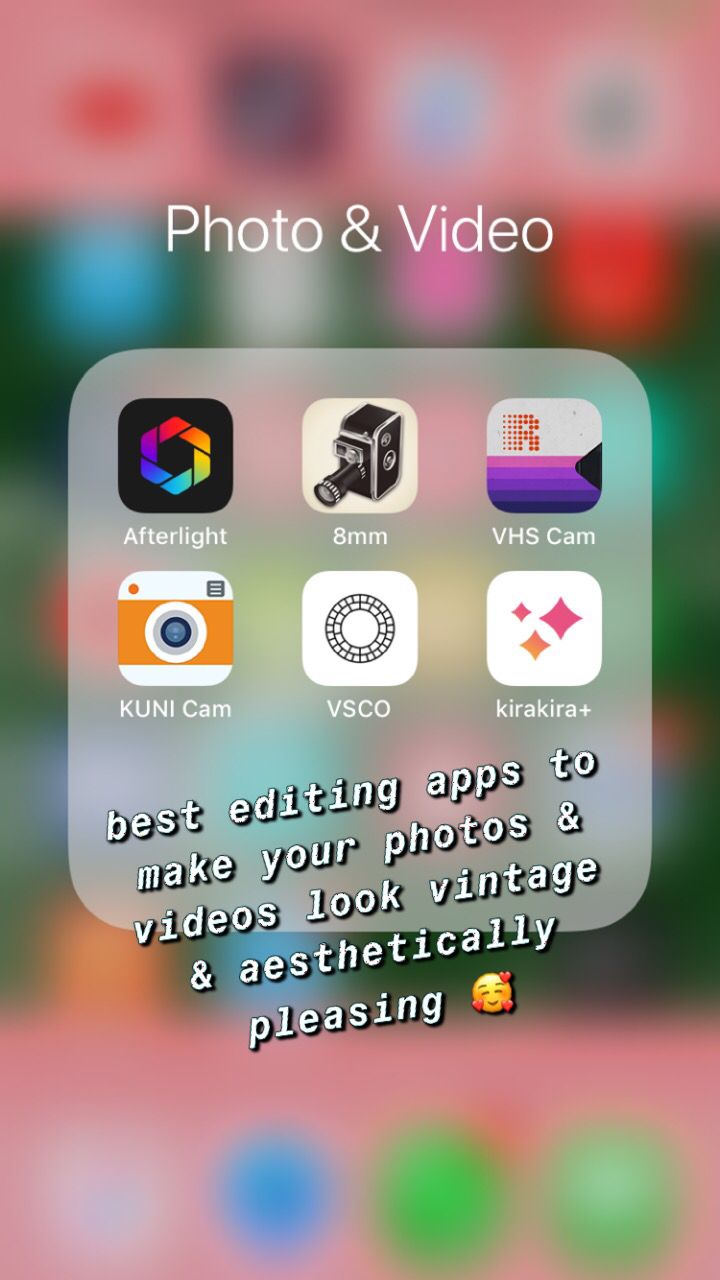
To create videos with a video aesthetic, you’ll need to invest in some editing software or apps that can help you achieve this look. Some popular options include:
- Inshot: This is a popular video editing app that offers a range of filters and effects that can help you achieve the video aesthetic look.
- Capcut: This is another video editing app that offers a range of features, including filters and effects, that can help you create videos with a video aesthetic.
- Filmorax: This is a video editing software that offers a range of features, including filters and effects, that can help you create videos with a video aesthetic.
How to Use Inshot to Create Videos With a Video Aesthetic
InShot is a popular video editing app that offers a range of features that can help you achieve the video aesthetic look. Here’s how to use it:
- Download Inshot: First, download the InShot app from the Google Play Store or Apple App Store.
- Choose Your Template: Once you’ve downloaded the app, choose your template by selecting the “Create New” option and then choosing the “Video” option.
- Add Filters And Effects: Next, add filters and effects to your video by tapping on the “Filters” option in the top right corner of the screen. From here, you can browse through a range of pre-made filters and effects or create your own custom filter.
- Edit Your Video: Once you’ve added your filters and effects, edit your video by trimming, splitting, and merging clips as needed.
- Export Your Video: Finally, export your video in the desired format and resolution.
How to Use Capcut to Create Videos With a Video Aesthetic
Capcut is another popular video editing app that offers a range of features that can help you achieve the video aesthetic look. Here’s how to use it:
- Download Capcut: First, download the Capcut app from the Google Play Store or Apple App Store.
- Choose Your Template: Once you’ve downloaded the app, choose your template by selecting the “Create New” option and then choosing the “Video” option.
- Add Filters And Effects: Next, add filters and effects to your video by tapping on the “Filters” option in the top right corner of the screen. From here, you can browse through a range of pre-made filters and effects or create your own custom filter.
- Edit Your Video: Once you’ve added your filters and effects, edit your video by trimming, splitting, and merging clips as needed.
- Export Your Video: Finally, export your video in the desired format and resolution.
How to Use Filmorax to Create Videos With a Video Aesthetic
FilmoraX is a popular video editing software that offers a range of features that can help you achieve the video aesthetic look. Here’s how to use it:
- Download Filmorax: First, download the FilmoraX software from the official website.
- Choose Your Template: Once you’ve downloaded the software, choose your template by selecting the “Create New” option and then choosing the “Video” option.
- Add Filters And Effects: Next, add filters and effects to your video by clicking on the “Effects” tab in the top right corner of the screen. From here, you can browse through a range of pre-made filters and effects or create your own custom filter.
- Edit Your Video: Once you’ve added your filters and effects, edit your video by trimming, splitting, and merging clips as needed.
- Export Your Video: Finally, export your video in the desired format and resolution.
Conclusion
Creating videos with a video aesthetic can be a fun and creative way to express yourself and showcase your unique perspective on the world. With the right editing software or apps, you can achieve this look and create visually stunning videos that will engage and captivate your audience.
Frequently Asked Questions (FAQs)
- What is Video Aesthetic?
Video aesthetic is a style of video-making that originated from the experimental electronic music genre known as Vaporwave. This genre emerged in the 1980s and was characterized by its cross-video and image-heavy content.
- Why Create Videos With a Video Aesthetic?
Creating videos with a video aesthetic can be a great way to express yourself creatively and showcase your unique perspective on the world. This style of video-making allows you to experiment with different filters, effects, and music that can help bring your vision to life.
- What Software or Apps Can I Use to Create Videos With a Video Aesthetic?
Some popular options include:
- InShot
- Capcut
-
FilmoraX
-
How do I Use Inshot to Create Videos With a Video Aesthetic?
To use InShot, first download the app from the Google Play Store or Apple App Store. Choose your template by selecting the “Create New” option and then choosing the “Video” option. Add filters and effects by tapping on the “Filters” option in the top right corner of the screen.
- How do I Use Capcut to Create Videos With a Video Aesthetic?
To use Capcut, first download the app from the Google Play Store or Apple App Store. Choose your template by selecting the “Create New” option and then choosing the “Video” option. Add filters and effects by tapping on the “Filters” option in the top right corner of the screen.
- How do I Use Filmorax to Create Videos With a Video Aesthetic?
To use FilmoraX, first download the software from the official website. Choose your template by selecting the “Create New” option and then choosing the “Video” option. Add filters and effects by clicking on the “Effects” tab in the top right corner of the screen.
- What Are Some Tips For Creating Videos With a Video Aesthetic?
Some popular tips include:
- Experiment with different filters and effects
- Use music that is relevant to your content
-
Edit your video carefully to ensure that it flows well
-
Can I Use Filmorax on my Mobile Device?
Yes, you can use FilmoraX on your mobile device by downloading the app from the Google Play Store or Apple App Store.
- How do I Export my Video in The Desired Format And Resolution?
To export your video in the desired format and resolution, click on the “Export” option in the top right corner of the screen. From here, you can choose your desired format and resolution.


