
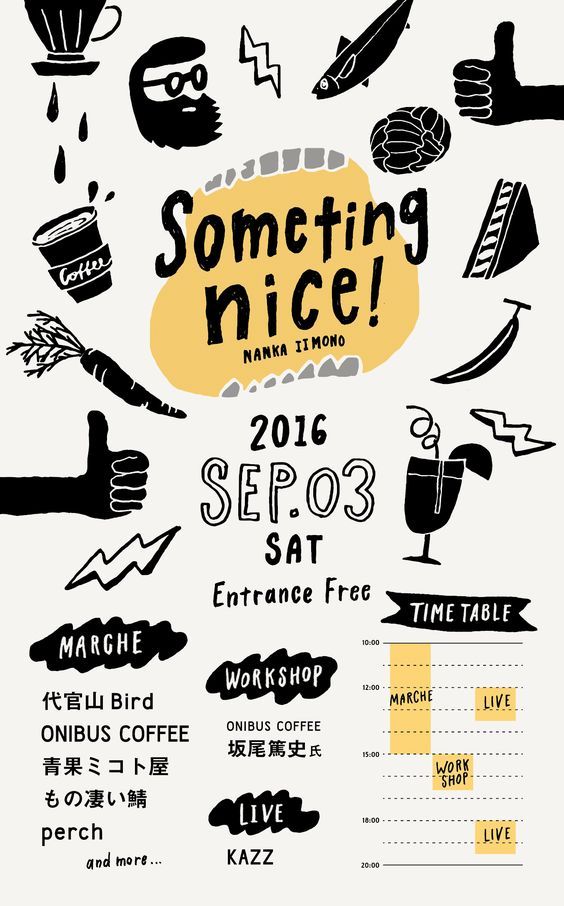
How to Create a Professional Event Poster: A Step-by-step Guide
Are you looking to create a professional event poster that will grab the attention of your audience? Look no further! In this article, we’ll guide you through the process of creating a stunning event poster using various tools and software.
What is an Event Poster?
An event poster is a visual representation of an upcoming event, such as a concert, conference, or festival. It’s a crucial marketing tool that helps promote your event to potential attendees.
Why Create an Event Poster?
Creating an event poster can help you:
- Promote your event to a wider audience
- Stand out from the competition
- Showcase your brand and style
- Encourage ticket sales
Tools And Software For Creating an Event Poster
There are various tools and software available that can help you create a professional-looking event poster. Here are some of our top picks:
For PC And Mac Users
- Libreoffice Draw: A free, open-source drawing tool that’s perfect for creating event posters.
- Microsoft Word: A popular word processing software that also offers a range of templates and design tools for creating event posters.
For Smartphone And Tablet Users
- Canva: A popular graphic design app that offers a wide range of templates, fonts, and images to help you create stunning event posters.
- Poster Maker: A user-friendly app that allows you to create event posters from scratch or using pre-made templates.
How to Create an Event Poster on PC And Mac
Here’s a step-by-step guide to creating an event poster on your PC or Mac:
- Choose Your Software: Select the software you’d like to use, such as LibreOffice Draw or Microsoft Word.
- Select a Template: Browse through pre-made templates or create one from scratch using the drawing tools.
- Add Images And Text: Insert images, logos, and text to make your poster visually appealing.
- Customize Your Poster: Use design tools to customize the layout, font, and color scheme of your poster.
- Save And Export: Save your poster in a suitable format (e.G., PDF or JPEG) and export it for printing.
How to Create an Event Poster on Smartphone And Tablet
Here’s how to create an event poster using Canva and Poster Maker:
- Download The App: Download Canva or Poster Maker from the app store.
- Choose a Template: Browse through pre-made templates or create one from scratch using the design tools.
- Add Images And Text: Insert images, logos, and text to make your poster visually appealing.
- Customize Your Poster: Use design tools to customize the layout, font, and color scheme of your poster.
- Save And Export: Save your poster in a suitable format (e.G., PDF or JPEG) and export it for printing.
Tips And Tricks
Here are some additional tips and tricks to help you create an event poster that stands out:
- Keep it Simple: Don’t overload your poster with too much information. Keep it simple, clear, and concise.
- Use Eye-catching Fonts: Choose fonts that are easy to read and visually appealing.
- Add Images And Graphics: Incorporate images and graphics to make your poster more engaging.
- Customize Your Poster: Use design tools to customize the layout, font, and color scheme of your poster.
By following these steps and tips, you’ll be able to create a professional-looking event poster that will help promote your event to potential attendees. Happy designing!


