
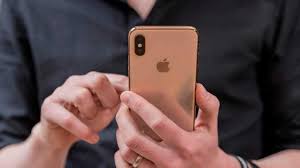
How to Phone Without a Sim on Your Smartphone
As technology continues to evolve, it’s becoming increasingly easier to stay connected with friends and family without the need for a traditional SIM card. In this guide, we’ll explore some of the best apps that allow you to make phone calls using your smartphone’s internet connection.
The Benefits of Phone Calls Without a Sim
Making phone calls without a SIM card offers several benefits. For one, it eliminates the need for a contract with a mobile telephony provider, which can be costly and restrictive. Additionally, many of these apps offer free or low-cost calling options, making them an attractive alternative to traditional phone services.
The Top Apps For Making Phone Calls Without a Sim
- Facebook Messenger (Android/iOS/iPadOS/Web/Desktop)
Facebook Messenger is one of the most popular messaging apps in the world, and it also allows you to make voice and video calls using your internet connection. To start a call, simply search for the contact you want to reach and tap on their name. Then, select the “Call” option from the menu.
- Google Meet (Android/iOS/iPadOS/Web)
Google Meet is another popular app that allows you to make voice and video calls using your smartphone’s internet connection. To start a call, simply open the app and select the “New” option from the menu. Then, choose the contact you want to reach and tap on their name.
- Skype (Android/iOS/iPadOS/Web/Desktop)
Skype is a well-established messaging app that also allows you to make voice and video calls using your smartphone’s internet connection. To start a call, simply select the “Call” option from the menu and choose the contact you want to reach.
- Telegram (Android/iOS/iPadOS/Web/Desktop)
Telegram is a popular messaging app that also allows you to make voice and video calls using your smartphone’s internet connection. To start a call, simply select the “Call” option from the menu and choose the contact you want to reach.
- Whatsapp (Android/iOS/Web/Desktop)
WhatsApp is one of the most widely used messaging apps in the world, and it also allows you to make voice and video calls using your smartphone’s internet connection. To start a call, simply select the “Call” option from the menu and choose the contact you want to reach.
Other Apps For Making Phone Calls Without a Sim
There are several other apps that allow you to make phone calls without a SIM card, including:
- Instagram (Android/iOS/iPadOS/Windows): This popular social media app also allows you to make voice and video calls using your smartphone’s internet connection.
- Zoom (Android/iOS/iPadOS/Windows/macOS): This video conferencing app also allows you to make voice and video calls using your smartphone’s internet connection.
- Viber (Android/iOS/iPadOS/Windows/macOS): This messaging app also allows you to make voice and video calls using your smartphone’s internet connection.
- Signal (Android/iOS/Windows/macOS): This secure messaging app also allows you to make voice and video calls using your smartphone’s internet connection.
How to Phone Without a Sim on Your Ipad
If you have an iPad, you can use many of the same apps mentioned above to make phone calls without a SIM card. Simply download and install the app, then follow the instructions to start a call.
Conclusion
Making phone calls without a SIM card is easier than ever thanks to the numerous apps available that offer free or low-cost calling options. Whether you’re using an Android smartphone, an iPhone, or even an iPad, there’s an app out there for you. So why not give it a try and see which one works best for you?
Frequently Asked Questions
- Q: Do I Need to Have a Sim Card to Use These Apps?
A: No, you don’t need a SIM card to use most of these apps. - Q: Can I Make Voice Calls Without Using a Sim Card?
A: Yes, many of the apps mentioned above allow you to make voice calls using your smartphone’s internet connection. - Q: Are There Any Costs Associated With Using These Apps?
A: Some of the apps may charge for certain features or services, but most offer free or low-cost calling options. - Q: Can I Use These Apps on my Ipad?
A: Yes, many of the apps mentioned above can be used on your iPad to make phone calls without a SIM card. - Q: Are These Apps Secure And Private?
A: Most of the apps mentioned above have strong security and privacy features in place to protect your data and conversations. - Q: Can I Use These Apps With my PC or Laptop?
A: Some of the apps can be used on your PC or laptop, but others are designed specifically for mobile devices. - Q: Are There Any Other Apps Available That Allow me to Make Phone Calls Without a Sim Card?
A: Yes, there are several other apps available that offer similar features and services. - Q: Can I Use These Apps to Call International Numbers?
A: Some of the apps may have limitations or restrictions when it comes to making international calls, so be sure to check the app’s terms and conditions before using them for this purpose.


