
The Art of Conceptual Maps: A Comprehensive Guide
As we navigate the complex world of modern life, it’s essential to find effective ways to organize and visualize our thoughts, ideas, and concepts. One powerful tool that can help us achieve this is the conceptual map. In this article, we’ll delve into the world of conceptual maps, exploring what they are, how to create them using various tools, and their numerous benefits.
What Are Conceptual Maps?
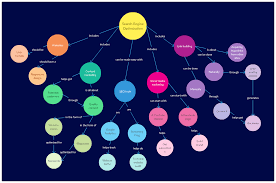
A conceptual map is a visual representation of ideas, concepts, and relationships between them. It’s a tool used to organize and structure knowledge, making it easier to understand complex information. Conceptual maps can be thought of as a mental framework that helps us connect the dots between different pieces of information, creating a clear and concise picture of our thoughts.
Why Use Conceptual Maps?
Conceptual maps offer numerous benefits, including:
- Improved understanding and retention of complex information
- Enhanced creativity and innovation through visualizing ideas
- Better organization and prioritization of tasks and projects
- Increased productivity and efficiency in work and personal life
Tools For Creating Conceptual Maps
There are various tools available that can help you create conceptual maps. Here are some popular options:
Microsoft Word
As a powerful word processing software, Microsoft Word offers a range of features that make it an ideal tool for creating conceptual maps.
- Create a new empty document and use the drawing tools to design your map.
- Use shapes, lines, and arrows to represent different concepts and relationships.
- Add text boxes to include relevant information and details.
- Use colors and formatting options to make your map visually appealing.
Xmind
XMind is a dedicated mind mapping software that offers a range of features specifically designed for creating conceptual maps.
- Choose from various templates and shapes to represent different concepts.
- Use the built-in library of symbols and images to add visual interest to your map.
- Take advantage of advanced features like filtering, grouping, and zooming to make your map more interactive.
- Export your map in various formats, including PDF, JPEG, and SVG.
Canva
Canva is a popular graphic design platform that offers a range of tools for creating conceptual maps.
- Choose from various templates and shapes to represent different concepts.
- Use the drag-and-drop editor to add text, images, and other elements to your map.
- Take advantage of advanced features like resize, rotate, and flip to make your map more interactive.
- Export your map in various formats, including PDF, JPEG, and PNG.
Google offers a range of tools for creating conceptual maps, including Google Presentations.
- Use the drawing tools to design your map.
- Add text boxes to include relevant information and details.
- Use colors and formatting options to make your map visually appealing.
- Take advantage of advanced features like collaboration and sharing to make your map more interactive.
Mindmeister
MindMeister is a dedicated mind mapping software that offers a range of features specifically designed for creating conceptual maps.
- Choose from various templates and shapes to represent different concepts.
- Use the built-in library of symbols and images to add visual interest to your map.
- Take advantage of advanced features like filtering, grouping, and zooming to make your map more interactive.
- Export your map in various formats, including PDF, JPEG, and SVG.
Draw.io
Draw.Io is a web-based tool for creating conceptual maps.
- Choose from various templates and shapes to represent different concepts.
- Use the drag-and-drop editor to add text, images, and other elements to your map.
- Take advantage of advanced features like resize, rotate, and flip to make your map more interactive.
- Export your map in various formats, including PDF, JPEG, and PNG.
Mindomo
Mindomo is a dedicated mind mapping software that offers a range of features specifically designed for creating conceptual maps.
- Choose from various templates and shapes to represent different concepts.
- Use the built-in library of symbols and images to add visual interest to your map.
- Take advantage of advanced features like filtering, grouping, and zooming to make your map more interactive.
- Export your map in various formats, including PDF, JPEG, and SVG.
Adobe Express
Adobe Express is a web-based tool for creating conceptual maps.
- Choose from various templates and shapes to represent different concepts.
- Use the drag-and-drop editor to add text, images, and other elements to your map.
- Take advantage of advanced features like resize, rotate, and flip to make your map more interactive.
- Export your map in various formats, including PDF, JPEG, and PNG.
Popplet
Popplet is a web-based tool for creating conceptual maps.
- Choose from various templates and shapes to represent different concepts.
- Use the drag-and-drop editor to add text, images, and other elements to your map.
- Take advantage of advanced features like resize, rotate, and flip to make your map more interactive.
- Export your map in various formats, including PDF, JPEG, and PNG.
Conclusion
Conceptual maps are a powerful tool for organizing and visualizing our thoughts, ideas, and concepts. By using the right tools and techniques, we can create effective conceptual maps that help us achieve our goals and improve our productivity.
Whether you’re a student, professional, or simply looking to improve your organizational skills, conceptual maps offer numerous benefits. From improved understanding and retention of complex information to enhanced creativity and innovation, conceptual maps are an essential tool for anyone looking to succeed in today’s fast-paced world.
So, what are you waiting for? Start creating your own conceptual map today and discover the power of visualizing your ideas!
Frequently Asked Questions
- What is a conceptual map?
- Why use conceptual maps?
- What tools can I use to create conceptual maps?
- How do I choose the right tool for my needs?
- Can I export my conceptual map in different formats?
Answer 1:
A conceptual map is a visual representation of ideas, concepts, and relationships between them. It’s a tool used to organize and structure knowledge, making it easier to understand complex information.
Answer 2:
Conceptual maps offer numerous benefits, including improved understanding and retention of complex information, enhanced creativity and innovation through visualizing ideas, better organization and prioritization of tasks and projects, and increased productivity and efficiency in work and personal life.
Answer 3:
There are various tools available that can help you create conceptual maps. Some popular options include Microsoft Word, XMind, Canva, Google Presentations, MindMeister, Draw.Io, Mindomo, Adobe Express, and Popplet.
Answer 4:
When choosing the right tool for your needs, consider the following factors:
- Ease of use
- Features and functionality
- Cost and affordability
- Compatibility with other tools and platforms
Answer 5:
Yes, you can export your conceptual map in different formats, including PDF, JPEG, PNG, SVG, and more.


