
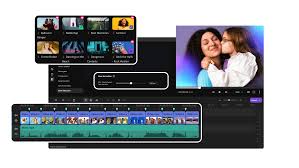
How to Create a Presentation Photo With Music
Are you tired of boring presentations? Do you want to make your slides more engaging and memorable? Look no further! In this article, we will show you how to create a presentation photo with music using various software and online services.
What is a Presentation Photo With Music?
A presentation photo with music is a visual and auditory representation of your ideas, stories, or experiences. It combines photos, videos, and audio files to create an engaging and immersive experience for the viewer. With a presentation photo with music, you can share your memories, showcase your creativity, and make your audience feel connected to your message.
Software For Creating Presentation Photos With Music
There are many software programs available that allow you to create presentation photos with music on Windows, macOS, and Linux. Here are some of the most popular ones:
- Microsoft Clipchamp: This is a free video editing software developed by Microsoft. It’s easy to use and allows you to import photos and audio files, add transitions and effects, and export your video in various formats.
- Imovie: This is a free video editing software developed by Apple for macOS users. It’s user-friendly and allows you to create professional-looking videos with photos, videos, and music.
- Davinci Resolve: This is a professional-level video editing software that’s available on Windows, macOS, and Linux. It’s free to use but offers advanced features and effects.
- Adobe Premiere Pro: This is a powerful video editing software developed by Adobe for Windows and macOS users. It’s ideal for professionals and serious creators who want to produce high-quality videos.
Online Services For Creating Presentation Photos With Music
If you don’t have the time or skills to use software, there are many online services that can help you create presentation photos with music. Here are some of the most popular ones:
- Canva: This is a free graphic design platform that allows you to create visually appealing presentations with photos and music.
- Animoto: This is an online video creation service that allows you to create professional-looking videos with photos, videos, and music.
- Invideo: This is another online video creation service that allows you to create engaging videos with photos, videos, and music.
How to Create a Presentation Photo With Music on Mobile Devices
If you have a smartphone or tablet, you can also create presentation photos with music using various apps. Here are some of the most popular ones:
- Google Photos: This is a free photo storage service that allows you to create slideshows and add music to your photos.
- Videoshow: This is a video editing app for Android and iOS devices that allows you to create professional-looking videos with photos, videos, and music.
- Vivavideo: This is another video editing app for Android and iOS devices that allows you to create engaging videos with photos, videos, and music.
How to Share Your Presentation Photo With Music on Facebook
If you want to share your presentation photo with music on Facebook, check out our specific guide on how to do it. We’ll show you step-by-step instructions on how to create a slideshow using the “Story” feature and add music to your photos.
Conclusion
Creating a presentation photo with music is easier than ever! With various software programs and online services available, you can create engaging and memorable presentations that showcase your creativity and ideas. Whether you’re a professional or an amateur creator, these tools will help you produce high-quality videos and slideshows that impress your audience.
Frequently Asked Questions
- What is a Presentation Photo With Music?
A presentation photo with music is a visual and auditory representation of your ideas, stories, or experiences. - How do I Create a Presentation Photo With Music on Windows?
You can use software like Microsoft Clipchamp, iMovie, DaVinci Resolve, or Adobe Premiere Pro to create a presentation photo with music on Windows. - Can I Create a Presentation Photo With Music on Mobile Devices?
Yes, you can use apps like Google Photos, VideoShow, VivaVideo, or InShot to create a presentation photo with music on your smartphone or tablet. - How do I Share my Presentation Photo With Music on Facebook?
Check out our specific guide on how to share your presentation photo with music on Facebook using the “Story” feature and adding music to your photos.
Conclusion
Creating a presentation photo with music is a fun and creative way to showcase your ideas, stories, or experiences. With various software programs and online services available, you can produce high-quality videos and slideshows that impress your audience. Try out these tools today and share your creations with the world!


