
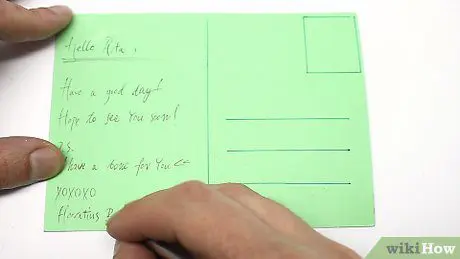
How to Create Beautiful Postcards: A Step-by-step Guide
Are you looking for a way to create personalized postcards without breaking the bank? Look no further! In this article, we’ll show you how to make beautiful postcards using various online tools and software.
Why Make Postcards?
Postcards are a thoughtful way to show someone that you care. They’re perfect for birthdays, holidays, or just because. You can create them with photos, messages, or even cartoons. With the help of online tools and software, making postcards has never been easier.
Option 1: Canva (Mobile/Web)
Canva is a popular online design platform that offers a range of templates for creating postcards. Here’s how to use it:
- Step 1: Sign up for a free account on Canva.
- Step 2: Choose the “Postcard” template from the design menu.
- Step 3: Customize your postcard by adding images, text, or shapes.
- Step 4: Download your postcard as a PDF or JPEG file.
Option 2: Microsoft Word And Publisher (Windows/macOS)
If you’re already using Microsoft Office, you can create postcards using Word and Publisher. Here’s how:
- Step 1: Open Microsoft Word or Publisher on your computer.
- Step 2: Choose the “Postcard” template from the design menu.
- Step 3: Customize your postcard by adding images, text, or shapes.
- Step 4: Save your postcard as a PDF or JPEG file.
Other Solutions to Create Personalized Postcards
If you’re looking for alternative solutions, here are some other options:
- Canva App (Android/iOS): Canva’s mobile app offers the same features as their web version.
- Libreoffice (Windows/macOS/Linux): A free and open-source office suite that allows you to create postcards using Word and Publisher-like software.
- Visaprint (Web): An online service that allows you to design, print, and send postcards with photos or messages.
How to Create Christmas Postcards
Christmas is a time for celebration, and creating personalized postcards is a great way to share your holiday cheer. Here’s how:
- Step 1: Choose a Christmas-themed template from Canva, Microsoft Word, or Publisher.
- Step 2: Customize your postcard by adding images, text, or shapes that reflect the holiday season.
- Step 3: Download your postcard as a PDF or JPEG file.
Other Services to Create Christmas Postcards
If you’re looking for alternative services, here are some other options:
- Kisseo (Web): A website that allows you to create and send personalized postcards with photos or messages.
- Gimp (Windows/macOS/Linux): A free and open-source image editing software that can be used to create custom Christmas postcards.
- Photosì (Web/Android/iOS/ipadOS): An online service that allows you to design, print, and send photo postcards with a range of templates and designs.
Conclusion
Creating personalized postcards has never been easier. With the help of online tools and software, you can create beautiful postcards for birthdays, holidays, or just because. Whether you choose Canva, Microsoft Word, Publisher, or one of the other services mentioned above, making postcards is a fun and creative way to show someone that you care.
Frequently Asked Questions
Q: What’s the best software to use for creating personalized postcards?
A: Canva, Microsoft Word, and Publisher are popular options for creating personalized postcards.
Q: How do I create Christmas postcards?
A: Choose a Christmas-themed template from Canva, Microsoft Word, or Publisher, customize it with images, text, or shapes, and download your postcard as a PDF or JPEG file.
Q: Are there other services that allow me to create personalized postcards?
A: Yes, there are many online services such as Kisseo, GIMP, and PhotoSì that offer personalized postcard creation features.
Q: Can I use my mobile device to create personalized postcards?
A: Yes, Canva’s mobile app allows you to create personalized postcards on-the-go.
Q: How do I save my postcard as a PDF or JPEG file?
A: Save your postcard by clicking the “Download” button in the software or service you’re using.
Q: Are there any fees associated with creating personalized postcards?
A: Some services such as Canva offer free templates, while others like VisaPrint charge a fee for printing and sending postcards.
Q: Can I use my own images to create personalized postcards?
A: Yes, most software and services allow you to upload your own images to create personalized postcards.


