
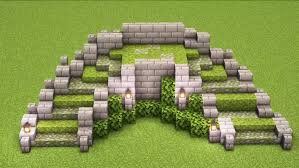
The Ultimate Guide to Building Scales in Minecraft
Are you tired of using ladders or blocks to climb up high in your Minecraft world? Do you want to add a touch of elegance and sophistication to your builds? Look no further! In this article, we will guide you through the process of building scales in Minecraft, including the popular pioli, normal, snail, and mobile scales.
Why Build Scales in Minecraft?
Building scales in Minecraft can be a fun and creative way to add detail and realism to your builds. Not only do they look great, but they also provide a functional way to climb up high without the need for ladders or blocks. Plus, with the various types of scales available, you can choose the one that best fits your build’s theme and style.
Materials Needed
Before we dive into the instructions, let’s take a look at the materials needed to build each type of scale:
- Pioli Scales: Wood Batons (2 units)
- Normal Scales: Wooden Blocks (6 units) or other block types (e.G. Stone, brick)
- Snail Scales: Wooden Blocks (4 units) and Redstone Dust
- Mobile Scales: Command Block, Redstone Dust, and a Resource Pack
Step-by-step Instructions
Pioli Scales
To build pioli scales, follow these steps:
- Gather Materials: Collect 2 wood batons.
- Split The Batons: Split each baton into two equal parts to create the scale’s treads.
- Assemble The Scale: Place the treads next to each other, with the split ends facing up.
- Repeat The Process: Repeat steps 2 and 3 until you have the desired number of scales.
Normal Scales
To build normal scales, follow these steps:
- Gather Materials: Collect 6 wooden blocks (or other block types).
- Create a Triangle: Place the blocks in a triangular formation to create the scale’s base.
- Add Additional Blocks: Add additional blocks to the top of the triangle to complete the scale.
Snail Scales
To build snail scales, follow these steps:
- Gather Materials: Collect 4 wooden blocks and redstone dust.
- Create a Pillar: Place the blocks in a vertical formation to create the scale’s pillar.
- Add Additional Blocks: Add additional blocks to the top of the pillar to complete the scale.
Mobile Scales
To build mobile scales, follow these steps:
- Gather Materials: Collect a command block and redstone dust.
- Create a Redstone Frame: Place the redstone dust in a rectangular frame around the command block.
- Add Additional Blocks: Add additional blocks to the top of the frame to complete the scale.
Tips And Variations
Here are some tips and variations to keep in mind when building scales:
- Use different materials: Experiment with different materials, such as stone or brick, to create a unique look for your scales.
- Adjust the size: Scale up or down depending on the size of your build.
- Add decorative details: Add decorative details, such as flowers or vines, to give your scales a personalized touch.
Conclusion
Building scales in Minecraft is a fun and creative way to add detail and realism to your builds. With this guide, you should be able to create various types of scales, including pioli, normal, snail, and mobile scales. Remember to experiment with different materials and variations to make your scales truly unique.
Faqs
- Q: What is The Best Material For Building Scales?
A: The best material depends on the theme and style of your build. Wooden blocks are a popular choice, but you can also use stone or brick. - Q: How do I Adjust The Size of my Scales?
A: You can scale up or down by adding or removing blocks from the base of the scale. - Q: Can I Add Decorative Details to my Scales?
A: Yes! You can add decorative details, such as flowers or vines, to give your scales a personalized touch. - Q: How do I Create Mobile Scales?
A: To create mobile scales, use a command block and redstone dust to create a redstone frame around the command block. - Q: Can I Use Different Materials For Each Type of Scale?
A: Yes! You can use different materials for each type of scale to create a unique look.
Common Issues
- I’m Having Trouble Building Scales. What Should I Do?
A: Try rebuilding the scale from scratch, or check if you have enough blocks to complete it. - My Scales Are Not Looking Even. How Can I Fix This?
A: Make sure to place each block precisely next to the other to achieve an even look. - I Want to Add a Ladder to my Scales. Is That Possible?
A: Yes, you can add a ladder to your scales by placing ladders on either side of the scale.
Recommendations
- Use Minecraft Forge: Use Minecraft Forge to manage mods and enable new features for your builds.
- Experiment With Different Materials: Experiment with different materials to create unique and interesting effects.
- Add Decorative Details: Add decorative details, such as flowers or vines, to give your scales a personalized touch.
Tips And Tricks
- Keep it Simple: Don’t overcomplicate your build by adding too many details.
- Use Redstone: Use redstone to create unique effects and animations for your builds.
- Experiment With Different Mods: Experiment with different mods to enable new features and effects for your builds.
Additional Resources
- Minecraft Wiki: Visit the Minecraft wiki for detailed guides and tutorials on building scales.
- Youtube Tutorials: Watch YouTube tutorials for step-by-step instructions on building scales.
- Reddit Community: Join the Reddit community for feedback, suggestions, and tips from fellow builders.


