
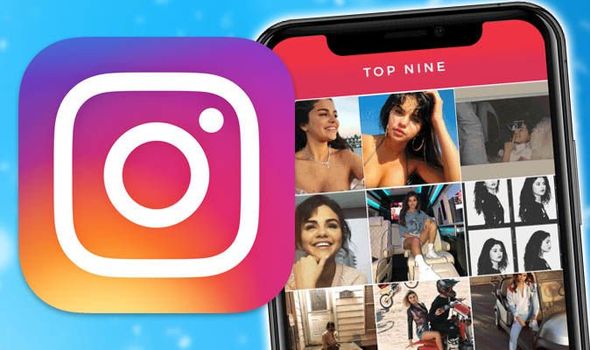
The Ultimate Guide to Creating a Stunning Instagram Best Nine
Are you tired of feeling like your Instagram feed is just not living up to its full potential? Do you want to showcase your favorite photos in a creative and visually appealing way? Look no further than the Instagram Best Nine!
In this article, we’ll show you how to create a stunning Instagram Best Nine using both computer and smartphone methods. We’ll also explore other possibilities for creating collages on Instagram.
What is The Instagram Best Nine?
The Instagram Best Nine, also known as a “Best Nine,” is a feature that allows users to showcase their favorite photos in a 3×3 collage format. This feature was first introduced by Instagram in 2019 and has since become a popular way for users to share their top picks with their followers.
Why Create a Best Nine?
There are many reasons why you might want to create an Instagram Best Nine:
- Showcase Your Favorite Photos: The Best Nine is the perfect opportunity to showcase your favorite photos in a creative and visually appealing way.
- Engage With Your Audience: By sharing your Best Nine, you can engage with your audience and encourage them to share their own favorite photos.
- Get Discovered: A well-crafted Best Nine can help you get discovered by new followers who are interested in the types of photos you post.
How to Create a Best Nine on Computer
To create a Best Nine on computer, you’ll need to download an image editing app that allows you to create collages. One popular option is Pixlr X.
Step 1: Download And Install Pixlr X
To get started, download and install Pixlr X from the official website. This free photo editing app offers a range of tools and features that make it easy to create collages.
Step 2: Select Your Photos
Once you’ve installed Pixlr X, select nine photos that you’d like to include in your Best Nine. You can choose photos from your computer or from your Instagram feed.
Step 3: Create a Collage Template
Next, select the collage template option and choose a 3×3 layout. This will give you a blank canvas where you can add your photos.
Step 4: Add Photos to Your Collage
Drag and drop each of your selected photos into their respective boxes on the collage template. You can resize and rotate each photo as needed to ensure they fit perfectly in their box.
Once you’re happy with your collage, save it and share it on Instagram by following these steps:
- Access your Instagram account via computer.
- Click on the “+” icon to create a new post.
- Select the photo you’ve just created as your Best Nine.
- Add any desired captions or hashtags.
- Share your post with your followers!
How to Create a Best Nine on Smartphone
To create a Best Nine on smartphone, you can use the Layout app from Instagram.
Step 1: Download And Install Layout
Download and install the Layout app from the App Store (for iOS devices) or Google Play Store (for Android devices).
Step 2: Select Your Photos
Open the Layout app and select nine photos that you’d like to include in your Best Nine. You can choose photos from your camera roll or take new ones.
Step 3: Create a Collage Template
Next, select the collage template option and choose a 3×3 layout. This will give you a blank canvas where you can add your photos.
Step 4: Add Photos to Your Collage
Drag and drop each of your selected photos into their respective boxes on the collage template. You can resize and rotate each photo as needed to ensure they fit perfectly in their box.
Once you’re happy with your collage, save it and share it on Instagram by following these steps:
- Access your Instagram account via smartphone.
- Tap the “+” icon to create a new post.
- Select the photo you’ve just created as your Best Nine.
- Add any desired captions or hashtags.
- Share your post with your followers!
Other Possibilities For Creating Collages
While the Layout app is a great option for creating collages on Instagram, there are other possibilities worth exploring:
- Pixlr X: This free photo editing app offers a range of tools and features that make it easy to create collages.
- Canva: This popular graphic design app allows you to create custom templates and collages using your favorite photos.
Conclusion
Creating an Instagram Best Nine is a fun and creative way to showcase your favorite photos in a visually appealing format. Whether you’re using computer or smartphone methods, the process is relatively straightforward and requires minimal effort. We hope this guide has inspired you to give it a try!


