
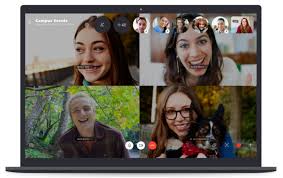
How to Do Video Calls With Multiple People: A Step-by-step Guide
In today’s digital age, video calls have become an essential tool for communication, especially when it comes to connecting with multiple people at once. Whether you’re planning a virtual meeting, catching up with friends and family, or attending online events, making video calls has never been easier.
What Are The Best Services For Video Calls With Multiple People?
There are several services that allow you to make video calls with multiple people, each with its own unique features and capabilities. Some of the most popular options include:
- Whatsapp: A messaging app that allows group video calls with up to 32 participants.
- Skype: A communication platform that enables group video calls with up to 50 participants.
- Google Meet: A video conferencing service that allows group calls with up to 100 participants.
- Zoom: A video conferencing platform that offers group calls with up to 300 participants.
How to Do Video Calls With Multiple People on Whatsapp
To make a video call with multiple people on WhatsApp, follow these steps:
- Open the WhatsApp app and go to the “Chats” section.
- Select the contact you want to add to the video call.
- Tap the “+” button to add more contacts to the call.
- Choose the participants from your contact list or enter their phone number.
- Tap the “Video Call” button to initiate the call.
How to Do Video Calls With Multiple People on Skype
To make a video call with multiple people on Skype, follow these steps:
- Open the Skype app and go to the “Meetings” section.
- Select the contacts you want to add to the meeting.
- Choose the participants from your contact list or enter their email address.
- Tap the “Video Call” button to initiate the call.
How to Do Video Calls With Multiple People on Google Meet
To make a video call with multiple people on Google Meet, follow these steps:
- Open the Google Meet website and sign in with your Google account.
- Click the “+” button to create a new meeting.
- Add the contacts you want to invite to the meeting.
- Choose the participants from your contact list or enter their email address.
- Click the “Start Meeting” button to initiate the call.
How to Do Video Calls With Multiple People on Zoom
To make a video call with multiple people on Zoom, follow these steps:
- Open the Zoom app and go to the “Meetings” section.
- Select the contacts you want to add to the meeting.
- Choose the participants from your contact list or enter their email address.
- Tap the “Video Call” button to initiate the call.
Other Services For Video Calls With Multiple People
If these services don’t meet your needs, there are other options available:
- Discord: A communication platform that allows group video calls and voice chat.
- Viber: A messaging app that enables group video calls and voice chat.
- Messenger Rooms: A feature on Facebook Messenger that allows group video calls with up to 50 participants.
Tips For Making Video Calls With Multiple People
Here are some tips to keep in mind when making video calls with multiple people:
- Make Sure All Participants Have a Stable Internet Connection.
- Choose a Quiet And Private Location For The Call.
- Use Headphones or Earbuds to Reduce Echo And Improve Audio Quality.
- Test Your Equipment Before The Call to Ensure Everything is Working Properly.
Conclusion
Making video calls with multiple people has never been easier, thanks to the many services available today. Whether you’re using WhatsApp, Skype, Google Meet, Zoom, or another platform, remember to follow these tips and guidelines to ensure a smooth and enjoyable experience for all participants.
Frequently Asked Questions (FAQs)
- How Many Participants Can I Add to a Video Call on Whatsapp?
- Up to 32 participants.
- Can I Make a Video Call With Multiple People on Skype?
- Yes, up to 50 participants.
- What is The Maximum Number of Participants For Google Meet?
- Up to 100 participants.
- How Many Participants Can Zoom Accommodate in a Single Meeting?
- Up to 300 participants.
- Can I Use Discord For Video Calls With Multiple People?
- Yes, up to 10 participants (with a server).
- What is The Maximum Number of Participants For Viber Group Video Calls?
- Up to 250 participants.
- How do I Create a Messenger Rooms Group Video Call?
- Open Facebook Messenger and go to the “Rooms” section.
- Can I Use Zoom on my Computer or Mobile Device?
- Yes, both options are available.
I hope this comprehensive guide has helped you understand how to make video calls with multiple people using various services. If you have any further questions or concerns, please don’t hesitate to ask!


