
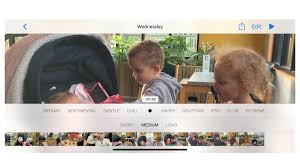
How to Create a Video With Photos And Music: A Step-by-step Guide
Are you looking to create a captivating video with photos and music, but don’t know where to start? Look no further! In this article, we’ll guide you through the process of creating a professional-looking video without breaking the bank.
Why Create a Video With Photos And Music?
Before we dive into the nitty-gritty, let’s quickly explore why creating a video with photos and music is a great idea. Not only can it be a fun and creative way to express yourself, but it also allows you to:
- Share your experiences and memories with loved ones
- Showcase your skills or talents
- Tell a story or convey a message
- Create a unique marketing tool for your business
Tools of The Trade
Now that we’ve got the why covered, let’s take a look at some amazing tools that can help you create a video with photos and music. Don’t worry; we’ll cover both free and paid options!
1. Microsoft Clipchamp (Windows)
If you’re using a Windows computer, Microsoft Clipchamp is an excellent choice for creating videos with photos and music. This user-friendly tool offers a range of features, including:
- A vast library of templates and effects
- Advanced editing tools
- Integration with other Microsoft apps
How to Use Microsoft Clipchamp:
- Download and install Microsoft Clipchamp from the Microsoft Store.
- Launch the app and select “Create Your First Video.”
- Choose a template or start from scratch.
- Import your photos and add music, effects, and transitions as desired.
2. Imovie (macOS)
If you’re on a Mac, iMovie is an incredible free video editing tool that’s perfect for creating videos with photos and music. With its intuitive interface and range of features, you can:
- Create stunning videos with ease
- Import photos and add music, effects, and transitions
- Share your creations directly to social media or export them as a file
How to Use Imovie:
- Open iMovie on your Mac.
- Click “File” > “New Movie” to start creating your video.
- Select a template or create from scratch.
- Import your photos and add music, effects, and transitions as desired.
3. Other Programs For Creating Videos With Photos And Music:
If you’re looking for more options, consider the following:
- Wondershare Filmora (Windows/macOS/Linux): A powerful video editing tool with a user-friendly interface.
- DaVinci Resolve (Windows/macOS/Linux): A professional-grade video editing software with advanced features.
- Canva (Web-based): A free online platform that allows you to create stunning videos with photos and music.
How to Create a Video With Photos And Music on Android:
If you’re using an Android device, there are also amazing options available! Consider:
- CapCut: A popular video editing app with advanced features and integration with TikTok.
- Splice: Another excellent video editing app that allows you to create stunning videos with photos and music.
How to Create a Video With Photos And Music on Iphone:
If you’re using an iPhone, don’t worry! You can also use:
- CapCut
- Splice
- Adobe Premiere Pro
Tips And Tricks:
Before we conclude, here are some valuable tips and tricks to keep in mind when creating your video with photos and music:
- Use high-quality images and music to ensure a professional-looking final product.
- Experiment with different templates and effects to add visual interest to your video.
- Don’t be afraid to get creative and try new things!
- Practice makes perfect – don’t worry if it takes a few tries to get the hang of creating videos with photos and music.
Conclusion:
Creating a video with photos and music is an exciting project that allows you to express yourself, share your experiences, and showcase your creativity. With these step-by-step guides, you’ll be well on your way to creating stunning videos without breaking the bank!
Frequently Asked Questions (FAQs):
Q: What are some of the best tools for creating a video with photos and music?
A: Microsoft Clipchamp, iMovie, Wondershare Filmora, DaVinci Resolve, Canva, CapCut, Splice, Adobe Premiere Pro.
Q: How do I use Microsoft Clipchamp to create a video with photos and music?
A: Download and install Microsoft Clipchamp from the Microsoft Store. Launch the app and select “Create Your First Video.” Choose a template or start from scratch. Import your photos and add music, effects, and transitions as desired.
Q: What are some tips for creating a professional-looking video with photos and music?
A: Use high-quality images and music. Experiment with different templates and effects. Don’t be afraid to get creative and try new things!
Q: Can I create a video with photos and music on Android or iPhone?
A: Yes, there are amazing options available for both Android and iPhone devices.
Q: What’s the best way to export my video with photos and music?
A: You can export your video in various formats depending on the tool you’re using. Check the guide for each tool for specific instructions.


