
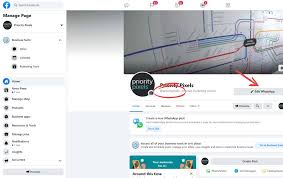
Mastering Facebook Page Management: A Comprehensive Guide
Are you satisfied with your Facebook page’s performance? While it may seem like a great start, there’s still much to be done to optimize its visibility and promote your business or brand effectively. In this article, we’ll delve into the world of Facebook page management, exploring the intricacies of the platform and providing valuable insights on how to improve your online presence.
Understanding The Basics
Before we dive into the nitty-gritty, it’s essential to grasp the fundamental concepts of Facebook page management. A well-maintained page is crucial for any business or organization seeking to establish a strong online presence.
The Anatomy of a Facebook Page
A Facebook page consists of several key elements:
- Profile Picture: Your page’s visual identity.
- Cover Photo: A larger image that showcases your brand.
- About Section: A brief description of your business or organization.
- Posts: The content you share with your audience.
Managing a Facebook Page
Now that we’ve covered the basics, let’s move on to the practical aspects of managing a Facebook page.
Administering a Page on Facebook
To manage a page, you need to be an administrator. If you’re not already one, you can request ownership or ask an existing admin to promote you.
Accessing Your Page
You can access your page from both mobile and desktop devices:
- On mobile: Open the Facebook app and navigate to your page.
- On desktop: Log in to your Facebook account and click on “Pages” in the left-hand menu.
The Power of Meta Business Suite
Meta Business Suite is a powerful tool that allows you to manage multiple pages from a single dashboard. This feature-rich platform includes:
- Insights: Detailed analytics on your page’s performance.
- Posting: A scheduling tool for sharing content.
- Notifications: Customizable alerts for important events.
Assigning Roles
When managing a Facebook page with multiple administrators, it’s essential to assign roles to ensure everyone has access to the necessary features. You can do this through:
- Facebook App: From the “Settings” menu, select “Roles” and add new users.
- Meta Business Suite: Access the “Settings” section and click on “Add Person.”
Collaboration is Key
Managing a Facebook page with multiple administrators can be beneficial for teamwork and workload management. You can divide tasks among team members to optimize productivity.
Collaborative Management
To assign roles, follow these steps:
- Access The Page: From the Facebook app or desktop site.
- Open Settings: Click on the three dots next to your page’s name.
- Select Roles: Choose “Add Person.”
- Assign Role: Select the desired role for each user.
Effective Communication
Clear communication is vital when managing a Facebook page with multiple administrators. Ensure everyone knows their roles and responsibilities, as well as any important deadlines or events.
Regular Check-ins
Schedule regular meetings to discuss ongoing projects, address issues, and provide feedback.
Conclusion
Mastering Facebook page management requires patience, persistence, and practice. By understanding the platform’s intricacies, utilizing Meta Business Suite, and collaborating with team members, you’ll be well on your way to creating a thriving online presence.
Frequently Asked Questions (FAQs)
- Q: What is The Purpose of a Facebook Page?
A: A Facebook page serves as a digital representation of your business or organization, allowing you to share updates, engage with customers, and promote products. - Q: How do I Manage Multiple Pages on Facebook?
A: Utilize Meta Business Suite to access and manage multiple pages from a single dashboard. - Q: What Are The Benefits of Assigning Roles to Administrators?
A: Assigning roles helps ensure everyone has access to necessary features, promotes teamwork, and optimizes productivity. - Q: Why is Communication Essential When Managing a Facebook Page With Multiple Administrators?
A: Clear communication ensures everyone understands their roles and responsibilities, addresses issues promptly, and provides feedback regularly. -
Q: How Often Should I Schedule Meetings to Discuss Ongoing Projects And Address Issues?
A: Schedule regular meetings (at least weekly) to maintain open communication and ensure all team members are aligned with project goals and deadlines. -
Q: Can I Use Meta Business Suite on Mobile Devices?
A: Yes, you can access Meta Business Suite on both Android and iOS devices. -
Q: How do I Know if my Facebook Page is Performing Well?
A: Use the Insights feature within Meta Business Suite to monitor your page’s performance, engagement, and audience growth. -
Q: What Happens if I’m Struggling With Facebook Page Management?
A: Don’t hesitate to reach out for help. Consult online resources, seek guidance from experienced administrators, or consider hiring a professional to assist you in managing your Facebook page.
By following these guidelines and taking advantage of the features offered by Meta Business Suite, you’ll be well-equipped to manage your Facebook page effectively, engage with your audience, and ultimately drive business growth.


