
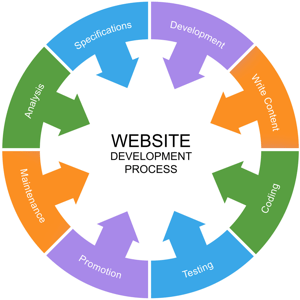
How to Create a Website: A Step-by-step Guide
Are you interested in creating a website but don’t know where to start? This comprehensive guide will walk you through the process of creating a website, from planning to launch.
Why Create a Website?
Creating a website is an excellent way to promote your business, share your ideas, or showcase your work. With a website, you can reach a global audience and establish your online presence.
Understanding Your Objectives
Before creating a website, it’s essential to define your objectives. What do you want to achieve with your website? Is it to sell products, provide information, or showcase your creativity?
Step 1: Plan Your Website
Planning is crucial to the success of your website. Take time to brainstorm and decide on the following:
- Website Purpose: Define the primary purpose of your website.
- Target Audience: Identify your target audience and their needs.
- Content: Determine the type of content you’ll provide, such as text, images, videos, or a combination.
- Design: Decide on the visual appeal of your website, including color scheme, typography, and layout.
Step 2: Choose a Domain Name
Your domain name is the address people will use to access your website. Choose a domain name that:
- Is Memorable: Easy to remember and spell.
- Is Relevant: Reflects the content and purpose of your website.
- Is Available: Make sure the desired domain name is not already taken.
Step 3: Select a Web Hosting Service
Your web hosting service will store your website’s files and make them accessible to the public. Consider factors such as:
- Reliability: Choose a reputable web host with minimal downtime.
- Speed: Opt for a fast web host that loads quickly.
- Security: Ensure the web host provides adequate security measures, such as SSL certificates.
Step 4: Design Your Website
Your website’s design should reflect your brand and appeal to your target audience. Consider:
- User Experience: Create a user-friendly interface that’s easy to navigate.
- Responsive Design: Ensure your website looks great on various devices, including desktops, laptops, tablets, and smartphones.
Step 5: Add Content
Your content will engage your visitors and keep them coming back for more. Include:
- Text: Well-written, informative, and engaging text.
- Images: High-quality images that enhance the visual appeal of your website.
- Videos: Short, informative videos that complement your content.
Step 6: Launch Your Website
After completing these steps, it’s time to launch your website. Make sure:
- All Elements Are in Place: Double-check that all necessary pages and features are included.
- Testing is Complete: Test your website thoroughly to ensure everything works correctly.
Tips For Creating a Successful Website
Creating a successful website requires ongoing effort. Keep in mind:
- Regular Updates: Regularly update your content to keep visitors engaged.
- Seo Optimization: Optimize your website for search engines to improve visibility.
- Analytics Tracking: Monitor your website’s performance using analytics tools.
Conclusion
Creating a website is an exciting and rewarding experience. By following these steps, you’ll be well on your way to creating a successful online presence. Remember to stay focused on your objectives, provide engaging content, and continually update and improve your website.
Frequently Asked Questions (FAQs)
- What Are The Benefits of Creating a Website?
Creating a website provides numerous benefits, including increased visibility, improved credibility, and enhanced customer engagement.
- How do I Choose a Domain Name?
Choose a domain name that is memorable, relevant, and available. Ensure it reflects your brand and appeals to your target audience.
- What Are The Essential Elements of a Successful Website?
A successful website must have clear objectives, engaging content, user-friendly navigation, responsive design, and regular updates.
- How do I Ensure my Website is Secure?
To ensure your website’s security, choose a reputable web host with adequate security measures, such as SSL certificates. Regularly update your software and plugins to prevent vulnerabilities.
- What Are Some Essential Tools For Creating a Successful Website?
Essential tools include web hosting services like Aruba or Shopify, content management systems (CMS) like WordPress, and analytics tools like Google Analytics.
- How do I Optimize my Website For Search Engines?
To optimize your website for search engines, ensure proper keyword usage, meta tags, and header tags. Regularly update and improve your content to improve visibility.
- What Are Some Tips For Creating Engaging Content?
Create engaging content by focusing on user experience, using high-quality images, incorporating videos, and providing regular updates to keep visitors engaged.
- How do I Track my Website’s Performance?
To track your website’s performance, use analytics tools like Google Analytics or SimilarWeb. Monitor traffic, engagement metrics, and other key performance indicators (KPIs) regularly.


