
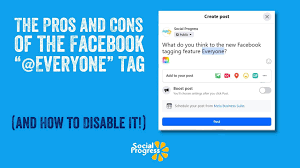
How to Mention on Facebook: A Step-by-step Guide
Are you curious about how to mention a person or page on Facebook? Look no further! In this article, we’ll guide you through the simple steps of mentioning someone or something on the popular social media platform.
Why Mention Someone on Facebook?
Mentioning someone on Facebook can be a great way to share experiences and memories with friends. Whether it’s sharing photos from a vacation, tagging friends in posts, or even mentioning strangers who have helped you in some way, mentioning someone on Facebook is a fun and easy way to engage with others.
How to Mention a Person on Facebook
Mentioning a person on Facebook is a straightforward process that can be done using the Facebook app for Android and iOS, as well as through the official website on your computer. Here’s how:
- Access Your Account: Log in to your Facebook account.
- Tap or Click on “What’s on Your Mind?”: This will take you to a blank post where you can start typing.
- Type “@” Followed by The Person’s Name: Start by typing the symbol @, then type the name of the person you want to mention.
- Select The Correct Profile: If there are multiple profiles with the same name, select the correct one from the suggestions that appear below.
- Tag The Person: After selecting the correct profile, tag the person in your post by clicking on their name.
- Complete Your Post: Add any other details you want to share, such as photos or videos.
How to Mention a Page on Facebook
Mentioning a page on Facebook is similar to mentioning a person, with just a few slight differences:
- Access Your Account: Log in to your Facebook account.
- Tap or Click on “What’s on Your Mind?”: This will take you to a blank post where you can start typing.
- Type “@” Followed by The Page Name: Start by typing the symbol @, then type the name of the page you want to mention.
- Select The Correct Page: If there are multiple pages with the same name, select the correct one from the suggestions that appear below.
- Tag The Page: After selecting the correct page, tag it in your post by clicking on its name.
- Complete Your Post: Add any other details you want to share.
How to Mention Someone in a Facebook Post
Mentioning someone in a Facebook post is similar to mentioning them directly. However, if you want to mention multiple people or add context to your post, it’s better to do so using the “Tag your friends” feature:
- Access Your Account: Log in to your Facebook account.
- Tap or Click on “What’s on Your Mind?”: This will take you to a blank post where you can start typing.
- Select The Tag Friends Icon: Choose the tag friends icon (looks like an “omino”) and type the names of the people you want to mention.
How to Unmention Someone From Facebook
If you’ve mistakenly mentioned someone on Facebook or simply don’t want them to be tagged in a post, it’s easy to unmention them:
- Access Your Account: Log in to your Facebook account.
- Find The Post With The Mentioned Person: Look for the post containing the person’s mention.
- Edit The Post: Click on the three dots next to the “Share” button and choose “Edit Post”.
- Remove The Mention: Remove the @ symbol followed by their name.
How to Prevent Someone From Mentions You on Facebook
If you want to prevent others from mentioning you in posts, here’s how:
- Access Your Account: Log in to your Facebook account.
- Tap or Click on Settings: This will take you to a menu with various settings options.
- Select “Settings And Privacy”: Choose the “Settings and Privacy” option.
- Find The “Control” Section: Look for the “Control” section under the “Privacy” tab.
- Enable Mention Control: Turn on the feature that allows you to control who can mention you.
How to Prevent Someone From Mentioning Your Page
If you want to prevent others from mentioning your page in posts, here’s how:
- Access Your Account: Log in to your Facebook account using a computer.
- Find The “Settings” Option: Go to the top-right corner of your screen and click on the three dots next to your name.
- Select “Settings”: Choose the settings option.
- Look For The “Permissions” Section: Under the “General” tab, look for the “Permissions” section.
- Disable Mentioning: Remove the checkmark from the box that says “Allow people and pages to tag this page”.
Conclusion
Mentioning someone or something on Facebook is a fun way to share experiences and engage with others. Whether you’re mentioning friends in posts, tagging pages, or controlling mentions for your own profile or page, we’ve got you covered.


