
How to Monitor Your Home With Iphone: A Comprehensive Guide
Are you tired of worrying about your home’s security while you’re away? Do you want to be able to monitor your property from the comfort of your own device? Look no further! In this article, we’ll show you how to use your iPhone to keep an eye on your home and stay safe.
Monitoring Your Home With Iphone: The Ultimate Solution
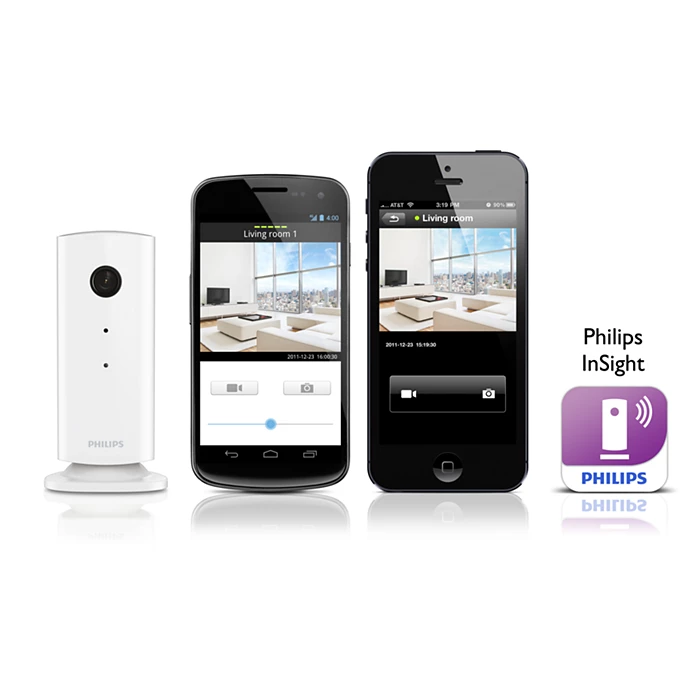
With the advancement in technology, monitoring your home has become easier than ever. You can now use your iPhone to keep track of what’s happening at home, even when you’re not there. This is made possible by various apps and software that allow you to access live video feeds from anywhere.
Using Apps For Home Monitoring
There are several apps available in the App Store that enable you to monitor your home with your iPhone. Some popular options include:
- Trackview: A free app that allows you to use another device as a camera, giving you live video feed of your home.
- Ivideon: An app that enables you to access and control your home’s security cameras remotely using your iPhone.
Setting Up Ivideon For Home Monitoring
To set up Ivideon for monitoring your home, follow these steps:
- Download the Ivideon app on your iPhone from the App Store.
- Create an account on the Ivideon website and link it to the app.
- Install the Ivideon software on your computer or mobile device with a camera.
- Configure the camera settings, such as video quality and notification preferences.
Tips For Using Ivideon
Here are some tips to help you get the most out of Ivideon:
- Make sure to install the latest version of the app and software for optimal performance.
- Configure your notifications to receive alerts when motion is detected or other important events occur.
- Use the zoom feature to get a closer look at specific areas of your home.
Other Options For Home Monitoring
In addition to Ivideon, there are several other apps and services available that can help you monitor your home with your iPhone. Some popular options include:
- Alfred Camera: A user-friendly app that allows you to access live video feeds from anywhere.
- YI Home Camera: A 1080p camera that streams live footage to your iPhone.
Choosing The Right Security Camera For Your Needs
When choosing a security camera, consider factors such as:
- Resolution: Look for cameras with high resolution (e.G., 1080P or 4K) for clear video quality.
- Field of View: Choose a camera with a wide field of view to capture more area.
- Night Vision: Consider cameras with infrared or night vision capabilities for better low-light performance.
- Connectivity: Select a camera that supports Wi-Fi or Ethernet connectivity for easy setup and monitoring.
Security Cameras on Amazon
Some popular security cameras available on Amazon include:
- Tapo C200: A Wi-Fi security camera with FHD resolution and face detection features.
- Xiaomi Mi Home Security Camera 360°: A 1080p camera with a wide field of view and motion detection features.
- YI Home Camera 1080p: A budget-friendly option with a high-resolution sensor and motion detection capabilities.
- Annke C800 Turret Poe 4K Ultra HD Security Camera: A high-end option with a 4K resolution sensor, PoE connectivity, and night vision features.
- Annke H500 5MP Kit Surveillance System: A comprehensive system that includes 6 cameras, a 2TB NVR, and a microphone for enhanced security features.
Tips For Setting Up Your Security Camera
Here are some tips to help you set up your security camera:
- Place the camera in an area with minimal interference (e.G., Avoid direct sunlight or walls).
- Make sure the camera is connected to a power source and has a stable internet connection.
- Follow the manufacturer’s instructions for setting up and configuring the camera.
Conclusion
Monitoring your home with iPhone has never been easier! With various apps and services available, you can keep an eye on your property from anywhere. By following the steps outlined in this article, you’ll be able to set up a reliable security system that keeps you safe and secure.
Frequently Asked Questions (FAQs)
Here are some frequently asked questions about monitoring your home with iPhone:
- Q: What is The Best App For Monitoring my Home?
A: There are several great options, including TrackView and Ivideon. - Q: How do I Set up Ivideon on my Iphone?
A: Follow the steps outlined in this article to set up Ivideon on your iPhone. - Q: What Features Should I Look For When Choosing a Security Camera?
A: Consider factors such as resolution, field of view, night vision, and connectivity. - Q: How do I Connect my Security Camera to The Internet?
A: Follow the manufacturer’s instructions for setting up and configuring your camera.
Hope This Helps! If You Have Any Other Questions or Need Further Assistance, Feel Free to Ask.


