
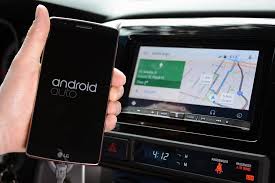
Opening Android Auto on Your Smartphone: A Step-by-step Guide
Are you tired of using your smartphone while driving? Do you want to experience the convenience of having a seamless connection between your vehicle’s infotainment system and your phone? Look no further than Android Auto, the innovative solution that integrates your Android device with your car’s display.
Getting Started
As of Android 10, Android Auto is now integrated into the operating system itself. This means you no longer need to download a separate app from the Google Play Store to access Android Auto.
Opening Android Auto on Your Phone
To open Android Auto on your smartphone, follow these simple steps:
- Go to your phone’s settings.
- Scroll down and select “Devices connected.”
- Tap on “Android Auto” (or “Android Car” if you’re using a device with Android 10 or later).
- You’ll be taken to the Android Auto settings page.
Customizing Android Auto
As you navigate through the Android Auto settings, you’ll notice several sections that allow for customization:
- Start: Decide whether to start Android Auto automatically when your device is connected to the car.
- Display: Choose which apps to display on the Android Auto widget.
- Assistant: Personalize the voice assistant functions by setting up Google Assistant.
Advanced Settings
You can also access advanced settings to customize the position of the command layout and choose which features to display on the car’s screen.
Faqs
- Q: Do I need to download an app to use Android Auto?
A: No, as of Android 10, Android Auto is integrated into the operating system. - Q: Can I customize Android Auto on my smartphone?
A: Yes, you can access various settings and personalization options within the Android Auto app. - Q: How do I personalize the voice assistant functions in Android Auto?
A: You can set up Google Assistant to recognize your voice commands.
Conclusion
In conclusion, opening and customizing Android Auto on your smartphone is a straightforward process that offers numerous benefits. By following these simple steps and taking advantage of the various customization options available, you can enjoy a seamless and safe driving experience with Android Auto.


