
Understanding Dll Files: A Comprehensive Guide
As a computer user, you may have heard of the term “DLL” but are not sure what it means or how it works. DLL stands for Dynamic Link Library, which is a type of file that contains code and data used by Windows operating systems and other programs. In this article, we will delve into the world of DLL files, exploring their purpose, functions, and how to open, modify, and use them safely.
What Are Dll Files?
DLL files are libraries of pre-compiled code and data that can be used by multiple programs simultaneously. They contain executable code, resources, and data that are shared among applications. The primary goal of DLLs is to improve the efficiency of program execution, optimize disk space usage, and simplify software updates and maintenance.
How Do Dll Files Work?
When a Windows operating system or a program loads a DLL file, it becomes a part of the running application’s memory space. This allows the DLL to share its resources with other programs, reducing the need for duplicate code and data storage. As a result, DLLs help improve system performance by minimizing the load on disk I/O operations.
How to Open Dll Files
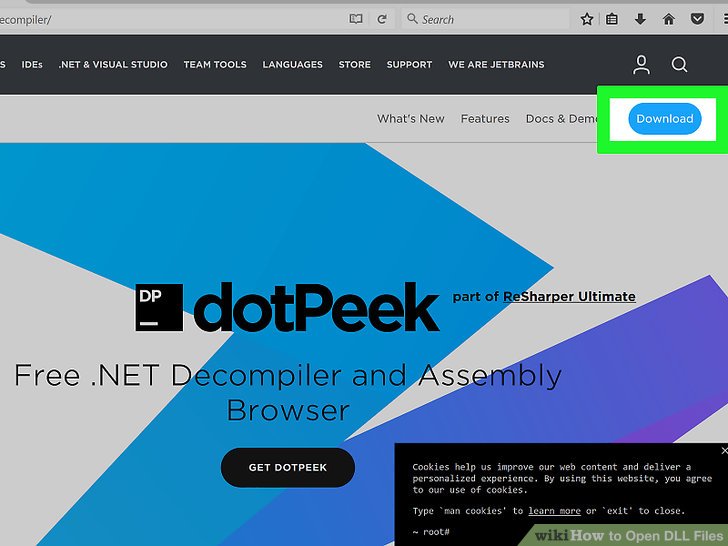
To open a DLL file, you’ll need a decompiler software that can rebuild the original source code from the compiled library. One such tool is called DotPeek, which is available for free download from the official website. Here’s how to use it:
- Download and install DotPeek from the official website.
- Launch the application and click on “File” > “Open” to select the DLL file you want to view.
- The application will display the contents of the DLL, including its resources and dependencies.
How to Modify Dll Files
Modifying DLL files can be a complex process that requires caution. You’ll need to use a decompiler software that supports editing capabilities, such as Resource Hacker. Here’s how to use it:
- Download and install Resource Hacker from the official website.
- Launch the application and click on “File” > “Open” to select the DLL file you want to modify.
- The application will display the contents of the DLL in a graphical interface, allowing you to edit its resources and data.
Important Considerations
Before modifying a DLL file, it’s essential to note that:
- Modifying a system DLL can compromise the stability and security of your operating system.
- Editing a DLL file may result in loss of some information or changes to its original code.
- Always create a backup copy of the original DLL before making any modifications.
Conclusion
In conclusion, DLL files are an essential part of Windows operating systems and other programs. By understanding how they work, you can appreciate their role in improving system performance and efficiency. While opening and modifying DLL files requires caution, using decompiler software like DotPeek or Resource Hacker can help you explore and edit these libraries safely.
Faqs
- Q: What is The Purpose of Dll Files?
A: The primary goal of DLLs is to improve the efficiency of program execution, optimize disk space usage, and simplify software updates and maintenance. - Q: How do I Open a Dll File?
A: You’ll need a decompiler software like DotPeek or Resource Hacker to rebuild the original source code from the compiled library. - Q: Can I Modify a System Dll?
A: No, modifying a system DLL can compromise the stability and security of your operating system. - Q: What Are The Risks Involved in Editing a Dll File?
A: Modifying a DLL file may result in loss of some information or changes to its original code. - Q: How do I Use Resource Hacker to Modify a Dll File?
A: Launch Resource Hacker, click on “File” > “Open” to select the DLL file, and then explore its contents using the graphical interface. - Q: Is it Safe to Download Decompiler Software From Unknown Sources?
A: No, always download decompiler software from trusted sources to ensure safety and security.
Recommended Tools
- DotPeek (free decompiler software)
- Resource Hacker (free decompiler software with editing capabilities)
Additional Resources
For further information on DLL files and how to use them safely, please refer to the official Microsoft documentation or seek guidance from a qualified IT professional.


