
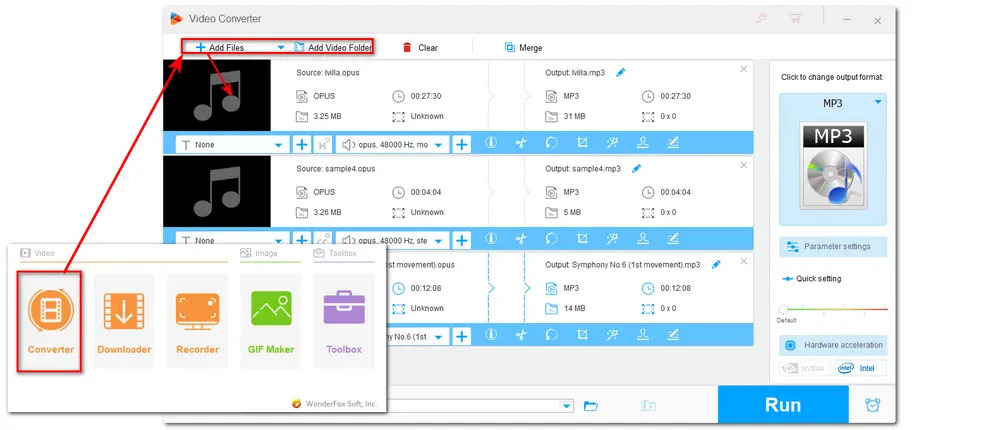
How to Open .OPUS Files: A Step-by-step Guide
Are you curious about how to open .Opus files on your computer or mobile device? Look no further! In this article, we will walk you through the simple steps to access and play these audio files.
What Are .OPUS Files?
.OPUS files are a type of audio file that contains compressed audio data. They are often used for storing voice messages, podcasts, and other types of audio content. The .Opus format is widely supported by many media players and apps.
Why Can’t I Open .OPUS Files?
If you’re trying to open a .Opus file but it’s not working, don’t worry! It’s probably because your device or computer doesn’t have the necessary software to play these files. In this article, we’ll show you how to install the required apps and programs to access and play .Opus files.
Method 1: Using a Browser
One of the easiest ways to open .Opus files is by using a browser. You can use Google Chrome or Mozilla Firefox on your Windows, macOS, or Linux computer.
Step 1: Download The Required Software
First, download the Google Chrome or Mozilla Firefox browser from their official websites.
- For Windows: Https://Www.Google.Com/chrome/ or https://Www.Mozilla.Org/en-US/firefox/new/
- For macOS: Https://Www.Google.Com/chrome/
- For Linux: Follow the installation instructions on the browser’s official website.
Step 2: Install The Browser
Once you’ve downloaded the browser, follow the installation instructions to install it on your computer.
Step 3: Open The .OPUS File in The Browser
After installing the browser, open it and navigate to the folder where your .Opus file is located. You can do this by clicking on “Files” or “Explore” in Windows, or “Finder” in macOS.
- In Google Chrome: Click on the three dots at the top right corner of the browser window and select “More tools” > “Open with…”.
- In Mozilla Firefox: Click on the hamburger menu at the top right corner of the browser window and select “Open file…”
Select your .Opus file from the folder, and it should start playing automatically.
Method 2: Using Vlc Media Player
VLC (VideoLAN) is a popular media player that can play various audio and video formats, including .Opus files. Here’s how to open .Opus files using VLC:
Step 1: Download And Install Vlc
First, download the VLC media player from its official website.
- For Windows: Https://Www.Vlc.Media
- For macOS: Https://Www.Vlc.Media
- For Linux: Follow the installation instructions on the VLC website.
Step 2: Open The .OPUS File in Vlc
After installing VLC, open it and navigate to the folder where your .Opus file is located. You can do this by clicking on “Files” or “Explore” in Windows, or “Finder” in macOS.
- In VLC: Click on “Media” > “Open Files…” And select your .Opus file from the folder.
- Alternatively, you can drag-and-drop the .Opus file into the VLC window to open it.
The .Opus file should start playing automatically.
Method 3: Using Whatsapp or Telegram
If you have a smartphone or tablet, you can also use WhatsApp or Telegram to play .Opus files. Here’s how:
Step 1: Open The Message With The .OPUS File
Open the message in WhatsApp or Telegram that contains the .Opus file. If it doesn’t open automatically, tap on the three dots at the top right corner of the screen and select “Play” or “Open”.
Step 2: Play The .OPUS File
The .Opus file should start playing automatically.
Conclusion
In conclusion, opening .Opus files is a straightforward process that can be done using various methods. Whether you use a browser, VLC media player, or WhatsApp/Telegram, you should now be able to access and play these audio files with ease.
Frequently Asked Questions (FAQs)
- What is The .OPUS File Format?
The .Opus file format is an open-source, royalty-free format for compressing audio data.
- Which Apps Can Play .OPUS Files?
VLC media player, Google Chrome, Mozilla Firefox, WhatsApp, and Telegram are some of the apps that can play .Opus files.
- How do I Convert a .OPUS File to Another Format?
You can use online services like Convertio or Audacity to convert a .Opus file to another audio format.
- Can I Open .OPUS Files on my Smartphone or Tablet?
Yes, you can open .Opus files using WhatsApp, Telegram, or the VLC app for Android and iOS devices.
- What Are The System Requirements For Playing .OPUS Files?
The system requirements for playing .Opus files are minimal, as they can be played using a browser or a media player like VLC.
- Can I Use Other Software to Open .OPUS Files?
Yes, you can use other software like Adobe Audition or GarageBand to open and edit .Opus files.
- How do I Create a .OPUS File From Scratch?
You can create a new audio project in an editing software like Audacity or Adobe Audition, and then export it as a .Opus file.
- What Are The Limitations of Playing .OPUS Files on Certain Devices?
The limitations for playing .Opus files on certain devices may include compatibility issues with older operating systems or outdated media players.


