
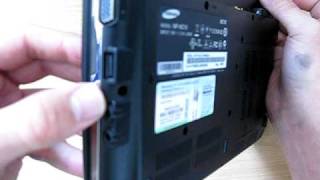
Repairing Your Samsung Device: A Step-by-step Guide
Are you an avid user of Samsung devices who wants to learn how to repair your own smartphone or tablet? Look no further! In this comprehensive guide, we’ll walk you through the necessary steps and precautions to take when repairing your device.
Before You Begin: Understanding Your Warranty
Before attempting any repairs, it’s essential to check if your device is still under warranty. If it is, you may be able to get it repaired or replaced for free by contacting Samsung support. To verify your warranty, follow these steps:
- Check the original packaging or documentation that came with your device.
- Look for a sticker or label on the device itself that indicates it’s still under warranty.
- Visit the Samsung website and follow their instructions to check your warranty status.
Verifying Your Warranty Status:
- Have the receipt or proof of purchase handy
- Check the warranty period (usually 24 months from the date of purchase)
- If you’re unsure, contact Samsung support for assistance
Preparing Your Device And Workspace
Before attempting any repairs, make sure your workspace is clean and well-lit. This will help prevent damage to your device or surrounding surfaces.
- Turn off your device completely by pressing and holding the power button for 10 seconds.
- Remove any films or coverings that may be obstructing access to internal components.
- Extract the SIM card using the provided tool (or a standard paperclip).
- Place a soft, microfiber cloth on your workspace to prevent scratching.
Setting Up Your Workspace:
- Ensure the surface is clean and dry
- Have all necessary tools and parts within reach
- Consider investing in a repair stand or holder for added convenience
Using Ifixit Guides For Repair Instructions
IFixit provides an extensive library of repair guides for various Samsung devices. To access these resources:
- Visit the iFixit website (www.Ifixit.Com)
- Select your device model from the list
- Choose the guide relevant to the specific issue you’re experiencing
Accessing Ifixit Guides:
- Browse through the extensive library of guides for various Samsung devices
- Filter by device type, model, or repair difficulty level
- Follow the step-by-step instructions provided in each guide
Additional Tips And Resources
If you encounter any issues during the repair process:
- Consult the official Samsung community forum (www.Samsung.Com/community) for troubleshooting advice.
- Contact Samsung support via phone, email, or Twitter (@supportosamsung) for direct assistance.
Getting Help When You Need It:
- Reach out to the official Samsung community forum for guidance
- Contact Samsung support for personalized help
Conclusion And Faqs
Repairing your Samsung device requires patience and attention to detail. By following these steps and guidelines, you’ll be able to successfully complete repairs and extend the life of your device.
Frequently Asked Questions (FAQs):
- What is the warranty period for Samsung devices?
- Typically 24 months from the date of purchase
- How do I access repair guides on iFixit?
- Visit www.Ifixit.Com, select your device model, and choose the relevant guide
- What tools are required for most Samsung repairs?
- A Pentalobe screwdriver, Phillips head screwdriver, and plastic spudger (available on iFixit)
- Can I repair my Samsung device myself or should I seek professional help?
- If you’re comfortable with DIY repairs and have experience, it’s generally safe to do so. However, if unsure, consult a professional
- What are some common mistakes to avoid when repairing a Samsung device?
- Improperly removing screws, damaging internal components, or applying excessive force
By following these guidelines and taking necessary precautions, you’ll be able to successfully repair your Samsung device and enjoy its benefits for years to come.
References:
- IFixit – www.Ifixit.Com
- Samsung Official Website – www.Samsung.Com
- Samsung Support Community Forum – www.Samsung.Com/community
Note: Always follow proper safety precautions and use caution when working with electronics. If unsure, consult a professional or the manufacturer’s documentation for guidance.


