
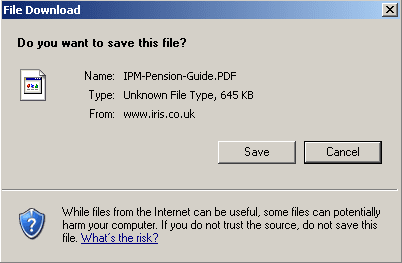
How to Open Unknown Files: A Step-by-step Guide
Are you struggling to open a file that’s been sent to you via email, but don’t know what program to use? You’re not alone! In this article, we’ll show you how to open unknown files on Windows, Mac, Android, and iPhone.
The Problem With Unknown Files
When you receive an email attachment or download a file from the internet, it’s not always clear what program to use to open it. This can be frustrating, especially if the file is important or has sensitive information. In this article, we’ll walk you through the steps to take when faced with an unknown file.
Native Solution on Windows
If you’re using a Windows 8.X or later operating system, you can try using the built-in native solution. When you double-click on an unknown file, a pop-up window will appear asking how you want to open it. You’ll see suggestions of applications that can open the file, but if none are installed, you can search for one in the Microsoft Store.
Using Online Services
Fortunately, there are several online services that can help you find the right program to open an unknown file. Here are a few options:
- Openwith: This service allows you to search for programs based on the file extension.
- Fileinfo.Com: This website provides information about file types and suggests programs to open them.
Opening Unknown Files on Mac
If you’re using a Mac, you can try using the built-in native solution. When you double-click on an unknown file, a pop-up window will appear asking how you want to open it. You’ll see suggestions of applications that can open the file, but if none are installed, you can search for one in the App Store.
Opening Unknown Files on Android
If you’re using an Android device and receive an email attachment or download a file from the internet, you may encounter issues opening it. Fortunately, there are online services that can help you find the right program to open the file. Try using FileInfo.Com, which suggests programs for various devices, including Android.
Opening Unknown Files on Iphone
If you’re using an iPhone and receive an email attachment or download a file from the internet, you may encounter issues opening it. Fortunately, there are online services that can help you find the right program to open the file. Try using FileInfo.Com, which suggests programs for various devices, including iPhone.
Conclusion
Opening unknown files can be frustrating, but with the right tools and knowledge, you can easily find the correct program to use. Remember to try the native solutions on Windows, Mac, Android, and iPhone first, and then use online services like OpenWith or FileInfo.Com if needed. With these steps, you’ll be able to open unknown files in no time!
Faqs
- Q: What Should I do When I Receive an Email Attachment That I Don’t Know How to Open?
A: Try using the native solution on your operating system (Windows, Mac, Android, or iPhone), and if that doesn’t work, use online services like OpenWith or FileInfo.Com. - Q: Can I Trust Online Services to Find The Correct Program to Open an Unknown File?
A: Yes, reputable online services like OpenWith and FileInfo.Com can be trusted to provide accurate information about file types and suggest programs to open them. - Q: What if I Still Can’t Open The File After Using Online Services?
A: If you’re unable to open the file despite trying the native solution and online services, it’s possible that the file is corrupted or not supported by your device. Try contacting the sender for more information. - Q: Are There Any Potential Risks Associated With Downloading Programs From Online Services?
A: Yes, be cautious when downloading programs from unknown sources, as they may contain malware or other security threats. Only download programs from trusted sources and follow safe download practices.
Conclusion
Opening unknown files can be a challenge, but with the right knowledge and tools, you can overcome it. Remember to try native solutions first, then use online services like OpenWith or FileInfo.Com if needed. With these steps, you’ll be able to open unknown files in no time!


