
How to Open Winmail.Dat Files: A Step-by-step Guide
Are you struggling to open winmail.Dat files on your computer or mobile device? Look no further! In this article, we will guide you through the process of opening these proprietary Microsoft files, which are used for sending special contents like forms and voting buttons in emails.
What is a Winmail.Dat File?
A winmail.Dat file is a proprietary file format used by Microsoft Outlook and Exchange Server to transport certain types of content, such as forms and voting buttons, within email messages. These files are typically attached to emails and have the extension .Dat or .Win.
Why Can’t I Open My Winmail.Dat File?
Unfortunately, winmail.Dat files cannot be opened directly on most computers or mobile devices due to their proprietary nature. However, there are several workarounds that we will explore in this article.
Opening Winmail.Dat Files on Windows
If you’re using a Windows computer, you can try opening your winmail.Dat file using a text editor like Notepad++. To do this:
- Right-click on the winmail.Dat file and select “Open with”
- Choose “Notepad++” from the list of applications
- If Notepad++ doesn’t come up with a suggestion, click on the menu bar and select “Open with > Block Grades”
- Select “Choose another app” and then select Notepad++ from the list
If you encounter any strange characters or symbols while trying to open your file, it’s likely that the file contains non-text data. In this case, try using the Winmail.Dat Viewer application (more on this below).
Opening Winmail.Dat Files on Mac
On a Mac, you can open winmail.Dat files using TextEdit, which comes pre-installed on most Macs.
- Right-click on the winmail.Dat file and select “Open with”
- Choose “TextEdit” from the list of applications
- If TextEdit doesn’t come up with a suggestion, click on the menu bar and select “Open with > All Applications”
- Select “TextEdit” from the list
If your winmail.Dat file still won’t open in TextEdit, you can try using the Winmail.Dat Viewer application (more on this below).
Opening Winmail.Dat Files Online
Did you know that you can also open winmail.Dat files online without installing any software? Try visiting the website www.Winmaildat.Com and upload your file for viewing.
Opening Winmail.Dat Files on Android
If you’re using an Android device, you can download the Rows Viewer app from the Play Store to view your winmail.Dat files.
- Download and install the Rows Viewer app
- Open the app and select “Memory”
- Choose the folder where your winmail.Dat file is located
- Select the file to open it in the Rows Viewer app
Opening Winmail.Dat Files on Iphone
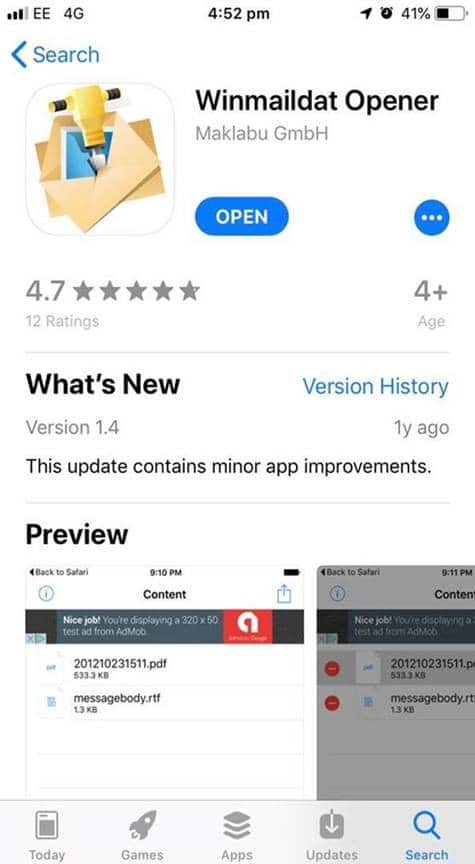
If you’re using an iPhone, you can download the Winmail Viewer – Letter Opener app from the App Store to view your winmail.Dat files.
- Download and install the Winmail Viewer – Letter Opener app
- Open the app and select “Open Rows…”
- Choose the file to open it in the app
Conclusion
Opening winmail.Dat files may seem like a daunting task, but with these step-by-step guides, you should be able to access the content of these proprietary Microsoft files on your Windows, Mac, Android, or iPhone device.
Faqs:
- What is a Winmail.Dat File?
A winmail.Dat file is a proprietary file format used by Microsoft Outlook and Exchange Server to transport certain types of content within email messages. - Why Can’t I Open my Winmail.Dat File?
Unfortunately, winmail.Dat files cannot be opened directly on most computers or mobile devices due to their proprietary nature. - How do I Open a Winmail.Dat File on Windows?
You can try opening your winmail.Dat file using a text editor like Notepad++ or the Winmail.Dat Viewer application (more on this below). - How do I Open a Winmail.Dat File on Mac?
On a Mac, you can open winmail.Dat files using TextEdit. - Can I Open a Winmail.Dat File Online?
Yes, you can upload your winmail.Dat file to the website www.Winmaildat.Com for viewing. - How do I Open a Winmail.Dat File on Android?
You can download and install the Rows Viewer app from the Play Store to view your winmail.Dat files. - How do I Open a Winmail.Dat File on Iphone?
You can download and install the Winmail Viewer – Letter Opener app from the App Store to view your winmail.Dat files.
We hope this article has helped you understand how to open winmail.Dat files on different devices!


