
How to Open Wps Files on Your Computer: A Step-by-step Guide
Are you struggling to open WPS files on your computer? Don’t worry, we’ve got you covered! In this article, we’ll show you how to easily read and convert WPS files using various software programs.
What Are Wps Files?
WPS files are a type of document file format developed by Microsoft Works. They were widely used in the past as an alternative to Microsoft Office, but have since become less popular. However, many old files still exist in this format, and it’s essential to know how to open them.
How to Open Wps Files on Windows
If you’re using a Windows computer, there are several ways to open WPS files:
- Libreoffice: This free and open-source office suite is an excellent alternative to Microsoft Office. You can download LibreOffice for free from the official website.
- Microsoft Word: Yes, you read that right! Microsoft Word can also open WPS files. Simply double-click on the file, and it will be opened in Word.
How to Open Wps Files on Mac
If you’re using a Mac, here’s how to open WPS files:
- Libreoffice: Just like on Windows, LibreOffice is an excellent choice for opening WPS files on Mac.
- Microsoft Word: You can also use Microsoft Word to open WPS files on Mac.
Other Programs That Can Open Wps Files
In addition to the programs mentioned above, there are several other software options that can open WPS files:
- Wps Office: This is a free office suite developed by Kingsoft. It supports opening and editing WPS files.
- Openoffice: Another popular free office suite that can open WPS files.
- Softmaker Freeoffice: A free office suite that includes a word processor, spreadsheet, and presentation software.
How to Convert Wps Files to Word Format
If you want to convert your WPS file to the native format of Microsoft Word (.Docx or .Doc), here’s how:
- Libreoffice Writer: Open the WPS file in LibreOffice Writer and save it as a .Docx or .Doc file.
- Microsoft Word: You can also open the WPS file in Microsoft Word and save it as a .Docx or .Doc file.
Online Conversion Tools
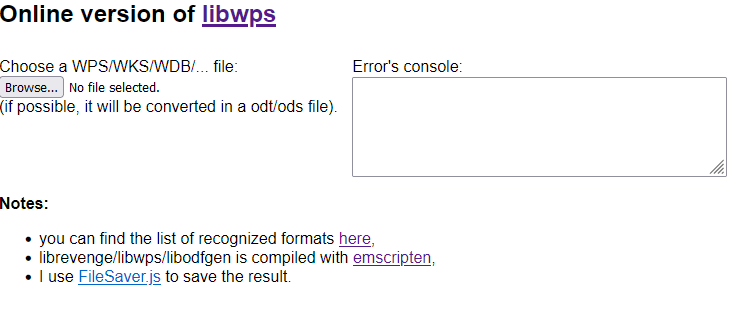
If you don’t have any office software installed on your computer, you can use online conversion tools to convert your WPS file to Word format. One popular option is Docspal, which allows you to upload your WPS file and download the converted document in .Docx or .Doc format.
Conclusion
Opening and converting WPS files is a straightforward process that requires minimal technical expertise. By following the steps outlined above, you can easily access and edit your old WPS files using various software programs. Don’t let outdated file formats hold you back – explore these options today!
Frequently Asked Questions (FAQs)
-
What is The Difference Between a Wps File And a Word Document?
A WPS file is a specific type of document file format developed by Microsoft Works, while a Word document (.Docx or .Doc) is a native file format used by Microsoft Word. -
Can I Convert my Wps File to Word Format Online?
Yes, you can use online conversion tools like DocsPal to convert your WPS file to Word format. -
Do I Need to Install Any Software to Open Wps Files?
No, you don’t necessarily need to install any software to open WPS files. Many office suites, including LibreOffice and Microsoft Word, can open WPS files natively. -
What if my Wps File is Corrupted or Damaged?
If your WPS file is corrupted or damaged, it’s best to try opening it with a different software program. If the issue persists, you may need to contact the original creator of the file for assistance. -
Can I Edit And Modify my Wps File After Converting it to Word Format?
Yes, once you’ve converted your WPS file to Word format, you can easily edit and modify it using Microsoft Word or other office software programs. -
What if I Don’t Have Any Office Software Installed on my Computer?
In that case, you can use online conversion tools like DocsPal to convert your WPS file to Word format. -
Is There a Free Alternative to Microsoft Office For Opening And Editing Wps Files?
Yes, LibreOffice is an excellent free alternative to Microsoft Office for opening and editing WPS files. -
Can I Open Wps Files on my Smartphone or Tablet?
Yes, you can use mobile office apps like WPS Office to open and edit WPS files on your smartphone or tablet.


