
How to Open Zip Files For Free: A Comprehensive Guide
Are you tired of searching for solutions to open ZIP files without spending a dime? Look no further! In this article, we will explore the best ways to extract ZIP files on various platforms, including Windows, macOS, Android, and iOS.
Why Can’t I Open Zip Files Without Paying?
ZIP files are compressed archives that contain multiple files. They can be password-protected or contain large files, making them difficult to open without a specialized tool. However, there are many free alternatives available that can help you extract ZIP files without spending a penny.
Windows Solutions
If you’re using Windows, here are some solutions to open ZIP files for free:
1. Built-in Compressed File Manager (7-Zip)
The first solution is the built-in Compressed File Manager, also known as 7-Zip. This tool allows you to compress and decompress files in various formats, including ZIP.
To use 7-Zip, follow these steps:
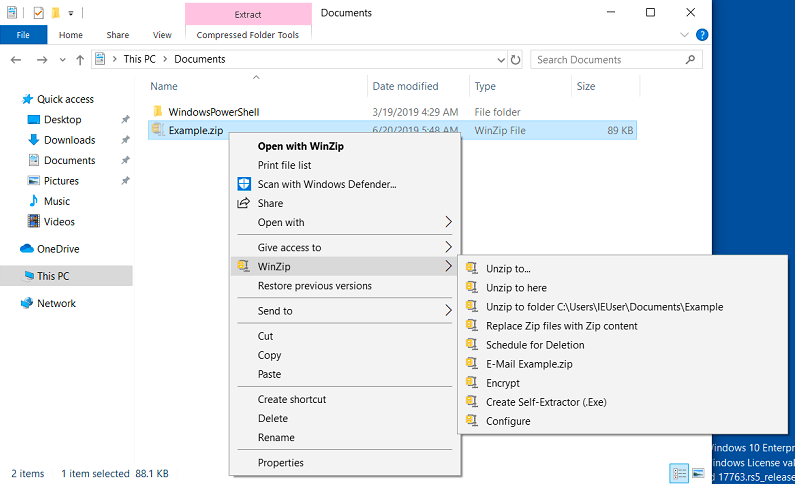
- Right-click on the ZIP file and select “Extract Here”
- Alternatively, double-click on the ZIP file and drag it to a folder of your choice
Macos Solutions
If you’re using macOS, here are some solutions to open ZIP files for free:
1. Built-in Utility Compression (Keka)
The first solution is the built-in utility compression tool, Keka. This tool allows you to compress and decompress files in various formats, including ZIP.
To use Keka, follow these steps:
- Right-click on the ZIP file and select “Open with > Keka”
- Alternatively, double-click on the ZIP file and drag it to a folder of your choice
Online Solutions
If you don’t want to install any software or apps, here are some online solutions to open ZIP files for free:
1. Ezyzip
The first online solution is ezyZip. This tool allows you to compress and decompress files in various formats, including ZIP.
To use ezyZip, follow these steps:
- Visit the ezyZip website
- Select “Choose file” and upload your ZIP file
- Click on the “Extract” button to extract the files
Android Solutions
If you’re using an Android device, here are some solutions to open ZIP files for free:
1. Files by Google
The first solution is the Files by Google app. This app allows you to manage your files and extract ZIP files.
To use Files by Google, follow these steps:
- Download and install the Files by Google app
- Open the app and select the “Extract” option
- Choose the ZIP file you want to extract
Ios Solutions
If you’re using an iOS device, here are some solutions to open ZIP files for free:
1. Izip
The first solution is the iZip app. This app allows you to compress and decompress files in various formats, including ZIP.
To use iZip, follow these steps:
- Download and install the iZip app
- Open the app and select the “Extract” option
- Choose the ZIP file you want to extract
Conclusion
In conclusion, opening ZIP files without spending a dime is easier than ever. With the solutions mentioned above, you can extract ZIP files on various platforms, including Windows, macOS, Android, and iOS.
Remember to always be cautious when downloading software or apps from unknown sources, as they may contain malware or viruses.
Frequently Asked Questions (FAQs)
Here are some frequently asked questions related to opening ZIP files for free:
Q: Can I Open Zip Files Without Installing Any Software or Apps?
A: Yes, you can use online solutions like ezyZip to open ZIP files without installing any software or apps.
Q: What if The Zip File is Password-protected?
A: Some solutions, like 7-Zip and Keka, allow you to enter the password to extract the files.
Q: Can I Compress Files in Other Formats Using These Solutions?
A: Yes, some solutions, like 7-Zip and iZip, allow you to compress files in various formats, including ZIP.


