
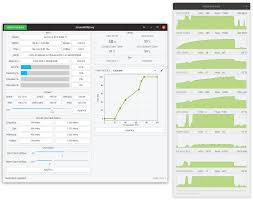
Understanding Overclocking: Enhancing Your Pc’s Performance
Are you eager to unlock your computer’s full potential? Look no further than overclocking, a technique that allows you to push the boundaries of your system’s performance. In this article, we’ll delve into the world of overclocking, exploring what it means, how to do it safely, and the benefits it can bring to your PC.
What is Overclocking?
Overclocking refers to the process of increasing the clock speed of a computer component, such as the CPU, GPU, or RAM. By doing so, you can improve its performance, making it faster and more efficient. However, it’s essential to note that overclocking can also increase the risk of system instability, overheating, and even damage to your hardware.
Why Overclock?
There are several reasons why you might want to overclock your PC:
- Improved Performance: By increasing the clock speed of your components, you can enjoy faster execution times, smoother gameplay, and enhanced overall performance.
- Increased Productivity: Overclocking can be particularly beneficial for tasks that require intense CPU or GPU usage, such as video editing, 3D modeling, or scientific simulations.
- Customization: With overclocking, you can tailor your system’s performance to suit your specific needs, whether it’s for gaming, content creation, or general productivity.
Safety Precautions
Before attempting to overclock your PC, it’s crucial to take necessary safety precautions:
- Monitor Temperatures: Keep a close eye on your system’s temperatures, as overheating can cause damage to your components.
- Use Stable Power Supplies: Ensure that your power supply unit (PSU) is stable and capable of providing the necessary power for overclocking.
- Test And Validate: Thoroughly test and validate any changes you make to ensure that they are safe and effective.
Choosing The Right Components
Not all components can be safely overclocked. Some, like CPUs and GPUs, are designed with overclocking in mind, while others, such as RAM, may not benefit from it. When selecting components for overclocking, consider the following:
- Look For Overclocking Support: Check if the component manufacturer supports overclocking and provides tools or software to facilitate it.
- Choose Components With High Potential: Select components that have a high potential for overclocking, such as CPUs and GPUs from reputable manufacturers.
Software Tools For Overclocking
There are various software tools available to help you overclock your PC safely and effectively. Some popular options include:
- Msi Afterburner: A powerful tool specifically designed for GPU overclocking.
- Amd Overdrive: A software utility provided by AMD for CPU and GPU overclocking.
Conclusion
Overclocking can be a powerful way to enhance your PC’s performance, but it requires careful consideration and execution. By understanding the basics of overclocking, choosing the right components, and using safety precautions, you can unlock your system’s full potential and enjoy improved performance.
Frequently Asked Questions (FAQs)
-
What is The Maximum Safe Overclocking Limit For my Cpu?
The maximum safe overclocking limit varies depending on the CPU model and manufacturer. It’s essential to consult the documentation or contact the manufacturer for specific guidance.
2. Can I Overclock my Gpu Without Voiding Its Warranty?Some GPU manufacturers may void the warranty if you overclock your device. Check the manufacturer’s policy before attempting any overclocking.
3. How do I Monitor Temperatures And Voltages During Overclocking?Utilize software tools like HWiNFO or AIDA64 to monitor temperatures and voltages in real-time, ensuring that you stay within safe limits.
-
Can I Overclock my Ram?
While some RAM kits can be safely overclocked, not all memory modules are suitable for this process. Consult the manufacturer’s documentation or contact their support team for guidance.
5. What Are The Potential Risks of Overclocking?Overclocking can lead to system instability, overheating, and damage to your hardware if not done properly. Always prioritize safety and follow best practices when attempting to overclock.
-
How do I Ensure my Power Supply Unit (PSU) is Stable For Overclocking?
Choose a PSU with sufficient wattage and a good reputation for stability. Consider using a high-quality PSU that’s designed specifically for overclocking.
-
Can I Use Overclocking Software on my Mac or Linux System?
While some software tools are available for macOS and Linux, the options might be limited compared to Windows. Research and explore available alternatives or consult with experts in your community.


