
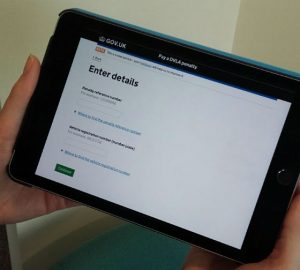
Paying a Fine Online: A Guide
Are you tired of waiting in line or dealing with bureaucracy when it comes to paying a fine? Do you wish there was an easier way to take care of your financial obligations without having to leave the comfort of your own home? Well, you’re in luck! With the advent of online payment systems, paying a fine has become faster, more convenient, and less stressful than ever before.
What is Pagopa?
PagoPA (Pacchetto di Pagamento per il Paese) is an Italian online platform that allows citizens to pay their fines, taxes, and other public debts directly from the comfort of their own homes. The system was designed to simplify the payment process, reducing bureaucracy and increasing transparency.
How Does Pagopa Work?
To use PagoPA, you’ll need a registered account with the platform. Once logged in, you can search for the fine you want to pay using your fiscal code or the unique code provided on the notice. If the fine is linked to a specific entity (e.G., Polizia di Stato), you may be required to provide additional information, such as the vehicle registration number.
Step-by-step Guide to Paying a Fine Online With Pagopa
- Access Your Account: Log in to your PagoPA account using your username and password.
- Search For The Fine: Enter the unique code from the notice or your fiscal code to find the fine you want to pay.
- Select The Payment Method: Choose your preferred payment method (e.G., Credit card, PayPal).
- Enter Payment Details: Fill in the required information, such as the fine amount and any additional details requested.
- Confirm And Complete The Transaction: Review your details, confirm the payment, and complete the transaction.
Paying a Fine Online With Home Banking
If you have a home banking system linked to your account, you can also pay your fines directly through this platform. This method often includes a slight surcharge for the service.
- Log in to Your Home Banking System: Access your home banking account using your credentials.
- Select The Fine Payment Option: Look for the fine payment option within your account.
- Enter The Required Details: Fill out the necessary information, such as the fine amount and any additional details requested.
- Confirm And Complete The Transaction: Review your details, confirm the payment, and complete the transaction.
Alternative Options: Paying Fines Online Through Local Entities
Some local entities may have their own online platforms for paying fines. These can include:
- The Municipality of Rome (Polizia di Stato) – Fine payment service (Roma FINE)
- The City Council of Milan (Comune di Milano) – Spontaneous Payment Service (Servizio di Pagamento Sbloccato)
- The City Council of Turin (Città di Torino) – Fine payment service (Torino Facile)
- The City Council of Naples (Città di Napoli) – Administrative notice consultation and balance portal (Portale dei Versamenti e delle Notificazioni)
To access these services, simply visit the respective website and follow the instructions provided.
Mobile Apps For Paying Fines
There are several mobile apps available that allow you to pay fines directly from your smartphone or tablet. Some of these include:
- IO (Android, iPhone, iPad) – PagoPA’s official app
- EasyPol (Android, iPhone, iPad) – An application allowing payments to over 20,000 local entities and beyond
- Home banking apps – Many home banking apps have a specific section for fine payment
These mobile apps can significantly simplify the process of paying fines by allowing you to access PagoPA and other online platforms directly from your device.
Security Measures in Place
To ensure the security of your transactions, PagoPA uses advanced encryption methods (SSL 128) and adheres to strict security guidelines. Additionally, when using a home banking system or mobile app, be sure to follow all provided instructions for secure payment processing.
Payment Methods Available
PagoPA accepts various payment methods, including:
- Credit cards (Visa, Visa Electron, Mastercard, American Express)
- PayPal
- Bancomat Pay
When paying online, you can choose your preferred payment method based on the options available through PagoPA or your home banking system.
Payment Confirmation And Receipts
Once a fine is paid, you’ll receive an immediate confirmation via SMS to your mobile number. Additionally, your account will be credited with a receipt of payment, indicating that the transaction has been successfully completed.
Troubleshooting Common Issues
If you encounter any issues during the payment process, please refer to the detailed troubleshooting guide available on PagoPA’s website or contact their customer support team for assistance.


