
How to Pay on Shein: A Step-by-step Guide
Are you excited to shop on SHEIN, but not sure how to pay? Look no further! In this article, we will guide you through the process of paying on SHEIN using your computer, smartphone, or tablet.
What Forms of Payment Does Shein Accept?
Before we dive into the payment process, it’s essential to know that SHEIN accepts a wide range of payment methods. You can pay using:
- All major credit and debit cards, including Visa, MasterCard, JBC, Diners Club, American Express, and Discover
- PayPal
- SHEIN gift cards
- Scalapay, Klarna, or Clearplace for interest-free payments
How to Create an Account on Shein
To shop on SHEIN, you need to create a free account. Here’s how:
- Visit the SHEIN website and click on the “Register” button.
- Choose your preferred method of registration: Phone or email.
- Enter your details and accept the terms of service.
How to Pay on Shein Using Your Computer
Now that you have an account, let’s proceed with the payment process:
- Log in to your SHEIN account using your credentials.
- Search for the product you want to purchase by category or use the search bar.
- Click on the product image to view its details and specifications.
- Choose your desired quantity, color (if applicable), and size.
- Click the “Add to Cart” button to save the product.
- Proceed to checkout by clicking the shopping cart icon in the top right corner.
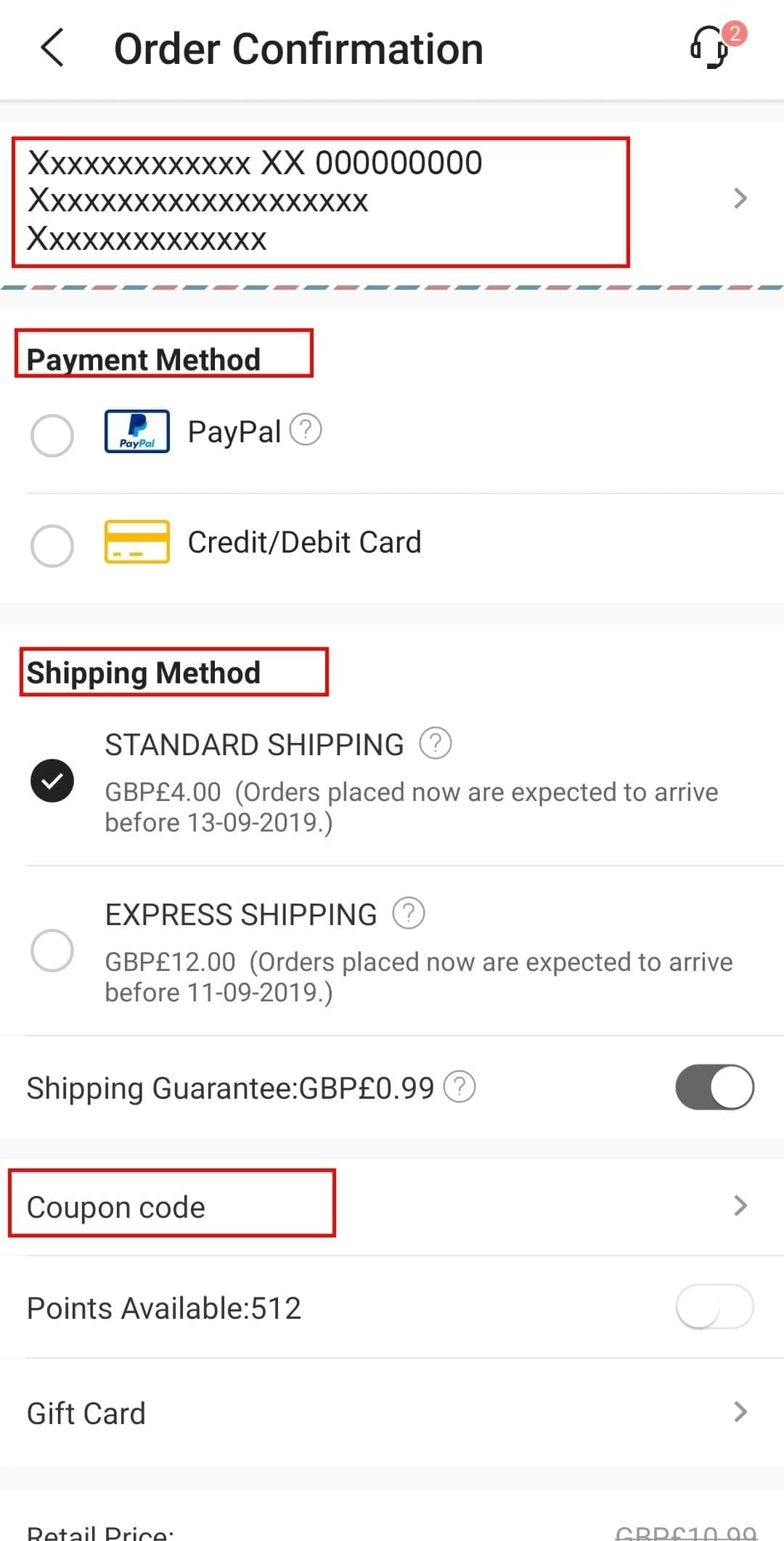
- Review your order summary and apply any available discounts or promo codes.
- Select your preferred payment method and enter the required details.
How to Pay on Shein Using Your Smartphone or Tablet
You can also shop on SHEIN using their mobile app for Android or iOS/iPadOS devices. Here’s how:
- Download and install the SHEIN app from the App Store or Google Play.
- Tap the “Me” icon in the bottom menu bar and select “Register” to create an account.
- Follow the registration process as described above.
- Tap the “Buy” button in the bottom menu bar to start shopping.
- Search for the product you want to purchase by category or use the search bar.
- Tap on the product image to view its details and specifications.
- Choose your desired quantity, color (if applicable), and size.
- Tap the “Add to Cart” button to save the product.
- Proceed to checkout by tapping the shopping cart icon in the bottom menu bar.
- Review your order summary and apply any available discounts or promo codes.
- Select your preferred payment method and enter the required details.
What Happens After You Complete Your Payment?
Once you’ve completed your payment, you’ll receive a confirmation email from SHEIN. If you have any issues with your order or payment, you can contact their customer support team for assistance.
Frequently Asked Questions (FAQs)
- Q: What forms of payment does SHEIN accept?
A: SHEIN accepts all major credit and debit cards, PayPal, SHEIN gift cards, Scalapay, Klarna, and Clearplace. - Q: How do I create an account on SHEIN?
A: You can create a free account by visiting the SHEIN website and clicking on the “Register” button. - Q: Can I pay using my smartphone or tablet?
A: Yes, you can shop on SHEIN using their mobile app for Android or iOS/iPadOS devices. - Q: What happens if I encounter any issues with my payment?
A: If you experience any problems with your payment, please contact SHEIN’s customer support team for assistance. - Q: How long does it take to receive my order after completing the payment?
A: The delivery time may vary depending on your location and the shipping method chosen. - Q: Can I use promo codes or discounts on my order?
A: Yes, you can apply available discounts or promo codes during checkout to reduce the price of your order.
We hope this guide has been helpful in answering any questions you may have had about paying on SHEIN. Happy shopping!


