
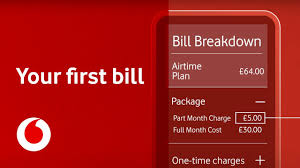
How to Pay Your Vodafone Bill: A Step-by-step Guide
Are you tired of dealing with a stack of unpaid bills? Look no further! In this article, we’ll show you how to pay your Vodafone bill in the most convenient way possible.
The Benefits of Online Payments
Paying your bill online is one of the most efficient ways to settle your outstanding balance. Not only does it save you time and effort, but it also helps reduce paperwork. With just a few clicks, you can log into your account, view your bill details, and make payments seamlessly.
Step 1: Logging Into Your Account
To pay your Vodafone bill online, start by logging into your account on the official website. If you haven’t already created an account, follow these steps to do so:
- Go to the Vodafone website (www.Vodafone.It) and click on “Register” at the top right corner of the page.
- Fill out the registration form with your personal details, including name, email address, and password.
- Verify your account through a confirmation email sent to your registered email address.
Step 2: Viewing Your Bill Details
Once you’ve logged into your account, follow these steps to view your bill details:
- Click on “My Account” at the top right corner of the page.
- Select “Bills” from the dropdown menu.
- Choose the relevant bill period and select the option to view the bill.
Step 3: Making Payments
To make payments, follow these steps:
- Go to the payment section on your account dashboard.
- Enter the amount you’d like to pay using a credit or debit card.
- Confirm your payment details, including the invoice number and due date.
Alternative Payment Options
If you prefer not to use online banking or credit cards for payments, don’t worry! Vodafone offers various other options:
- Transfer: You can make transfers from your bank account directly into your Vodafone bill.
- Postal Bulletin: If you have a postal bulletin, you can pay your bill through the postal service.
- Sisalpay: SisalPay is another option for making payments to your Vodafone account.
What Happens When You Missed Payments
If you’ve missed payments or want to discuss alternative payment options with our customer support team, follow these steps:
- Contact Vodafone’s customer service department by calling 190 (from within Italy) or +39 349.2000190 (From abroad).
- Explain your situation and ask for guidance on how to proceed.
- If you have any outstanding payments, they will be processed as soon as possible.
Communicating Payment Issues
If you’re experiencing issues with paying your bill, follow these steps:
- Call Vodafone’s customer service department at 190 (within Italy) or +39 349.2000190 (From abroad).
- Explain the issue and provide necessary details.
- Follow their instructions to resolve the problem.
Conclusion
Paying your Vodafone bill can be a straightforward process if you follow these steps:
- Log Into Your Account: Start by logging into your account on the official website or through the mobile app.
- View Your Bill Details: Once logged in, view your bill details to ensure accuracy and confirm any necessary payments.
- Make Payments: Proceed with making payments using a preferred payment method (online banking, credit cards, transfer, postal bulletin, or SisalPay).
Frequently Asked Questions
- Q: What happens if I miss payments?
A: If you’ve missed payments, contact Vodafone’s customer service department to discuss alternative payment options and resolve the issue. - Q: How do I communicate payment issues?
A: Call Vodafone’s customer service department at 190 (within Italy) or +39 349.2000190 (From abroad) to report any payment issues. - Q: What are my payment options?
A: You can make payments using online banking, credit cards, transfer, postal bulletin, or SisalPay. - Q: Can I use alternative payment methods?
A: Yes, you can use various other payment methods offered by Vodafone.
By following these steps and using the information provided, you should be able to navigate the process of paying your Vodafone bill with ease.


