
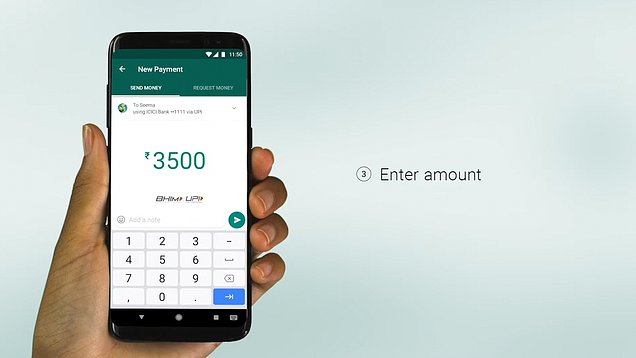
How to Pay For Whatsapp: A Comprehensive Guide
As one of the most popular messaging apps globally, WhatsApp has been a subject of interest among users. With its seamless communication features, WhatsApp has become an essential tool for both personal and professional use. However, with its increasing popularity, some users have raised questions about how to pay for WhatsApp. In this article, we will delve into the details of paying for WhatsApp, exploring its various features, costs, and payment options.
Understanding Whatsapp’s Pricing Model
To begin with, it is essential to understand that WhatsApp has a free version available for download on both Android and iOS devices. This means that users can enjoy most of the app’s features without incurring any costs. However, some advanced features are reserved for paid versions, which we will discuss later.
Is Whatsapp Free?
Yes, WhatsApp is completely free to download and use. You don’t need to pay a single penny to install and use the app on your smartphone. This includes sending messages, making voice and video calls, sharing photos, videos, and documents, as well as engaging in group chats.
What About The Costs?
Until January 2016, WhatsApp charged users who downloaded the app for Android devices an annual fee of €0.89. For iOS users, the cost was €1 per annum. However, these fees have been canceled automatically for all old and new users, making WhatsApp completely free to use.
What If I Receive Messages Asking Me to Pay?
Be cautious of messages that ask you to pay for using WhatsApp or its features. These are likely scams or phishing attempts aimed at exploiting unsuspecting users. Ignore such messages and stay safe!
Downloading Whatsapp on Android Devices
To download WhatsApp on your Android device, follow these simple steps:
- Open the Google Play Store app.
- Search for “WhatsApp” in the search bar.
- Select the official WhatsApp Messenger app from the results.
- Tap the “Install” button to begin the installation process.
Downloading Whatsapp on Ios Devices
To download WhatsApp on your iOS device, follow these steps:
- Open the App Store app.
- Search for “WhatsApp” in the search bar.
- Select the official WhatsApp Messenger app from the results.
- Tap the “Get” button to begin the installation process.
Paying With Whatsapp Business
As mentioned earlier, WhatsApp Business is a paid version that offers advanced features for businesses and entrepreneurs. To pay using WhatsApp Business, follow these steps:
- Open the WhatsApp Business app on your device.
- Select the feature you want to access (e.G., Creating a web page or managing an advertising campaign).
- Follow the prompts to complete the payment process.
Frequently Asked Questions
Here are some frequently asked questions about paying for WhatsApp:
Q: Is Whatsapp Free?
A: Yes, WhatsApp is completely free to download and use on both Android and iOS devices.
Q: Do I Need to Pay For Whatsapp Business Features?
A: While most WhatsApp features are free, some advanced features in WhatsApp Business require payment. Check the app’s pricing and features before using them.
Q: How do I Prevent Scams Asking me to Pay For Whatsapp?
A: Ignore messages that ask you to pay for using WhatsApp or its features. These are likely scams or phishing attempts.
Q: Can I Download Whatsapp on Multiple Devices?
A: Yes, you can download and use WhatsApp on multiple devices. Just ensure that each device meets the minimum system requirements.
Q: How do I Update Whatsapp on my Device?
A: To update WhatsApp on your device, follow these steps:
- Open the Google Play Store (for Android) or App Store (for iOS).
- Search for “WhatsApp” in the search bar.
- Select the official WhatsApp Messenger app from the results.
- Tap the “Update” button to begin the update process.
By following this comprehensive guide, you should now have a clear understanding of how to pay for WhatsApp and its various features. Remember to stay vigilant against scams and enjoy using WhatsApp’s free version or exploring its paid features on WhatsApp Business!


