
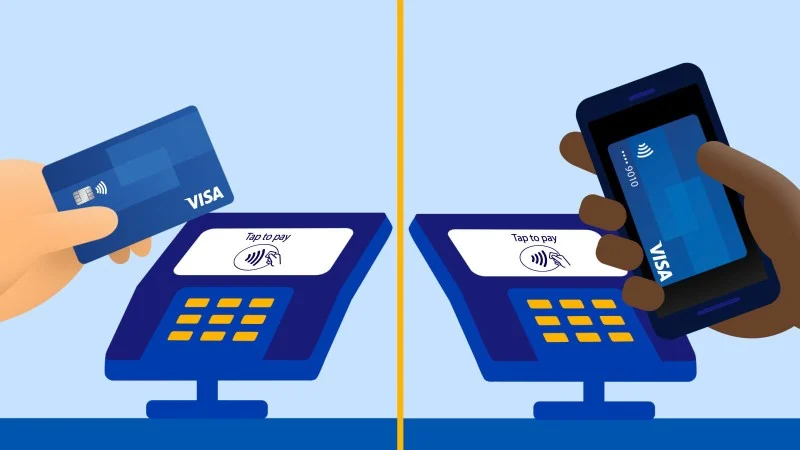
Paying With Nfc: A Guide to Contactless Payments
Are you tired of carrying around a wallet full of cards? Do you want to experience the convenience of contactless payments on your smartphone or watch? Look no further! In this article, we will guide you through the process of paying with NFC (Near Field Communication) technology.
What is Nfc And How Does it Work?
NFC is a technology that allows for communication between two devices in close proximity, without the need for cables. This means that your smartphone or watch can communicate with a payment terminal to complete a transaction. The data exchange is encrypted, ensuring secure transactions.
Is My Smartphone Compatible With Nfc?
Not all smartphones support NFC technology. To find out if your device has this feature, check your phone’s specifications or settings menu. Many Android devices and iPhones have built-in NFC capabilities.
How Do I Activate Nfc on My Smartphone?
Activating NFC on your smartphone is a straightforward process:
- Check that your device has NFC capabilities.
- Go to the Settings app (usually found in the Notification panel).
- Look for the “Connection” or “Other connections” section.
- Select “NFC” and toggle it to ON.
How Do I Add Cards to Google Pay?
To add cards to Google Pay, follow these steps:
- Open the Google Pay app on your smartphone.
- Tap on the “+” icon to add a new card.
- Enter your card details (number, expiration date, CVC code).
- Review and confirm the payment method.
Other Services That Support Contactless Payments
In addition to Google Pay, there are several other services that offer contactless payments:
- Apple Pay: If you have an iPhone or Apple Watch, you can use Apple Pay to make payments.
- HYPE: This digital banking service allows you to store cards and make payments using your smartphone.
- N26: A digital bank that offers a range of payment options, including contactless transactions.
- Revolut: A digital banking service that supports contactless payments with various cards.
Using Nfc on Apple Watch
If you have an Apple Watch, you can use it to make payments using the Wallet app:
- Open the Wallet app on your watch.
- Select a card to add to the app.
- Tap on the “+” icon to add the card.
- Confirm the payment method.
Using Nfc With Swatchpay!
SwatchPAY! is a contactless payment system that allows you to use your watch to make payments:
- Add a card to your watch using the SwatchPAY! app.
- Approach the payment terminal to complete the transaction.
- Receive confirmation of the payment.
Conclusion
Paying with NFC technology offers a convenient and secure way to complete transactions on your smartphone or watch. By following these simple steps, you can activate NFC on your device, add cards to Google Pay, and start using contactless payments today!
Faqs
- Q: What is Nfc?
A: NFC (Near Field Communication) is a technology that allows for communication between two devices in close proximity. - Q: Is my Smartphone Compatible With Nfc?
A: Check your phone’s specifications or settings menu to find out if it has NFC capabilities. - Q: How do I Activate Nfc on my Smartphone?
A: Go to the Settings app and toggle NFC to ON. - Q: Can I Use Contactless Payments With Apple Pay?
A: Yes, if you have an iPhone or Apple Watch, you can use Apple Pay to make payments. - Q: How do I Add Cards to Google Pay?
A: Open the Google Pay app and tap on the “+” icon to add a new card. - Q: Is Swatchpay! Available in my Country?
A: Check the Swatch website for availability in your region. - Q: Can I Use Contactless Payments With Multiple Services?
A: Yes, you can use multiple services such as Google Pay, Apple Pay, and HYPE to make contactless payments.
Bonus Tips
- Make sure your device is compatible with NFC technology before attempting to activate it.
- Always check the payment terminal’s compatibility with your chosen service.
- Be aware of any fees associated with using contactless payments.


