
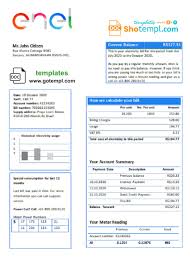
Paying Your Enel Bill Online: A Step-by-step Guide
Are you tired of physically visiting a post office or bank to pay your Enel bill? Do you want to resolve the issue from the comfort of your own home, using the internet and online payment services? You’re in luck! In this article, we’ll show you how to pay your Enel bill online using various instruments, including PayPal, Italian Post Office’s online portal, and other popular forms.
Why Pay Your Enel Bill Online?
Paying your Enel bill online is a convenient and hassle-free way to manage your utility payments. By doing so, you’ll avoid the queues at post offices and banks, and save time that could be better spent on more enjoyable activities.
Understanding Your Options
You have several options when it comes to paying your Enel bill online:
- Paypal: A popular online payment service that allows you to pay bills using your PayPal account.
- Italian Post Office’s Online Portal: You can use the Italian Post Office’s online portal to pay your Enel bill, provided you have a postal common account and have registered with the Italian Mails.
- Cbill: A system of brokerage that allows you to pay multiple postal bills directly from your home banking system.
- Mybank: An alternative payment service to CBILL, which enables you to pay your Enel bill using your home banking system.
- Sisalpay: Another online payment service that allows you to pay your Enel bill, but be aware that a cost of €2 will be applied.
Using Paypal to Pay Your Enel Bill
To pay your Enel bill using PayPal:
- Log in to your PayPal account and click on the “Pay” button.
- Select “Enel” as the recipient and enter the payment details, including the amount and code.
- Confirm the payment by clicking on the “Continue” button.
Using The Italian Post Office’s Online Portal
To pay your Enel bill using the Italian Post Office’s online portal:
- Log in to your postal common account and access the home banking system.
- Select the “Payments” section and click on the “Enel” option.
- Enter the payment details, including the amount and code, and confirm the payment.
Using Cbill
To pay your Enel bill using CBILL:
- Access your home banking system and select the “CBILL” option.
- Enter the payment details, including the amount and code, and confirm the payment.
Using Mybank
To pay your Enel bill using MyBank:
- Access your home banking system and select the “MyBank” option.
- Enter the payment details, including the amount and code, and confirm the payment.
Using Sisalpay
To pay your Enel bill using SisalPay:
- Register with SisalPay if you haven’t already done so.
- Log in to your account and select the “Enel” option.
- Enter the payment details, including the amount and code, and confirm the payment.
Conclusion
Paying your Enel bill online is a convenient and hassle-free way to manage your utility payments. By using one of the various instruments mentioned above, you’ll be able to resolve the issue from the comfort of your own home, saving time and effort.
Frequently Asked Questions (FAQs)
- Q: Can I Pay my Enel Bill Online if I Don’t Have a Paypal Account?
A: Yes, you can use other instruments such as the Italian Post Office’s online portal, CBILL, MyBank, or SisalPay to pay your Enel bill. - Q: What Are The Costs Associated With Paying my Enel Bill Online?
A: Depending on the instrument used, a cost of €1 may be applied for some services. - Q: Can I Use my Home Banking System to Pay my Enel Bill?
A: Yes, you can use your home banking system to pay your Enel bill using CBILL or MyBank. - Q: Is it Safe to Pay my Enel Bill Online?
A: Yes, all the instruments mentioned above are secure and ensure that your payment is processed safely. - Q: Can I Cancel a Payment if I Accidentally Paid Too Much?
A: Contact Enel’s customer service to request a refund or cancellation of the payment. - Q: How Long Does it Take For my Payment to be Processed?
A: The processing time may vary depending on the instrument used, but usually, payments are processed immediately. - Q: Can I Pay Multiple Bills at Once Using Online Services?
A: Yes, some instruments such as CBILL and MyBank allow you to pay multiple bills simultaneously. - Q: What Should I do if I Encounter Any Issues While Paying my Enel Bill Online?
A: Contact Enel’s customer service or the instrument’s support team for assistance.


