
How to Photograph The Moon With Your Smartphone: Tips And Tricks
Are you ready to capture stunning photos of the Moon with your smartphone? In this article, we’ll provide you with expert tips and tricks to help you take amazing shots of the lunar surface.
Choosing The Right Moment
Before you start snapping away, it’s essential to choose the right moment to photograph the Moon. The ideal time is when the Moon is not too high in the sky and there’s still some sunlight on it. This will help you capture more details and avoid overexposure. Use an app like Stellar Map (for Android and iOS) or Night Sky (for iPhone) to track the Moon’s movements and plan your photography sessions accordingly.
Selecting The Best Smartphone
While any smartphone can be used to take photos of the Moon, some models are better suited for this task than others. Look for a phone with a high-quality camera, such as the HUAWEI P30 Pro or Google Pixel 7. These devices have features like Super Zoom and HDR that can enhance your photos.
Using a Tripod
A tripod can be a game-changer when it comes to photographing the Moon. It will help you stabilize the camera and avoid camera shake, resulting in sharper images. Look for a sturdy tripod designed specifically for smartphones, such as the Paladinoz Professional 106 cm (42″) in Aluminium 4-Section Tripod.
Regulating Camera Parameters
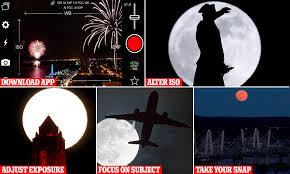
If you prefer to manually regulate your camera’s parameters, there are apps available that can help you achieve this. For Android users, Chamber FV-5 is a great option, while iPhone users can try Halide or ProCam. Make sure to adjust the ISO, shutter speed, and aperture settings according to the lighting conditions to capture well-exposed photos.
Composing Your Shot
When composing your shot, remember the rule of thirds. Divide the image into nine rectangles and place the Moon in one of the intersections. This will help you create a more balanced and visually appealing composition.
Avoiding Digital Zoom
While it may be tempting to use digital zoom to capture details of the Moon, avoid doing so. Instead, opt for optical zoom or crop your photo using an app like Adobe Lightroom. Digital zoom can lead to pixelation and loss of image quality.
Using Hdr Mode
HDR (High Dynamic Range) mode can help you capture a wider range of tonal values in your photos. This can be especially useful when photographing the Moon’s surface, which can exhibit a wide range of brightness and darkness. Enable HDR mode in your camera app to take advantage of this feature.
Conclusion
Photographing the Moon with your smartphone requires some planning and technique. By choosing the right moment, using a tripod, regulating camera parameters, composing your shot correctly, avoiding digital zoom, and utilizing HDR mode, you can capture stunning photos of the lunar surface. Remember to experiment with different settings and techniques to find what works best for you.
Frequently Asked Questions (FAQs)
- What is The Best Smartphone For Photographing The Moon?
The HUAWEI P30 Pro or Google Pixel 7 are excellent options, but any high-quality camera phone can work well. - How do I Avoid Overexposure When Photographing The Moon?
Use a tripod and adjust your camera settings to balance the exposure according to the lighting conditions. - Can I Use Digital Zoom to Capture Details of The Moon?
No, it’s best to avoid digital zoom and opt for optical zoom or crop your photo using an app instead. - How do I Take Advantage of Hdr Mode When Photographing The Moon?
Enable HDR mode in your camera app to capture a wider range of tonal values in your photos. - What is The Best Time to Photograph The Moon?
Photograph the Moon when it’s not too high in the sky and there’s still some sunlight on it for better exposure. - Do I Need a Tripod to Take Good Photos of The Moon?
A tripod can be helpful, but it’s not essential. You can still achieve great results without one. - How do I Compose my Shot Correctly When Photographing The Moon?
Use the rule of thirds and place the Moon in one of the intersections for a more balanced composition. - Can I Use Any Camera App to Take Photos of The Moon?
While many camera apps can be used, some are more suitable than others. Look for apps specifically designed for low-light photography or astrophotography.
We hope this article has provided you with valuable insights and tips on how to photograph the Moon with your smartphone. Happy snapping!


