
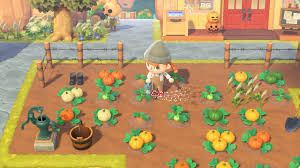
Welcome to Animal Crossing: New Horizons – A Comprehensive Guide
Are you ready to embark on a virtual island adventure like no other? Look no further than Animal Crossing: New Horizons, the latest installment in this beloved franchise. In this article, we’ll delve into the world of Tom Nook’s latest venture and provide you with a comprehensive guide on how to play, create your island paradise, and make the most out of this amazing game.
Getting Started
Before we dive into the nitty-gritty, let’s get one thing straight: Animal Crossing: New Horizons is all about relaxation and creativity. You’ll be building your dream island, interacting with adorable characters, and engaging in various activities that will keep you entertained for hours on end.
To start, make sure you have a Nintendo Switch console and the game downloaded. If you’re new to the series, don’t worry; we’ve got you covered. Our guide will walk you through every step of the way.
Creating Your Island
When you first boot up the game, you’ll be asked to create your character. Choose a name, select your facial features, and get ready to begin your island adventure! You’ll have the opportunity to customize your appearance, choose your favorite colors, and even pick out your birthday (yes, you read that right – birthday).
Next, you’ll be presented with a few options to tailor your island experience:
- Continent: Choose from either the Northern or Southern Hemisphere.
- Seasons: Select whether you want reverse or regular seasons.
- Island Pattern: Pick one of four pre-made patterns for your island’s terrain.
Once you’ve made these selections, Tom Nook will welcome you to your new home. You’ll have the chance to name your island and choose a few essential items to get started.
The Basics
Now that you’re settled in, let’s cover some essential basics:
- Inventory Management: Keep an eye on your inventory by pressing X (or A) on the controller.
- Interacting With Characters: Use the To button to talk to other inhabitants and start conversations.
- Collecting Items: Press Y (or B) to collect items, like branches or apples.
As you progress through the game, you’ll discover more features that will enhance your island experience.
Decorating Your Island
One of the most exciting aspects of Animal Crossing: New Horizons is decorating your island. With a vast array of furniture, decorations, and other items, the possibilities are endless!
Here’s how to decorate:
- Accessing Decorations: Press the down button on the controller to access the menu.
- Choosing Decorations: Browse through various categories and select the item you want to place.
- Placing Decorations: Hold To (or B) and move the analog stick to position your item.
Tips for decorating:
- Experiment with different layouts and themes to create a unique atmosphere.
- Rotate items by holding To and moving the analog stick.
- Reorganize your furniture or decorations by accessing the menu while in your home.
Gaining New Inhabitants
As you progress through the game, new inhabitants will arrive on your island. Here’s how to gain them:
- Visitors: Allow visitors to stay for 24 hours and interact with them.
- Coupon Miles Nook: Redeem these coupons to visit other islands and recruit new inhabitants.
- Friend Invitations: Invite friends online to join your community.
Tips for gaining new inhabitants:
- Interact with visiting characters to increase the chances of recruiting them.
- Use Coupon Miles Nook to explore different islands and meet new people.
- Share your island with friends to create a thriving community.
Gaining Stamps With The Tour
Another exciting aspect of Animal Crossing: New Horizons is earning stamps by completing tasks or achieving specific goals. Here’s how:
- Tour: Allow Brunella, a mysterious character, to visit your island on Sundays between 5:00 AM and 12:00 PM.
- Acquiring Stamps: Interact with Brunella and acquire the desired item or complete the required task.
Tips for earning stamps:
- Focus on completing tasks and achieving goals to increase your stamp collection.
- Keep an eye on Brunella’s schedule to earn more stamps.
Playing Animal Crossing Online
Animal Crossing: New Horizons allows you to play online with friends, but it also offers a unique experience when playing solo. Here’s how:
- Multiplayer: Invite friends to join your island and enjoy the game together.
- Online Features: Share your island, communicate with others online, and participate in various activities.
Tips for playing online:
- Make sure you have a Nintendo Switch Online subscription to access these features.
- Use the correct settings to ensure smooth communication with other players.
Playing Animal Crossing on Smartphones And Tablets
Animal Crossing: Pocket Camp is an excellent mobile experience that allows you to play this beloved franchise on-the-go. Here’s how:
- Download: Get the game from your smartphone or tablet app store.
- Features: Explore various features, like decorating your campsite, interacting with characters, and completing tasks.
Tips for playing on smartphones and tablets:
- Experiment with different decorations and layouts to create a unique atmosphere.
- Focus on completing tasks and achieving goals to increase your stamp collection.
Playing Animal Crossing on PC
Unfortunately, there isn’t an official Animal Crossing game available for PC. However, we can still explore other options:
- Emulators: Install a Nintendo Switch emulator and play the console version on your computer.
- Mobile Emulation: Play the mobile version on a large screen using an emulator.
Conclusion
Animal Crossing: New Horizons is more than just a game – it’s an experience. With its charming characters, relaxing atmosphere, and creative freedom, this game has captured the hearts of millions worldwide.
In conclusion:
- We hope our comprehensive guide has provided you with all the necessary information to embark on your Animal Crossing adventure.
- Don’t be afraid to experiment and try new things; after all, creativity is the key to making this game shine.
- Share your island, interact with friends online, and join the community – we can’t wait to see what amazing creations you’ll come up with!
Frequently Asked Questions
- Q: What’s The Main Difference Between Animal Crossing: New Horizons And Previous Games?
A: The latest installment introduces new features like decorating your island, earning stamps, and playing online. - Q: How do I Gain New Inhabitants on my Island?
A: Allow visitors to stay for 24 hours, redeem Coupon Miles Nook, or invite friends online to join your community. - Q: Can I Play Animal Crossing Online With Friends?
A: Yes! Invite friends to join your island and enjoy the game together using Nintendo Switch Online features. - Q: Is There a Version of Animal Crossing Available For Pc?
A: Unfortunately, no official version is currently available; however, you can explore other options like emulators or mobile emulation. - Q: How do I Decorate my Island?
A: Access the menu by pressing down on your controller and choose from various categories to place decorations. - Q: What’s The Point of Earning Stamps in Animal Crossing: New Horizons?
A: Earning stamps allows you to demonstrate your progress, achievements, and skills within the game.
Additional Resources
- Official Nintendo Switch Website
- Animal Crossing: New Horizons Game Guide
- Online Community Forum
We hope our comprehensive guide has been helpful. Happy gaming!


