
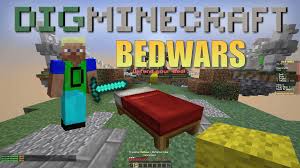
How to Play Bedwars on Minecraft: A Step-by-step Guide
Are you ready to experience the thrill of BedWars, one of the most popular game modes in Minecraft? Look no further! In this article, we’ll guide you through the process of playing BedWars on both Java and Bedrock editions of Minecraft.
What is Bedwars?
BedWars is a multiplayer game mode where players compete against each other to be the last one standing. The game takes place on an island map, where players must gather resources and build beds to protect themselves from other players who are trying to destroy their beds. The last player alive wins the game.
Playing Bedwars on Minecraft Java Edition
To play BedWars on Minecraft Java Edition, follow these steps:
- Launch Minecraft: Launch the official Minecraft launcher and select the Java edition.
- Create a New World: Click on “New World” and select “BedWars” as the game mode.
- Join a Server: Join a public BedWars server by clicking on “Multiplayer” and searching for a BedWars server.
- Select Your Team Size: Choose the number of players you want to play with (1-4).
- Spawn Into The Game: Once you’ve joined the server, spawn into the game and start gathering resources.
- Build Your Bed: Build a bed in a safe location and protect it from other players who are trying to destroy it.
- Fight Against Other Players: Engage in combat with other players who are trying to destroy your bed or vice versa.
Tips And Tricks
- Make sure you have enough resources to build a strong bed and defend yourself.
- Pay attention to your surroundings and be aware of potential threats from other players.
- Use your inventory wisely and don’t waste resources on unnecessary items.
- Practice makes perfect – keep playing and you’ll get better with time!
Playing Bedwars on Minecraft Bedrock Edition
To play BedWars on Minecraft Bedrock Edition, follow these steps:
- Launch Minecraft: Launch the official Minecraft launcher and select the Bedrock edition.
- Create a New World: Click on “New World” and select “BedWars” as the game mode.
- Join a Server: Join a public BedWars server by clicking on “Multiplayer” and searching for a BedWars server.
- Select Your Team Size: Choose the number of players you want to play with (1-4).
- Spawn Into The Game: Once you’ve joined the server, spawn into the game and start gathering resources.
- Build Your Bed: Build a bed in a safe location and protect it from other players who are trying to destroy it.
- Fight Against Other Players: Engage in combat with other players who are trying to destroy your bed or vice versa.
Key Differences Between Java And Bedrock Editions
While the gameplay mechanics of BedWars remain the same across both editions, there are some key differences to note:
- Server Availability: The server selection process is different on each edition. On the Java edition, you’ll need to join a public server by searching for it in the game’s multiplayer menu.
- Gameplay Speed: The gameplay speed on Bedrock Edition is slightly faster than on Java Edition.
- Graphics And Performance: The graphics and performance of both editions are different, with the Bedrock Edition featuring more detailed graphics and smoother performance.
Conclusion
BedWars is an exciting and challenging game mode that offers endless hours of entertainment. With this guide, you’re now ready to dive into the world of BedWars on Minecraft Java and Bedrock Editions. Remember to stay focused, use your resources wisely, and practice makes perfect!


