
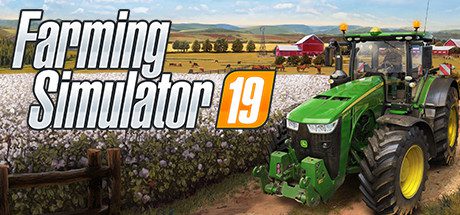
The Ultimate Guide to Farming Simulator
Are you ready to take on the challenge of farming? If yes, then get ready to dive into the world of Farming Simulator! In this comprehensive guide, we will walk you through the basics of playing Farming Simulator, from installing and setting up the game to cultivating and harvesting your crops.
Getting Started With Farming Simulator
Before diving into the gameplay, let’s take a look at some essential information about the game. Farming Simulator is developed by Giants Software and offers a wide range of farming experiences, from basic farming to complex industrial operations. The game has undergone numerous updates, with the latest version being Farming Simulator 22.
Installing Farming Simulator on PC
If you’re playing Farming Simulator on your computer, there are two ways to install the game: Directly downloading it from Microsoft’s website or using the Steam platform. If you choose the former, simply follow the instructions provided by Microsoft, and if you opt for Steam, download and install the software first.
Installing Farming Simulator on Console
If you’re playing on a console (PlayStation 4, PlayStation 5, Xbox One, or Xbox Series X/S), you can directly download and install the game from the respective store. For example, if you’re using a PlayStation console, access the PlayStation Network, navigate to the Store, and select Farming Simulator.
Selecting Your Character And Game Mode
After installing the game, it’s time to set up your character and choose the game mode. When starting the game for the first time, select Career as the game mode, then choose a Slot in which to start playing. You’ll have three difficulty levels to choose from: New Agriculturalist (Easy), Agricultural Conductor (Medium), or Farming Pro (Difficult).
Choosing Your Character
Once you’ve selected your character, you can customize their appearance and clothing using the lateral menu. This is also where you’ll find other essential items like tools and equipment.
Understanding Farming Simulator’s Controls
The controls in Farming Simulator are straightforward. Use the left analog stick to move your player, and the right analog stick for actions like cutting or cultivating crops. You can also use the directional buttons on your controller to change camera angles and access the map view.
Cultivating Crops: A Step-by-step Guide
Let’s dive into some of the basics of farming in Farming Simulator. To begin, you’ll need a tractor with two attachments: A plow for cultivating and a seeder for planting seeds. If you’re playing on Easy mode, these machines will be pre-positioned near your farm.
Cutting Crops
To cut crops, select the relevant attachment (a mower) from your tractor’s menu. Then, follow these steps:
- Approach the crop using R2 or RT.
- Engage the mower by pressing X (PS4), Square (PS5), or B (Xbox).
- Position the mower to harvest the crop.
Cultivating a Field
To cultivate a field, you’ll need to select the relevant attachment (a plow) from your tractor’s menu. Then, follow these steps:
- Approach the unworked area using R2 or RT.
- Engage the plow by pressing X (PS4), Square (PS5), or B (Xbox).
- Position the plow to work on the selected area.
Seeding a Field
To seed a field, you’ll need to select the relevant attachment (a seeder) from your tractor’s menu. Then, follow these steps:
- Approach the cultivated area using R2 or RT.
- Engage the seeder by pressing X (PS4), Square (PS5), or B (Xbox).
- Position the seeder to sow seeds in the selected area.
Playing Farming Simulator Multiplayer
To play Farming Simulator multiplayer, you’ll need a subscription to PS Plus or Xbox Game Pass. Launch the game and select the Multiplayer option from the main menu. You can choose between cooperative and competitive game modes.
Conclusion
Farming Simulator offers an immersive gaming experience that will challenge your skills as a farmer. With this guide, we’ve walked you through the basics of playing Farming Simulator on PC or console platforms. Now it’s time to put what you’ve learned into practice!
Faqs
-
What is Farming Simulator?
Farming Simulator is a farming simulation game developed by Giants Software. -
Can I Play Farming Simulator Multiplayer?
Yes, but only with a subscription to PS Plus or Xbox Game Pass. -
How do I Install Farming Simulator on my Pc?
You can download and install the game directly from Microsoft’s website or use Steam. -
What Are The Different Difficulty Levels in Farming Simulator?
The three difficulty levels are: New Agriculturalist (Easy), Agricultural Conductor (Medium), and Farming Pro (Difficult). -
How do I Customize my Character in Farming Simulator?
You can customize your character’s appearance and clothing using the lateral menu. -
What Attachments do I Need to Cultivate Crops?
A tractor with a plow or mower attachment is required for cultivating crops. -
Can I Seed Any Type of Crop at Any Time?
No, you’ll need to choose the correct crop based on the current season and weather conditions. -
How do I Play Farming Simulator Multiplayer?
Launch the game, select Multiplayer, then choose a cooperative or competitive mode.


