
The Ultimate Guide to Gta Rp: A Beginner’s Tutorial
Are you ready to experience the thrill of Grand Theft Auto (GTA) Role-Playing (RP) with other players? Look no further! In this comprehensive guide, we’ll take you through the basics of GTA RP, including how to download and play this exciting game mode.
What is Gta Rp?
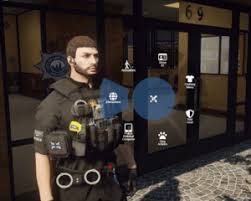
GTA RP, short for GTA Role-Playing, is a mod (modification) for Grand Theft Auto V that allows players to interact with each other in real-time. It’s essentially a role-playing game where you can create your own character, engage in conversations, and participate in various activities with other players.
The Risks of Playing Gta RP
Before we dive into the fun stuff, it’s essential to note that playing GTA RP carries some risks. Rockstar Games, the developers of GTA V, have not officially endorsed this mod, and using unauthorized software can lead to legal consequences. Additionally, some servers may require approval or have strict rules, so be sure to read and follow them carefully.
System Requirements For Gta RP
To play GTA RP, you’ll need:
- Windows 10 or later (64-bit)
- Intel Core i5 3470 @ 3.2GHz / AMD X8 FX-8350 @ 4GHz
- NVIDIA GTX 660 2GB / AMD HD 7870 2GB
- 16 GB RAM
- 72 GB HDD space
Downloading And Installing Gta RP
- Acquire Gta V: Ensure you have a copy of GTA V installed on your PC.
- Download Fivem: Go to the official website of FiveM, a mod that enables GTA RP, and download the client.
- Install Fivem: Run the downloaded file and follow the installation instructions.
Configuring Fivem
After installing FiveM, launch it by clicking its icon on your desktop. Create an account or log in with your existing one. Configure the interface to Italian (if you prefer), and set a nickname that suits your character’s style.
Joining a Server
To access a server:
- Access The Fivem Client: Launch the FiveM launcher and navigate to the servers list.
- Choose a Server: Browse through the available servers, considering factors like game mode, player count, and requirements (e.G., Steam authentication).
- Connect to The Server: Once you’ve selected a server, click “Connect” to start playing.
Tips For Playing Gta RP
- Start With No-list Servers: These are great for new players, as they don’t require approval or have strict rules.
- Avoid Using Cheats And Scripts: Engaging in such activities can lead to permanent bans from the server.
- Respect Server Rules: Read and follow each server’s specific rules and guidelines.
Conclusion
GTA RP is an exciting game mode that offers a fresh experience for GTA V players. With this comprehensive guide, you’re now equipped with the knowledge necessary to download, install, and play GTA RP like a pro!
Frequently Asked Questions (FAQs)
- Q: What is Gta Rp?
A: GTA RP stands for Grand Theft Auto Role-Playing, a mod that allows players to interact with each other in real-time. - Q: Is Gta RP Safe to Play?
A: While playing GTA RP carries some risks, you can minimize them by following server rules and avoiding unauthorized software. - Q: Do I Need Gta V to Play Gta Rp?
A: Yes, a copy of GTA V is required for GTA RP to function. - Q: Can I Use Cheats or Scripts in Gta Rp?
A: No, using such activities can result in permanent bans from the server. - Q: How do I Report Technical Issues During Gameplay?
A: Use the server’s Discord channel to resolve any technical problems with administrators’ help.
By following this guide and understanding the risks involved, you’ll be well on your way to experiencing the thrill of GTA RP with other players!


