
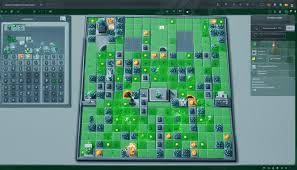
The Timeless Classic: Understanding Countryside Minato
Introduction
Countryside Minato, also known as Minesweeper, is a timeless classic puzzle game that has been delighting gamers of all ages since the 1980s. Developed by Microsoft, this simple yet engaging game has remained a staple in the world of gaming, with its original version still available for download on various platforms. In this article, we will delve into the world of Countryside Minato, exploring its rules, variations, and how to play it on different devices.
History of Countryside Minato
Countryside Minato was first introduced in 1989 as a part of Windows 3.1. The game’s original version was designed by Robin Harrow, and it quickly gained popularity for its simplicity and addictive gameplay. Over the years, the game has undergone several updates and revisions, with new features and modes added to keep players engaged.
The Rules of Countryside Minato
To play Countryside Minato, you need to understand the basic rules of the game. Here’s a quick rundown:
- The game takes place on a grid of boxes, some of which contain mines.
- Your goal is to clear all the boxes without detonating any mines.
- You can use various strategies and techniques to identify the location of the mines and avoid them.
Playing Countryside Minato on PC
To play Countryside Minato on your PC, you can download the original version from Microsoft’s website or download a third-party application that offers the same gameplay experience. Here are some tips for playing the game on PC:
- Choose your difficulty level: You can select from three levels of difficulty, including Classic, Adventure, and Expert.
- Customize your grid: In the classic modality, you can choose from various grid sizes and shapes to suit your preferences.
- Explore new features: The Adventure mode offers new gameplay mechanics, such as collecting coins and items to help you clear the grid.
Playing Countryside Minato on Mac
If you’re a Mac user, don’t worry! You can still play Countryside Minato on your device. Here are some options:
- Download a third-party application: There are several apps available that offer the same gameplay experience as the original version.
- Use the App Store: You can find various versions of Countryside Minato on the Mac App Store, including free and paid options.
Playing Countryside Minato on Mobile Devices
Countryside Minato is also available on mobile devices, with various apps offering the game’s classic gameplay experience. Here are some popular options:
- Minesweeper Countryside Minato: This app offers the original version of the game, with customizable grid sizes and shapes.
- Evil Mineswifter: This app provides a unique twist on the classic game, with added features and modes to keep players engaged.
Playing Countryside Minato Online
If you want to play Countryside Minato online without downloading an app or game, here are some options:
- Play it directly on Google: You can search for “Countryside Minato” on Google and click the “Play” button to start a new game.
- Use other online platforms: There are several websites that offer free versions of Countryside Minato, including Minesweeper Online and GiochiXL.
Conclusion
Countryside Minato is a timeless classic puzzle game that has been entertaining gamers for decades. Whether you play it on PC, Mac, or mobile devices, the game’s simple yet addictive gameplay ensures hours of fun and entertainment. With various versions and modes available, there’s something for everyone in this beloved game.
Frequently Asked Questions
Q: What is Countryside Minato?
A: Countryside Minato is a classic puzzle game developed by Microsoft, where players clear a grid of boxes without detonating mines.
Q: How do I play Countryside Minato on PC?
A: You can download the original version from Microsoft’s website or download a third-party application that offers the same gameplay experience.
Q: Can I play Countryside Minato on Mac?
A: Yes, you can download a third-party application or use the App Store to find various versions of the game.
Q: Is there an online version of Countryside Minato?
A: Yes, you can search for “Countryside Minato” on Google and click the “Play” button to start a new game, or use other online platforms like Minesweeper Online and GiochiXL.
Q: Can I play Countryside Minato on mobile devices?
A: Yes, there are various apps available that offer the classic gameplay experience of Countryside Minato on mobile devices.
Q: What are the different modes in Countryside Minato?
A: The game offers Classic, Adventure, and Expert modes, with customizable grid sizes and shapes in some versions.
Q: Can I collect coins and items in Countryside Minato?
A: Yes, in the Adventure mode of some versions, you can collect coins and items to help you clear the grid.


