
How to Play Online With Nintendo Switch
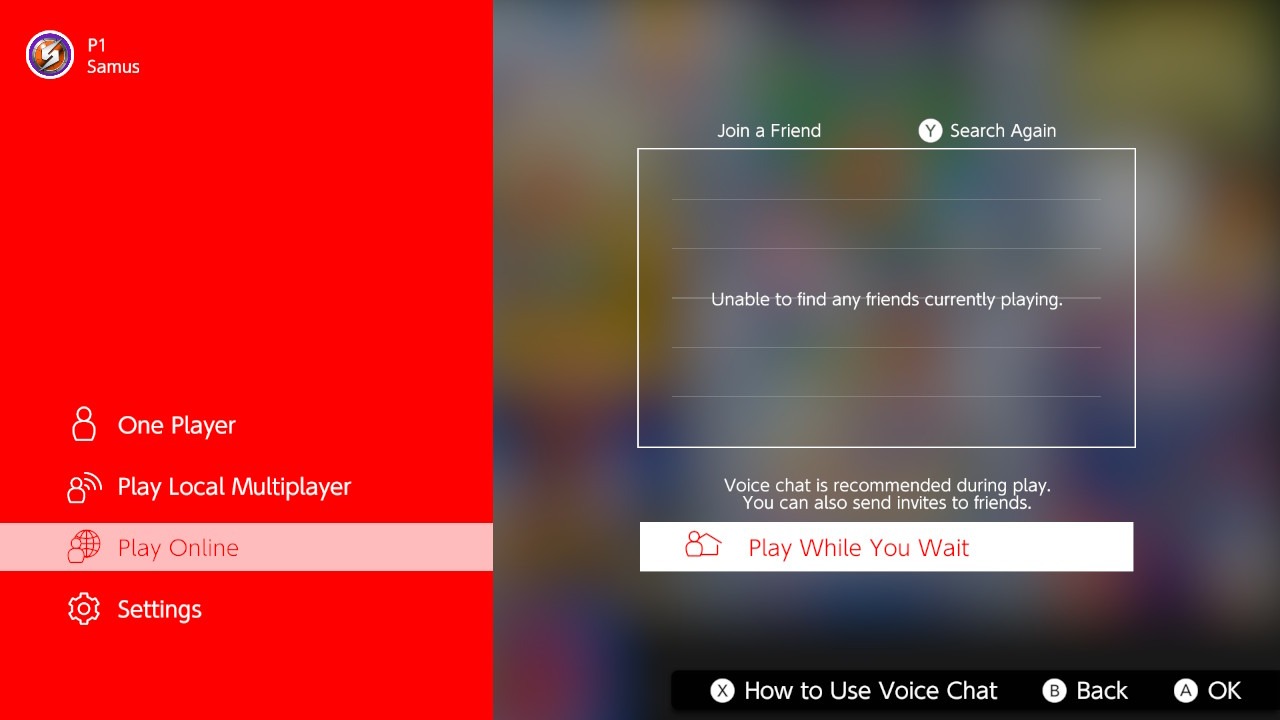
If you want to play online multiplayer games on Nintendo Switch but don’t know how to proceed, you’ve come to the right place! In this tutorial, I’ll explain how to play online with Nintendo Switch, guiding you through the procedure to access the online multiplayer mode of titles for the hybrid console.
Preliminary Information
Before starting, make sure your Nintendo Switch is turned on and that your friends are waiting online. Maybe you want to start a battle royale in Fortnite or an exploration in Minecraft. However, it’s essential to check if the game you want to play has an online mode and if it requires a subscription to Nintendo Switch Online.
How to Play Online on Nintendo Switch
To play online with Nintendo Switch, follow these simple steps:
- Subscribe to Nintendo Switch Online: If your game requires a subscription, go ahead and subscribe to Nintendo Switch Online. This will give you access to the online multiplayer mode of various games.
- Start an Online Split: Once you’ve subscribed, start a new split by selecting the game you want to play and choosing the online multiplayer option.
Subscribe to Nintendo Switch Online
To subscribe to Nintendo Switch Online, follow these steps:
- Open The Eshop: Open the Nintendo eShop on your Switch.
- Select Nintendo Switch Online: Choose the Nintendo Switch Online subscription from the menu.
- Choose Your Subscription Plan: Select the subscription plan that suits you best (e.G., 1 Month, 3 months, or 12 months).
- Complete The Payment Process: Follow the on-screen instructions to complete the payment process.
Preliminary Information
Before starting an online split, make sure to check if your game has an online mode and if it requires a subscription. This information can be found in the game’s details section or by checking the Nintendo website.
Playing Online With Nintendo Switch
Now that you’ve subscribed to Nintendo Switch Online, you can start playing online with your friends! The online multiplayer mode is usually accessible from the game’s menu. Simply select the option and wait for the split to begin.
Tips And Tricks
If you experience any problems during the split, such as disconnections or lag, try checking your internet connection. You can also use the Nintendo Switch Online app to troubleshoot issues.
Subscribe to Nintendo Switch Online – 3 Months
See bid on Amazon
365 Days Switch Online Members (Family)
See bid on Amazon
How to Play Online With a Title For Nintendo Switch
Playing online with a title for Nintendo Switch is easy! Simply select the game from the menu and choose the online multiplayer option. If you’re playing a free-to-play game, such as Fortnite, you can play online without a subscription.
Initiate an Online Split
Once you’ve subscribed to Nintendo Switch Online, you can initiate an online split by selecting the game you want to play and choosing the online multiplayer option. This will take you to a menu where you can select your game mode and start playing with your friends.
Tips For Playing Online With Fortnite
If you’re playing Fortnite online, make sure to check your internet connection before starting the split. You can also use the Nintendo Switch Online app to troubleshoot issues.
Conclusion
Playing online with Nintendo Switch is a great way to enjoy games with your friends and family. Make sure to subscribe to Nintendo Switch Online and follow the simple steps outlined in this tutorial to get started!
Faqs
- Q: Do I Need a Subscription to Play Online With Nintendo Switch?
A: Yes, some games require a subscription to Nintendo Switch Online to access the online multiplayer mode. - Q: How do I Subscribe to Nintendo Switch Online?
A: To subscribe, follow the steps outlined in this tutorial or visit the Nintendo website for more information. - Q: Can I Play Online With Fortnite Without a Subscription?
A: Yes, you can play Fortnite online without a subscription if it’s a free-to-play game. - Q: What Happens if my Internet Connection is Poor During a Split?
A: If your internet connection is poor, you may experience disconnections or lag. Try troubleshooting the issue using the Nintendo Switch Online app. - Q: Can I Cancel my Subscription to Nintendo Switch Online?
A: Yes, you can cancel your subscription by accessing the Nintendo eShop and following the on-screen instructions.


