
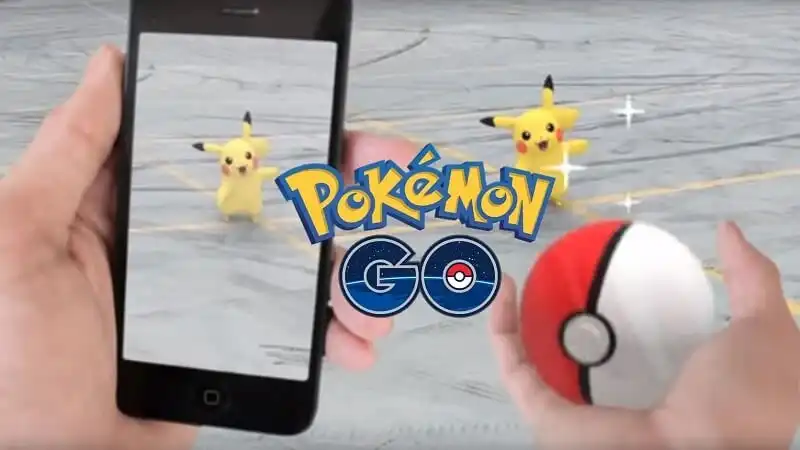
The Ultimate Guide to Playing Pokémon Go: A Step-by-step Tutorial
Are you ready to catch ’em all? Pokémon Go is a popular mobile game that has taken the world by storm, and we’re here to guide you through every step of the way. Whether you’re a seasoned gamer or a newbie, this tutorial will walk you through how to download and play Pokémon Go on your Android or iOS device.
Getting Started: Downloading Pokémon Go
To get started, you’ll need to download the Pokémon Go app from the App Store (for iOS devices) or Google Play Store (for Android devices). Here’s a step-by-step guide:
- Step 1: Open The App Store or Google Play Store
- On your device, navigate to either the App Store (for iOS devices) or Google Play Store (for Android devices).
- Step 2: Search For Pokémon Go
- Type “Pokémon Go” in the search bar and select the app from the results.
- Step 3: Download The App
- Tap the download button to start the installation process.
Downloading Pokémon Go on Ios Devices
To download Pokémon Go on your iOS device, follow these steps:
- Open the App Store app.
- Search for “Pokémon Go” in the search bar.
- Select the app from the results and tap the “Get” button.
- Wait for the download to complete.
Downloading Pokémon Go on Android Devices
To download Pokémon Go on your Android device, follow these steps:
- Open the Google Play Store app.
- Search for “Pokémon Go” in the search bar.
- Select the app from the results and tap the “Install” button.
- Wait for the download to complete.
Understanding The Gameplay
Now that you have the game installed, it’s time to understand how to play Pokémon Go. Here’s a brief overview:
- Step 1: Create an Account
- Tap the “Sign up” button to create a new account or log in with your existing Google account.
- Step 2: Complete Your Profile
- Fill out your profile information, including your name and email address.
- Step 3: Start Catching Pokémon!
- The game will guide you through the process of catching your first Pokémon.
Tips For Beginners
Here are some tips to get you started:
- Start With a Strong Team: Focus on catching strong, high-level Pokémon to build a solid team.
- Explore Different Areas: Venture out into different areas, such as parks or cities, to find new Pokémon and challenges.
- Stay Connected: Join online communities and connect with other players to share tips and strategies.
Pokémon Go: A Free Game With In-app Purchases
While the game itself is free to download and play, there are in-app purchases available for users who want to enhance their experience. These include:
- In-game Items: Purchase virtual items, such as Poké Balls or potions, to aid you in your Pokémon-catching journey.
- Premium Features: Upgrade to a premium account for exclusive features, such as increased storage space for your Pokémon.
Conclusion
With this guide, you’re now ready to start playing Pokémon Go. Remember to explore different areas, stay connected with other players, and have fun! The game is constantly evolving, so be sure to check back regularly for updates and new content.
Frequently Asked Questions (FAQs)
Here are some frequently asked questions and answers to get you started:
- Q: What Devices Can I Play Pokémon Go On?
- A: Pokémon Go is available on both Android and iOS devices.
- Q: How do I Download The Game?
- A: To download the game, navigate to the App Store (for iOS devices) or Google Play Store (for Android devices), search for “Pokémon Go,” and tap the download button.
- Q: Can I Play Pokémon Go Offline?
- A: Yes, you can play Pokémon Go offline. However, some features, such as battling and trading, require an internet connection.
I hope this guide has been helpful in getting you started with playing Pokémon Go. Happy gaming!


