
The Ultimate Guide to Playing With Mouse And Keyboard on Ps4
Are you a fan of playing video games on your PlayStation 4 (PS4) but feel limited by the controller? Do you miss the precision and control that comes with using a mouse and keyboard? You’re in luck! With the right setup, you can enjoy your favorite games on PS4 using a mouse and keyboard.
Why Play With Mouse And Keyboard on Ps4?
There are several reasons why you might want to play with a mouse and keyboard on your PS4. First, it offers greater mobility and control over your gaming experience. The wide range of buttons on the keyboard allows for quick and precise actions, while the mouse provides smooth navigation and aiming. This can be especially useful in games that require fast reflexes and accurate targeting.
Advantages And Limitations
Before we dive into the setup process, let’s discuss the advantages and limitations of playing with a mouse and keyboard on PS4.
Advantages:
- Greater mobility and control
- Precise actions and aiming
- Ability to play games that are not optimized for controller use
Limitations:
- Not all games support mouse and keyboard input
- Some accessories may not be compatible with the PS4
- May require additional setup and configuration
How to Connect Mouse And Keyboard to Your Ps4
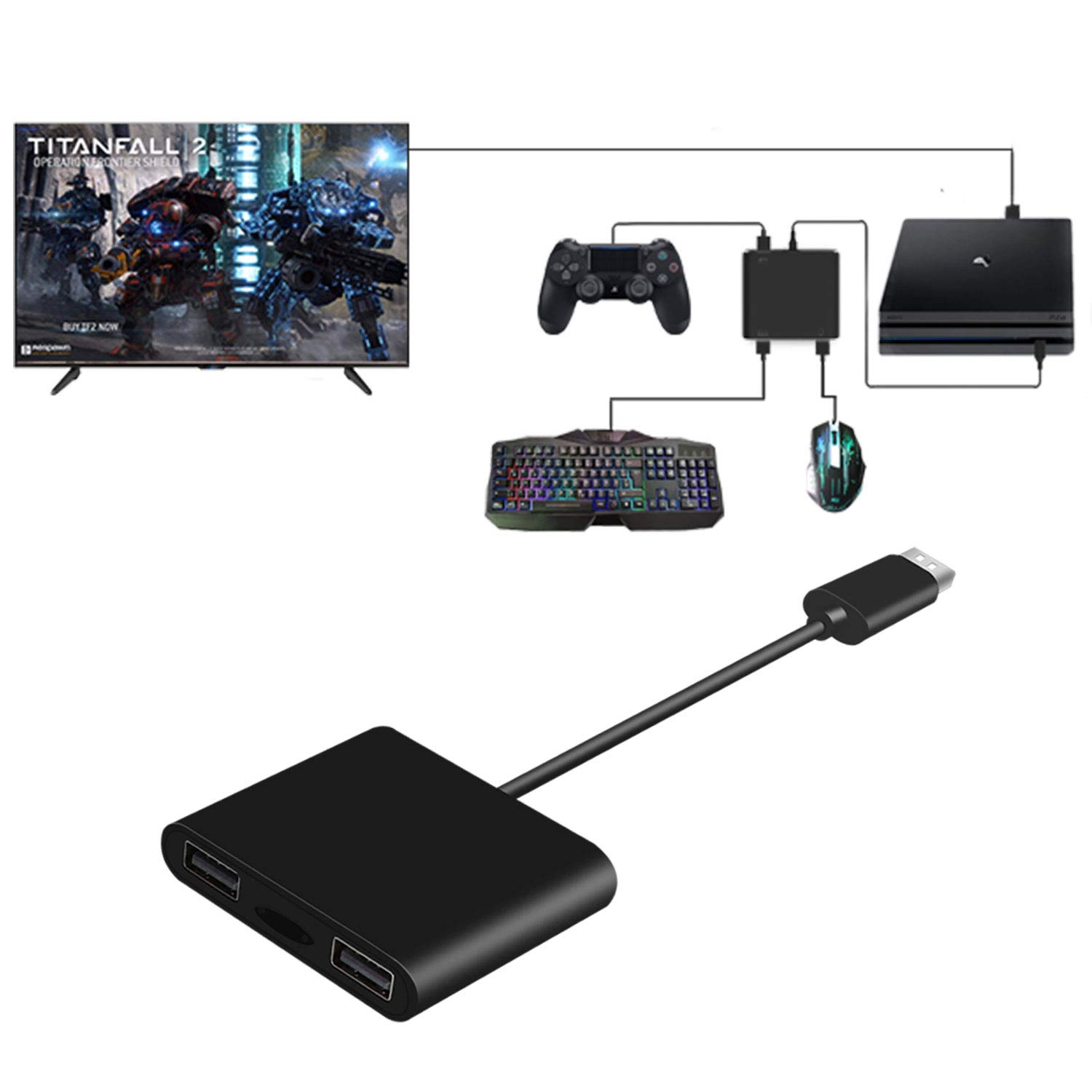
Now that we’ve covered the advantages and limitations, let’s move on to the setup process. To connect your mouse and keyboard to your PS4, follow these steps:
- Ensure that both devices are compatible with your PS4.
- Connect the mouse and keyboard to a USB port on your PS4 using a cable or wirelessly via Bluetooth.
- If you’re using wireless accessories, pair them with your PS4 by following the manufacturer’s instructions.
Configuring Your Mouse And Keyboard
Once you’ve connected your devices, it’s time to configure them for use on your PS4. Here’s how:
- Go to the PS4 settings menu and select “Devices.”
- Select “External Keyboard and Mouse” from the list of available options.
- Configure the layout and speed of your mouse to your liking.
How to Play Games With Mouse And Keyboard on Ps4
Now that you’ve set up your mouse and keyboard, it’s time to start playing games! Here are some tips for getting started:
- Familiarize yourself with the game’s controls and settings.
- Experiment with different layouts and configurations to find what works best for you.
- Practice makes perfect – don’t be discouraged if it takes a little time to get used to playing with a mouse and keyboard.
Compatible Games
Not all games are created equal when it comes to supporting mouse and keyboard input on PS4. Here are some popular titles that do support this feature:
- Fortnite
- Final Fantasy XIV
- War Thunder
- Neverwinter
- DC Universe Online
- Elder Scrolls Online
- Call of Duty: Modern Warfare
Troubleshooting Common Issues
If you’re experiencing issues with your mouse and keyboard setup on PS4, here are some common problems and solutions to keep in mind:
- Accessory Not Recognized: Ensure that the accessory is properly connected to the PS4 and try restarting the console.
- Incorrect Layout or Speed: Adjust the configuration settings for your mouse and keyboard to find a comfortable and effective setting.
Conclusion
Playing with a mouse and keyboard on your PS4 can be a game-changer for fans of precise control and fast reflexes. With the right setup and configuration, you can enjoy your favorite games in a whole new way. Don’t let limitations hold you back – take the leap and try playing with a mouse and keyboard today!
Frequently Asked Questions
Q: Do I need to buy special accessories for my PS4?
A: Yes, you’ll need to purchase compatible accessories such as mice and keyboards that are designed specifically for use on the PS4.
Q: Which games support mouse and keyboard input on PS4?
A: Some popular titles that do support this feature include Fortnite, Final Fantasy XIV, War Thunder, Neverwinter, DC Universe Online, Elder Scrolls Online, and Call of Duty: Modern Warfare.
Q: How do I configure my mouse and keyboard for use on PS4?
A: Follow the steps outlined in the “How to Connect Mouse and Keyboard to Your PS4” section above.
Q: What are some common issues that can arise when using a mouse and keyboard on PS4?
A: Accessory not recognized, incorrect layout or speed, and game-specific issues are some common problems you may encounter.


