
How to Post a Photo on Instagram: A Step-by-step Guide
Are you excited to share your photos with the world on Instagram? But, do you know how to post a photo on Instagram without any hassle? Look no further! In this article, we will guide you through the process of posting a photo on Instagram, step by step.
Understanding Instagram’s Photo Requirements
Before we dive into the steps, it’s essential to understand Instagram’s photo requirements. The platform allows you to post photos with a maximum width of 1080 pixels. If your image is between 320 and 1080 pixels wide, it will be kept in its original resolution. However, if the proportions don’t fit within the specified range (1.91:1 And 4:5), Instagram will crop the image to fit.
Step-by-step Guide to Posting a Photo on Instagram
How to Post a Photo on Instagram Without Missing Quality
To ensure that your photo is shared in high quality, follow these steps:
- Update your Instagram app to the latest version.
- Use a smartphone with a high-quality camera.
- Take a photo with a width of at least 1080 pixels.
How to Post a Photo on Instagram Using The App
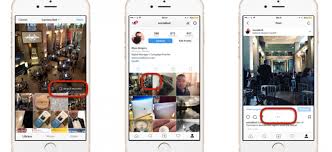
To post a photo on Instagram using the app, follow these steps:
- Open the Instagram app and tap on the “+” icon.
- Choose whether you want to take a new photo or import one from your gallery.
- Select the image you want to share.
- Tap on the “Share” button to post the photo.
How to Post a Photo With Music
To add music to your photo, follow these steps:
- Open the Instagram app and tap on the “+” icon.
- Choose whether you want to take a new photo or import one from your gallery.
- Select the image you want to share.
- Tap on the “Music” icon.
- Choose the music you want to add.
How to Post a Photo With White Border
To add a white border to your photo, follow these steps:
- Open the Instagram app and tap on the “+” icon.
- Choose whether you want to take a new photo or import one from your gallery.
- Select the image you want to share.
- Use an external app like Snapseed to add a white border.
To add hashtags to your photo, follow these steps:
- Open the Instagram app and tap on the “+” icon.
- Choose whether you want to take a new photo or import one from your gallery.
- Select the image you want to share.
- Tap on the “Hashtags” icon.
- Add the hashtags you want to use.
How to Post a Photo Without Making it Visible
To post a photo without making it visible, follow these steps:
- Go to your Instagram settings.
- Select “Private Account”.
- Set your profile to private.
Posting Photos on Instagram With a PC
You can also post photos on Instagram using a PC. Here’s how:
- Open the Instagram website or use the Windows app.
- Log in to your account.
- Click on the “+” icon.
- Select the image you want to share.
- Add any necessary filters or effects.
- Share the photo.
How to Post Photos on Instagram And Facebook at The Same Time
To post photos on Instagram and Facebook at the same time, follow these steps:
- Go to your Instagram settings.
- Select “Accounts Center”.
- Connect your Facebook account.
- Enable automatic sharing for your Instagram history.
Conclusion
Posting a photo on Instagram is a straightforward process that can be completed in just a few steps. By following the guidelines outlined in this article, you’ll be able to share your photos with the world without any hassle.
Frequently Asked Questions (FAQs)
- How do I Post a Photo on Instagram?
To post a photo on Instagram, open the app and tap on the “+” icon. Choose whether you want to take a new photo or import one from your gallery. - What Are The Requirements For Posting Photos on Instagram?
Photos must be within the specified width range (320-1080 pixels) with proportions between 1.91:1 And 4:5. - How do I Add Music to my Photo?
Open the Instagram app, tap on the “+” icon, select your image, and choose a musical piece from the available options. - Can I Post Photos With White Borders?
Yes, you can use an external app like Snapseed to add a white border to your photo. - How do I Make my Photo Private?
Go to your Instagram settings and select “Private Account”. - Can I Post Photos on Instagram Using a Pc?
Yes, you can open the Instagram website or use the Windows app to post photos. - How do I Post Photos on Instagram And Facebook at The Same Time?
Connect your Facebook account in the Instagram settings and enable automatic sharing for your Instagram history.


