
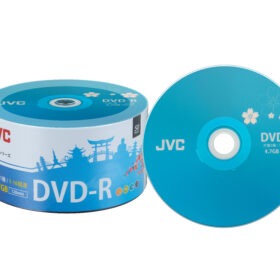
The Ultimate Guide to Printing on Dvd: A Step-by-step Tutorial
Are you tired of having a cluttered computer memory after recording your travels and adventures? Do you want to create personalized DVDs that showcase your memories in style? Look no further! In this comprehensive guide, we will walk you through the process of printing on DVD using various software tools.
Why Print on Dvd?
Printing on DVD is a great way to create personalized gifts for friends and family. It’s also an excellent way to preserve your memories by creating beautiful, high-quality prints that can be treasured for years to come.
Choosing The Right Software
There are several software options available for printing on DVD, each with its own unique features and capabilities. Here are some of the most popular ones:
Undercover 10 (Windows)
UnderCover 10 is a free program that allows you to print labels and covers for your DVDs. It’s user-friendly interface makes it easy to use, even for those who are new to software tools.
Key Features:
- Supports multiple layout templates
- Allows for image personalization
- Can apply images directly as labels on the DVD disc
CD Cover Creator (Windows)
CD Cover Creator is another popular program that allows you to create and print covers and labels for your DVDs. It offers a wide range of templates, effects, and clip-art options.
Key Features:
- Supports multiple layout templates
- Allows for image personalization
- Can apply images directly as labels on the DVD disc
Artwork Creator (Online)
Artwork Creator is an online service that allows you to create personalized covers and labels for your DVDs without having to download any software. It’s a great option for those who don’t want to clutter their computer with additional programs.
Key Features:
- Supports multiple layout templates
- Allows for image personalization
- Can apply images directly as labels on the DVD disc
Disclabel (macOS)
DiscLabel is a professional software tool that allows you to create and print covers and labels for your DVDs. It’s available for purchase, but also offers a free trial version.
Key Features:
- Supports multiple layout templates
- Allows for image personalization
- Can apply images directly as labels on the DVD disc
Getting Started With Undercover 10
To start using UnderCover 10, follow these steps:
- Download and install the program from the official website.
- Launch the program and select the “Select Image” option.
- Choose an image to print and select a layout template.
- Apply any additional effects or personalization options as desired.
Getting Started With CD Cover Creator
To start using CD Cover Creator, follow these steps:
- Download and install the program from the official website.
- Launch the program and select a pre-defined template.
- Modify the elements of the template to suit your needs.
- Apply any additional effects or personalization options as desired.
Getting Started With Artwork Creator
To start using Artwork Creator, follow these steps:
- Visit the online service website.
- Select a layout template and upload an image.
- Personalize the label by modifying the text, background color, and other elements.
- Save the design and print it directly from your printer.
Getting Started With Disclabel
To start using DiscLabel, follow these steps:
- Download and install the program from the official website (or use the free trial version).
- Launch the program and select a pre-defined template.
- Modify the elements of the template to suit your needs.
- Apply any additional effects or personalization options as desired.
Conclusion
Printing on DVD is a fun and creative way to preserve your memories and create personalized gifts for friends and family. With these software tools, you can easily create professional-looking prints that showcase your adventures in style. Remember to choose the right software for your needs, and follow the step-by-step instructions provided above to get started.
Faqs
- What Software Should I Use?
Choose a software tool based on your operating system (Windows or macOS) and personal preferences. - Can I Print Directly From my Computer?
Yes, all of the software tools mentioned above allow you to print directly from your computer. - How do I Personalize my Dvd Label?
Each software tool offers different options for personalization, such as text, images, and effects. Experiment with each option to find what works best for you. - Can I Use a Template or Create a Custom Design?
Yes, all of the software tools mentioned above offer pre-defined templates that can be modified to suit your needs. - How do I Save my Design?
Save your design as a file (e.G., .Zip) and print it directly from your printer. - Can I Use This Software on Both Windows And Macos?
Yes, some of the software tools mentioned above are available for both Windows and macOS operating systems. - How do I Get Started With Undercover 10?
Follow the step-by-step instructions provided above to get started with UnderCover 10. - Can I Use Artwork Creator Online?
Yes, Artwork Creator is an online service that allows you to create personalized covers and labels for your DVDs without having to download any software.
I hope this article has been helpful!


